User Manual
18
10. Contacts
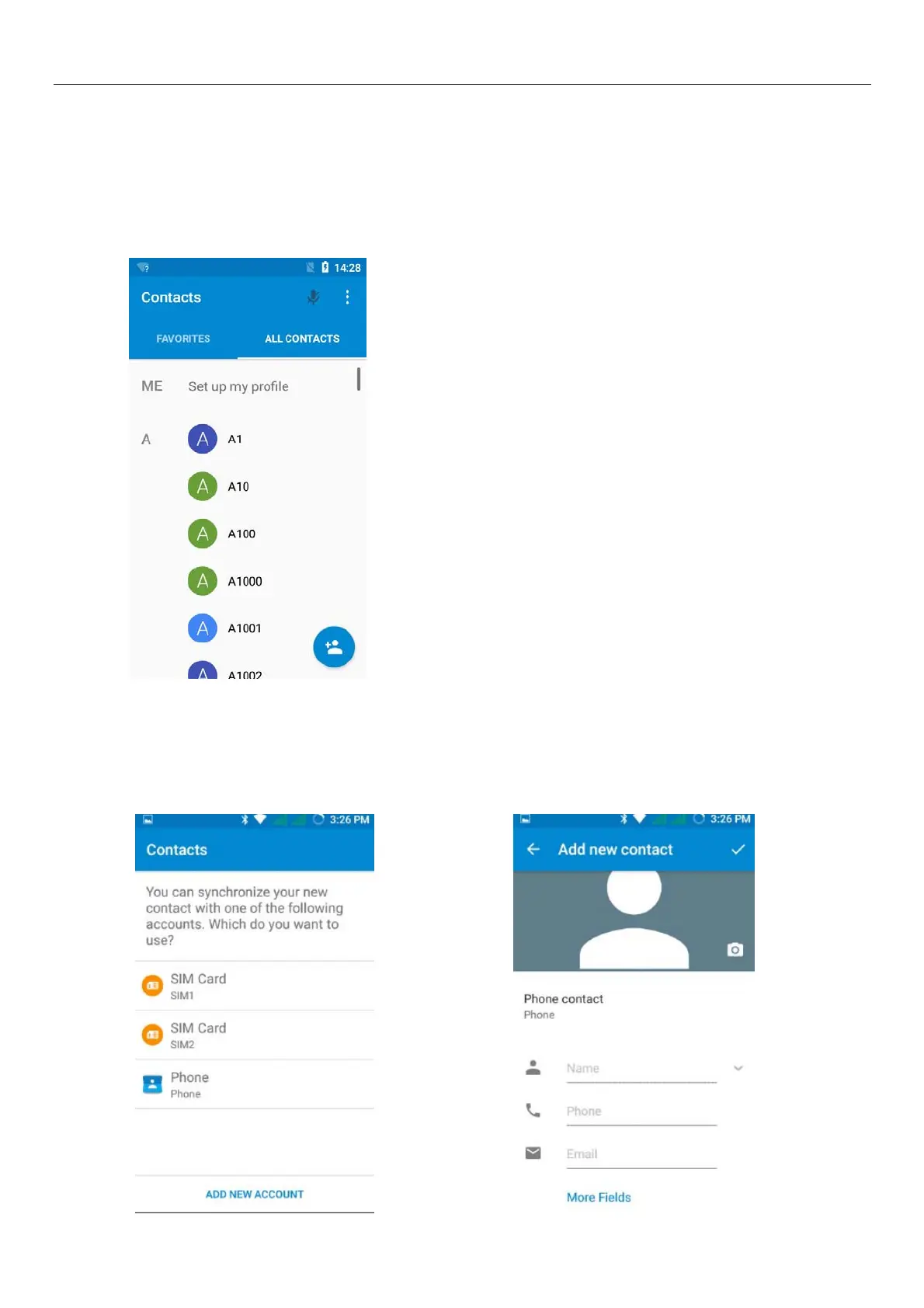
Open the menu of applications>contacts
the default display mobile phone contact and SIM card contacts, contact sort by pinyin initials.
Click“Add Contact”Icons,Can create New Contacts
Select save contacts to phone or a a SIM card, into contact editing interface.
You can edit contact head, name, telephone number, group, save to and more, and then click "finish".



 To Next Page