10. CD player
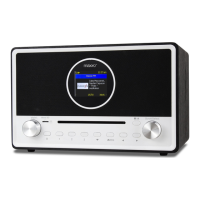
The CD drive on the radio is a slot-in type. Gently insert the CD a bit to the slot (with
label side up) and it will be slid in automatically.
It will take a moment to read the disc before it starts playing the first track.
Skip the next or previous track by rotating the [ Scroll/Select ] knob. Press and hold
the [ ◄ ] or [ ► ] buttons will invoke fast forwarding / rewinding.
To pause/play the music, press in the [Scroll/Select] knob.
Press the [ ] to stop playing or long pressing the button to eject the CD.
The radio will switch to CD mode when a CD is inserted.


 To Next Page