Experience an easy way to control tuning internet radio channels and manage your
favourite list via PC or Smart phone's web browser.
The supported browsers are Internet Explorer and Chrome.
- Connect your PC or Smart phone to the same Wi-Fi network as your radio.
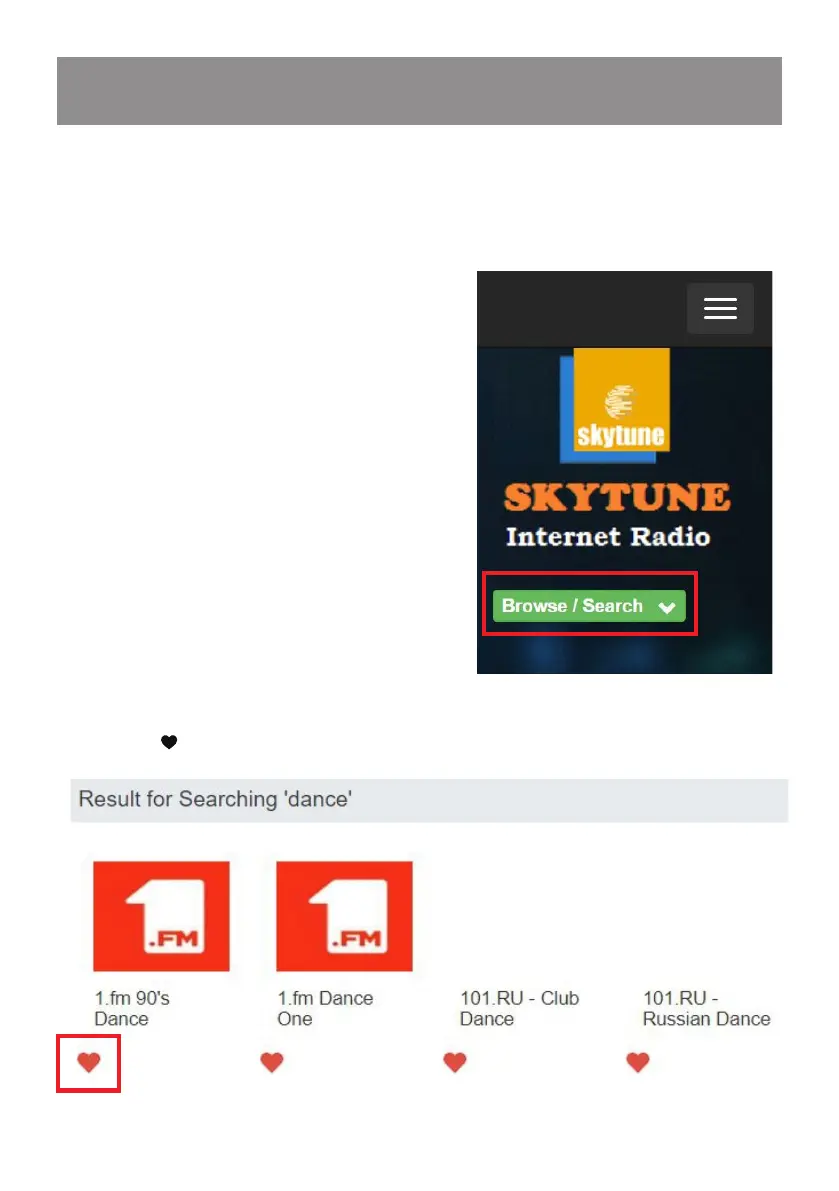
- Visit www.skytune.net
- On the home page, click “Browse/Search”
16. Remote control via PC / Smart phone
- Tuning internet radio & manage favourites
- Browse or enter the name to search the radio channel, a list of internet radio
channels will be displayed.
- Click the “ ”symbol


 To Next Page