6. SC(Scan), DW(Dual Watch) Button
1) SC (SCAN) button
To Activate : Press the "SC" button to start the scanning process. The
AR-108 will stop at any active channel.
It will remain on that channel during scan delay time and reactivate
scanning.
- If you want to stop scanning process, simply press the "Monitor" button.
- During the scanning process, the skipped channel will not be scanned.
- d1(dot 1) on the LCD will blink per 0.5 second.
- During the Down(Up) scanning process, press the "▼(▲)" button,
then scanning direction will be changed to Down (Up) scanning process.
- If you press the "FUNC" button at stopping channel during the scan
ning process, this channel will be skipped in the next scanning process.
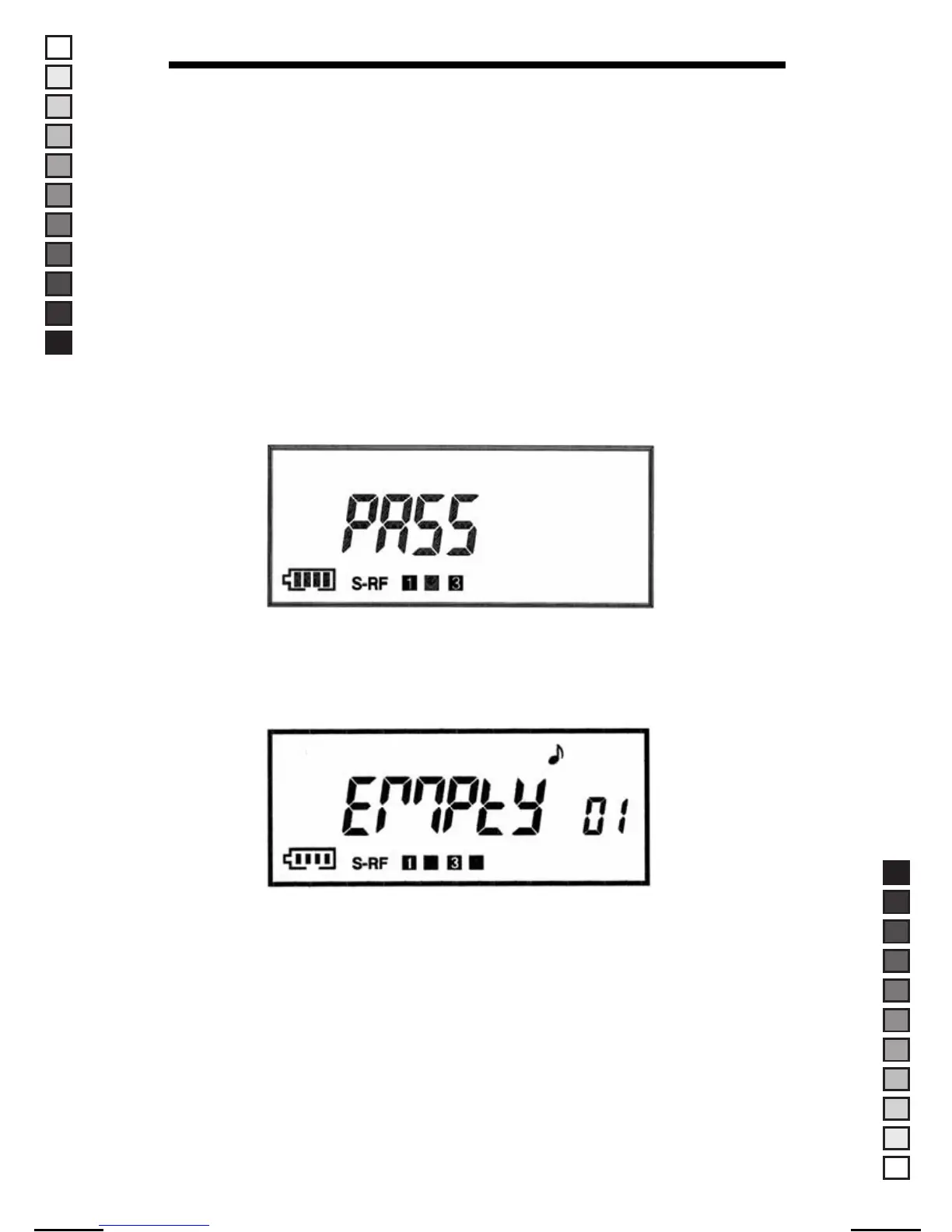
▶ Display of Pass message
NOTE : The memory channels skipped from scanning process are
automatically recovered when the radio is switched off and on
again.
▶ Display of EMPTY message
If only one channel will remain due to the skipping of channels from
the scanning process, the process will stop and "EMPTY" message will
appear on the LCD.
NOTE : Other buttons located on the front of the radio will not operate. If
you press these buttons, error beep tone will sound.
12
MANUAL-USER / ERP CODE: 66000444 / English / MAYCOM EUROPE VERSION
MANUAL SIZE: 110 X 190 mm / MATERIAL: ART PAPER(W/O COATING



 To Next Page