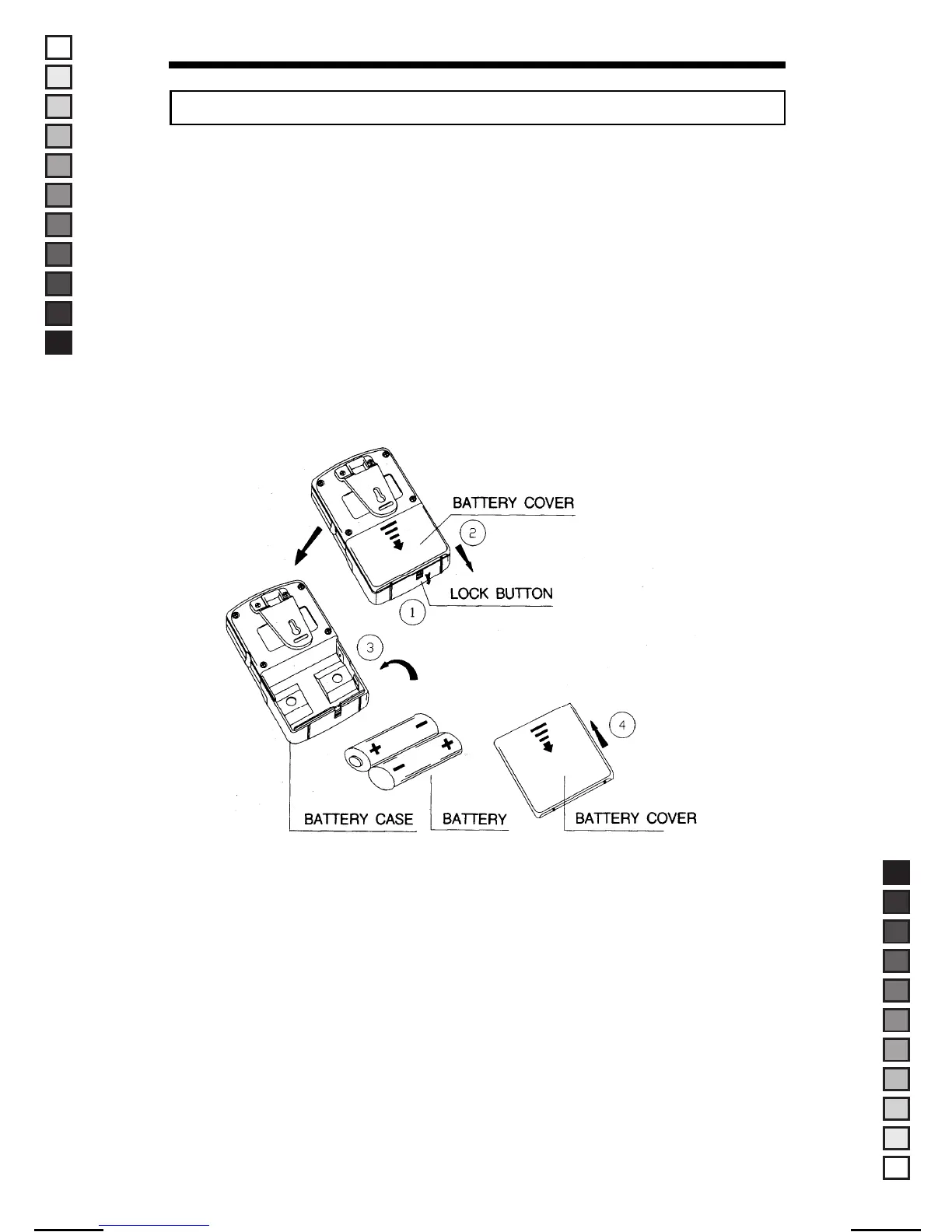
1. Press down the battery lock button on the bottom side of the radio.(①)
2. Open the battery cover on the back side of the radio.(②)
3. Install the battery as like shown.(③)
4. Put on the battery cover.(④)
5. Press the battery lock button upward to lock the battery case.
To supply the power, use the DC charge adapter.
CAUTION : Please use only rechargeable battery with DC charge adapter.
(Do not use dry battery with DC charge adapter)
17
■ BATTERY PACK INSTRUCTION
MANUAL-USER / ERP CODE: 66000444 / English / MAYCOM EUROPE VERSION
MANUAL SIZE: 110 X 190 mm / MATERIAL: ART PAPER(W/O COATING



 To Next Page