●
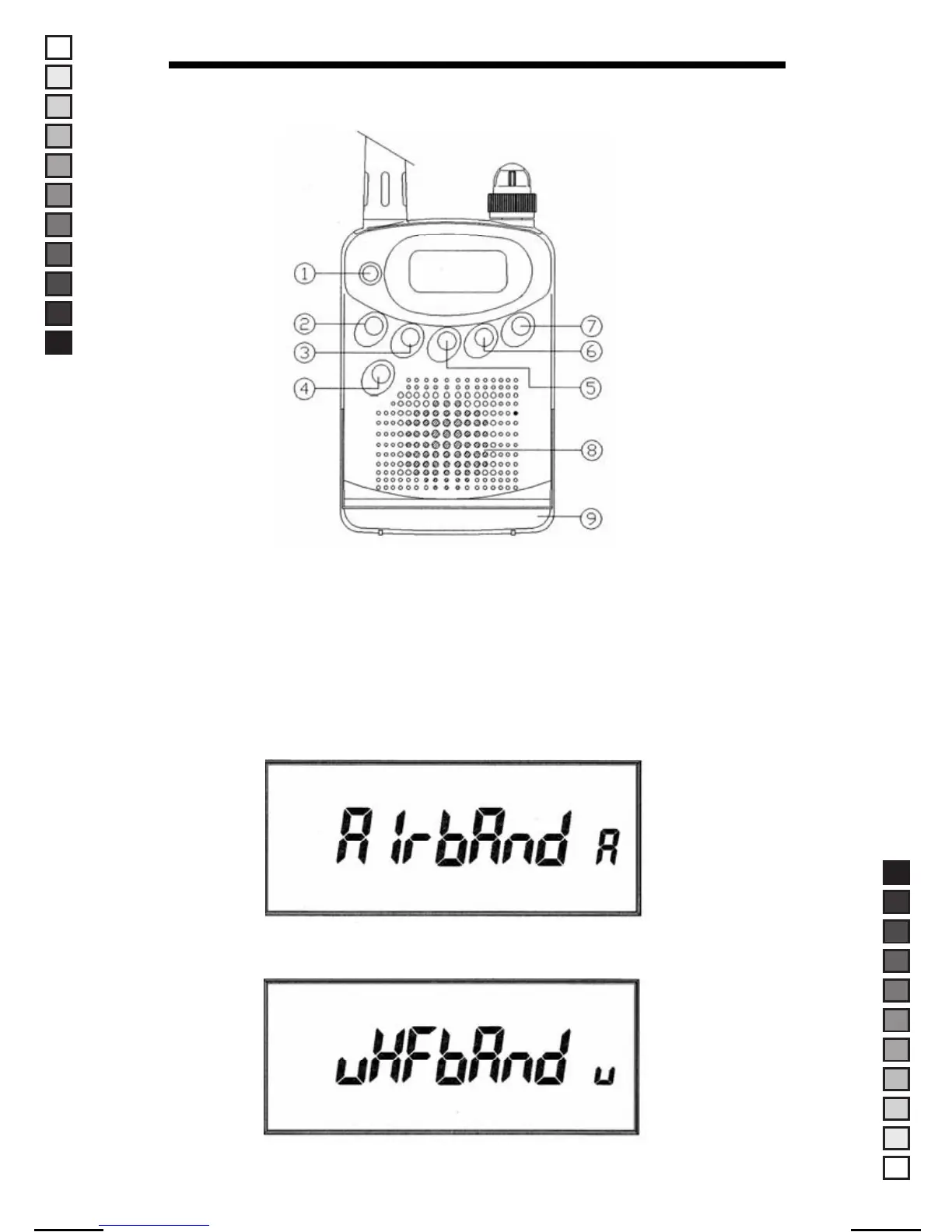
Front Panel Features
1. AI/WR button
Press the "AI/WR" button to change between air band and VHF band
alternately. The AR-108 allows you to listen to Air band and VHF band.
Press and release the "AI" button until you come to the band of your
choice. Look at the right hand bottom corner of the LCD, a letter "A" is
shown for air band and a letter "V" is shown for VHF band.
▶ Display of the Air Band
▶ Display of the VHF Band.
8
MANUAL-USER / ERP CODE: 66000444 / English / MAYCOM EUROPE VERSION
MANUAL SIZE: 110 X 190 mm / MATERIAL: ART PAPER(W/O COATING



 To Next Page