●
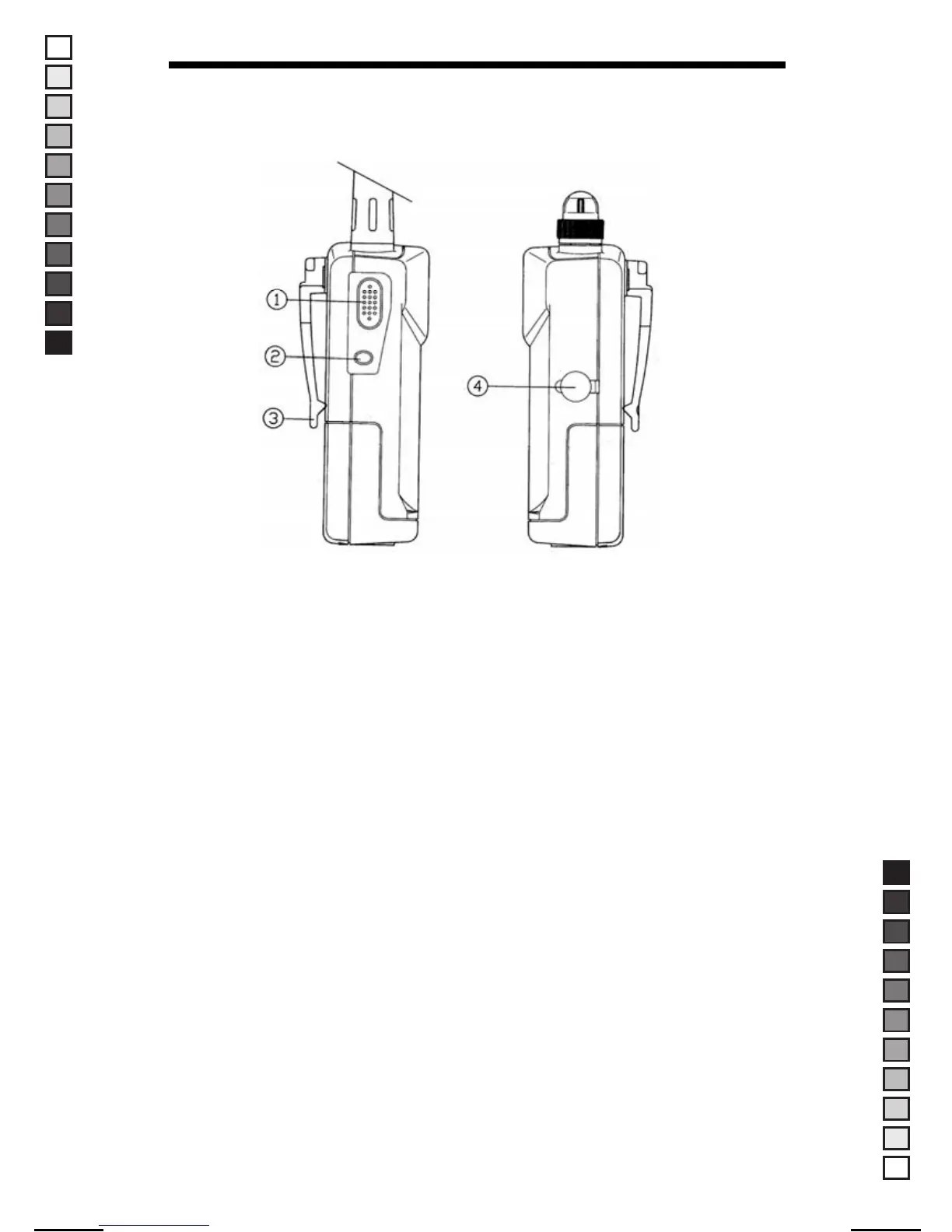
Side and Back Panel Features
1. MON (Monitor)
Press and hold the "MON (Monitor)" button in the receiving mode to
override squelch control. This is useful when a weak signal is to be
monitored.
2. FUNC(Function) button
This button, when used in conjunction with the buttons on the front panel,
allows for access of each function.
3. Belt Clip
Allows for ease of carrying while attached to user’s belt.
4. DC Jack
Allows for using external DC Wall Charger.
7
MANUAL-USER / ERP CODE: 66000444 / English / MAYCOM EUROPE VERSION
MANUAL SIZE: 110 X 190 mm / MATERIAL: ART PAPER(W/O COATING



 To Next Page