Troubleshooting (continued)
• The microphone volume is either too quiet or too loud:
The microphone’s volume may be adjusted using your system’s software (See Figure 3).
• Sound output is lost periodically during game play:
Your system may be set to output 5.1 channel audio rather than 2-channel audio. Try adjusting
your system’s audio output to 2-channel mode.
• If you encounter a problem not listed here, or are unable to solve your issue with the
information in this manual, please contact Mayflower Electronics at
CustomerService@MayflowerElectronics.com or via telephone at 518-866-4605.
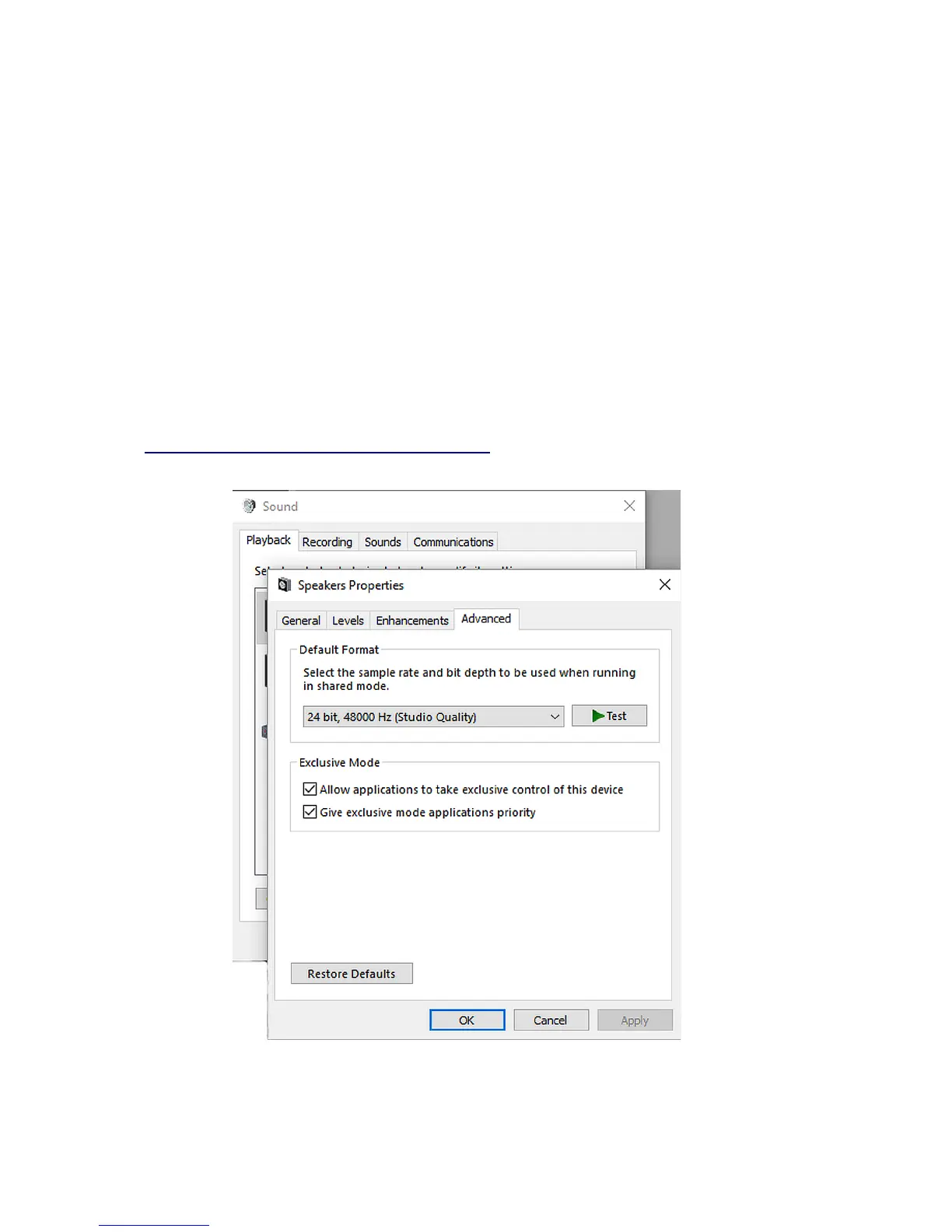
Figure 1: Selecting a compatible format.
Pg. 11


 To Next Page