SELECTING CYCLES AND OPTIONS/STARTING DISHWA
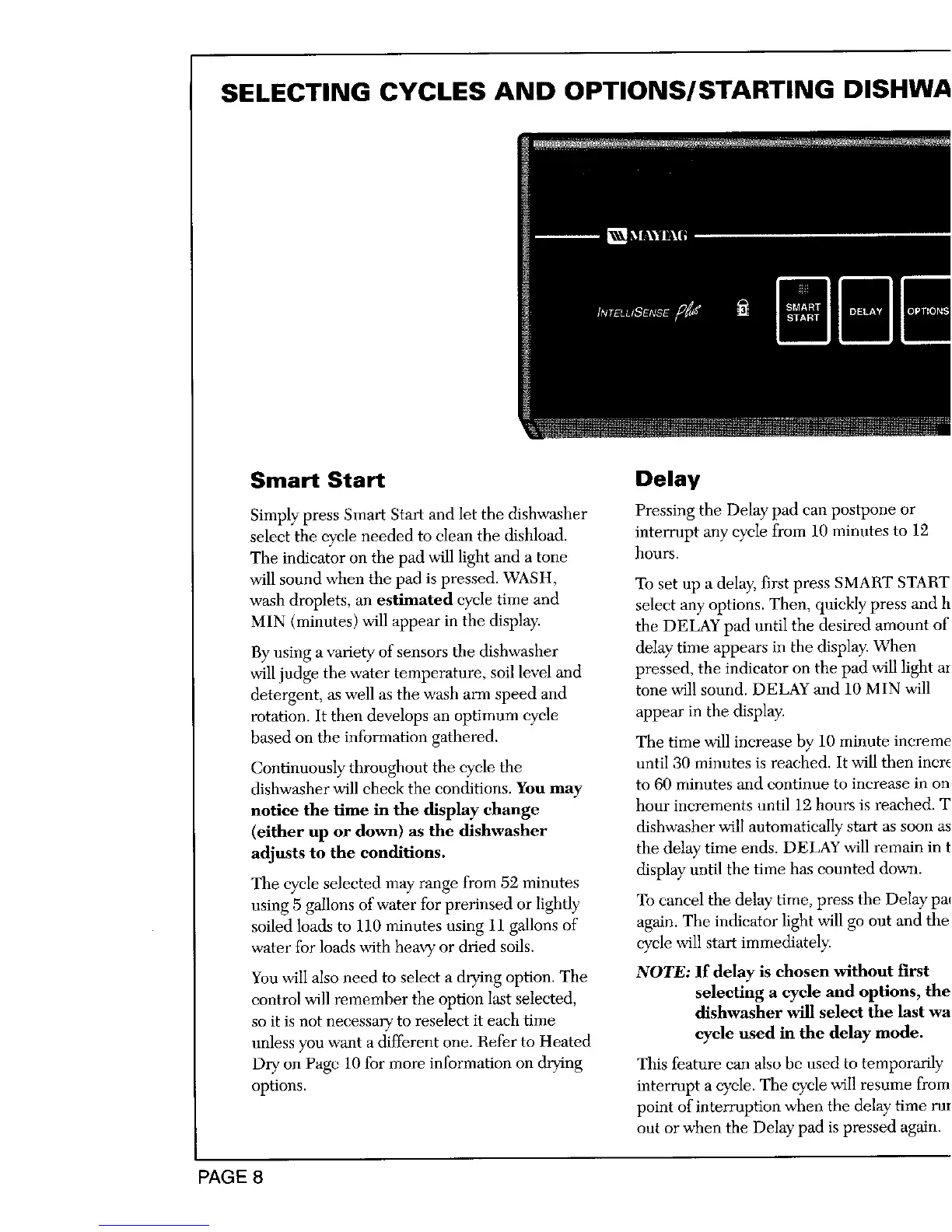
Smart Start Delay
Simply press Smart Start and let the dishwasher Pressing the Delay pad can postpone or
select the cycle needed to clean the dishload, interrupt any cycle from 10 minutes to 12
The indicator on the pad will light and a tone hours.
will sound when the pad is pressed. WASH, To set up a delay, first press SMART START
wash droplets, an estimated eycle time and select any options. Then, quickly press and h
MIN (minutes) will appear in the display, the DELAY pad until the desired amount of
By using a variety of sensors the dishwasher delay time appears in the display. When
will judge the water temperature, soil level and pressed, the indicator on the pad will light ar
detergent, as well as the wash arm speed and tone will sound. DELAY and 10 MIN will
rotation. It then develops an optimum cycle appear in the display.
based on the information gathered. The time will increase by 10 minute increme
Continuously throughout the cycle the until 30 minutes is reached. It will then incre
dishwasher will check the conditions. You may to 60 minutes mad continue to increase in on,
notice the time in the display change hour increments until 12 hours is reached. T
(either up or down) as the dishwasher dishwasher will automatically start as soon as
adjusts to the conditions, the delay" time ends. DELAY will remain in t
display until the time has counted down.
The cycle selected may range from 52 minutes
using 5 gallons of water for prerinsed or lightly To cancel the delay" time, press the Delay pa(
soiled loads to 110 minutes using 11 gallons of again. The indicator light will go out and the
water for loads with heavy"or dried soils, cycle will start immediately.
You will also need to select a drying option. The NOTE: If delay is chosen without first
control will remember the option last selected, selecting a cycle and options, the
so it is not necessary to reselect it each time dishwasher will select the last wa
unless you want a different one. Refer to Heated cycle used in the delay mode.
Dry on Pagc 10 for more information on drying This feature can also be used to temporarily
options, interrupt a cycle. The cycle will resume from
point of interruption when the delay time rut
out or when the Delay pad is pressed again.
PAGE8





 To Next Page