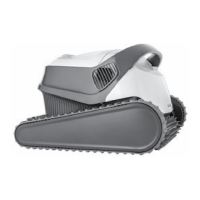
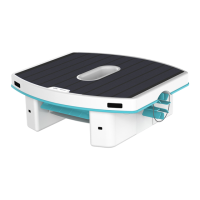
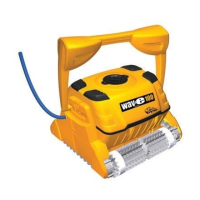
The Maytronics Robotic Pool Cleaner Mass 10 is an advanced device designed for reliable, convenient, and cost-effective pool cleaning, enhancing pool hygiene through its efficient filtration system and active brushing capabilities. This robotic cleaner is engineered to provide long-lasting performance and ease of maintenance, ensuring a thoroughly clean pool for users and their families.
Important Technical Specifications
The Robotic Pool Cleaner Mass 10 boasts robust technical specifications for optimal performance and safety:
- Motor Protection: IP 68, indicating high resistance to dust and water ingress.
- Minimum Depth: 0.4 m (1.33 ft), allowing it to operate effectively in shallow areas.
- Maximum Depth: 5 m (16.4 ft), suitable for a wide range of pool depths.
- Digital Power Supply Input: 100-130 AC Volts / 200-230 AC Volts, 50-60 Hertz, making it adaptable to different electrical standards.
- Digital Power Supply Output: <30 VDC, ensuring safe low-voltage operation.
- Digital Power Supply Protection: IP 54, providing protection against dust and splashing water.
For optimal operation and to ensure the longevity of the device, the pool water conditions must adhere to the following parameters:
- Chlorine: 4 ppm max.
- pH: 7.0-7.8
- Temperature: 6-35°C (43-95°F)
- NaCl (Salt): 5000 ppm max.
Usage Features
The Robotic Pool Cleaner Mass 10 is designed for straightforward setup and operation:
Setup:
- Power Supply Positioning: The power supply unit should be placed approximately in the middle of the longest side of the pool, at a distance of at least 3.5 m (12 ft) from the edge. This ensures adequate cable length and optimal reach for the cleaner.
- Cable Unwinding: The floating cable must be completely unwound and stretched out to prevent kinks, which could impede the cleaner's movement or damage the cable.
- Cable Connection: The floating cable connects to the power supply unit via a notched connector. Users must align the notch with the groove in the power supply's socket and turn it clockwise to secure the connection.
- Power Supply Plug-in: Once the cable is connected, the power supply should be plugged into an electrical outlet but left in the OFF position until the cleaner is in the water.
Putting the Pool Cleaner into the Pool:
- Placement: Gently place the Robotic Pool Cleaner into the pool.
- Sinking: Release the cleaner and allow it to sink to the bottom of the pool.
- Cable Management: Ensure the floating cable is free of any obstructions to allow the cleaner to move freely.
- Activation: Turn the power supply ON. The cleaner will then begin its cleaning cycle and operate until it has completed its programmed task.
Removing the Pool Cleaner from the Pool:
- Deactivation: Turn OFF and unplug the power supply before attempting to remove the cleaner.
- Retrieval: Use the floating cable to bring the Pool Cleaner to the pool's edge.
- Lifting: Crucially, remove the Pool Cleaner from the pool using its handle, not by pulling the cable. Pulling the cleaner by the cable can cause damage to the device or the cable itself.
- Draining: Place the cleaner on the edge of the pool to allow any trapped water to drain out completely.
Maintenance Features
Regular maintenance is crucial for the optimal performance and longevity of the Robotic Pool Cleaner Mass 10. The device offers user-friendly maintenance procedures for its filtration system and impeller.
Cleaning the Filter Basket:
- Frequency: It is highly recommended to clean the filter basket after each cleaning cycle. Do not allow the filter basket to dry out before cleaning, as this can make debris harder to remove.
- Safety First: Always ensure the power supply is switched off and unplugged before performing any maintenance.
- Removing the Basket:
- Open the filter cover on the top of the cleaner. The handle of the basket will lift independently upon opening the cover.
- Lift the entire filter basket out of the cleaner.
- Cleaning After Use (Quick Clean):
- Open the latch on the bottom of the basket to release the lid and remove collected debris.
- Clean the filter basket thoroughly with a hose to dislodge any remaining dirt and particles.
- Periodic Cleaning (Recommended at least once a month – Deep Clean):
- Dismantling Panels: For a more thorough clean, dismantle the two ultra-fine filter panels from the basket. This is typically done by using your thumbs to release them from their clips.
- Hose Cleaning: Clean the individual filter panels with a hose, ensuring all fine debris is removed from the filter material.
- Reassembly: Once clean, reassemble the filter panels back into the basket.
- Reinsertion: Insert the clean filter basket back into the pool cleaner and close the filter cover securely.
Cleaning the Net Canister:
- Frequency: Similar to the filter basket, it is highly recommended to clean the net canister after each cleaning cycle. Avoid letting it dry out before cleaning.
- Safety First: Always ensure the power supply is switched off and unplugged.
- Removing the Canister:
- Open the filter cover.
- Lift the net canister out of the cleaner.
- Cleaning: Clean the net canister thoroughly with a hose to remove all trapped debris.
Cleaning the Impeller:
- When to Clean: If you notice debris trapped in the impeller, it needs to be cleaned to maintain proper suction and movement.
- Safety First: Always ensure the power supply is switched off and unplugged before cleaning the impeller.
- Accessing the Impeller:
- If the debris is not easily reachable, you will need to open the impeller cover.
- Use a short screwdriver to open the two screws securing the impeller cover.
- Pull the impeller cover backward to release it.
- Cleaning: Carefully clean any debris trapped around the impeller.
- Reassembly: Once clean, reassemble the impeller cover and secure it with the screws.
Off-Season Storage:
For extended periods of non-use, proper storage ensures the cleaner remains in good condition:
- Drain Water: Ensure no water is left inside the Pool Cleaner.
- Thorough Cleaning: Clean the filter basket, panels, and/or canister thoroughly and reinsert them.
- Cable Management: Roll up the cable neatly, ensuring it has no kinks.
- Storage Location: Store the Pool Cleaner in a protected area, away from direct sunlight, rain, or frost. The ideal storage temperature is between 5°-45°C (41°-113°F).
Warnings and Cautions
To ensure safe operation and prevent damage to the device or injury, users must adhere to the following:
Warnings:
- Use only the originally supplied power supply.
- Ensure the electrical outlet is protected by a Ground Fault Interrupter (GFI) or an Earth Leakage Interrupter (ELI).
- Keep the power supply away from standing water.
- Position the power supply at least 3.5 m (12 ft) away from the edge of the pool.
- Do not enter the pool while the Pool Cleaner is operating.
- Unplug the power supply before servicing or performing any maintenance.
- Keep the Robotic Pool Cleaner out of reach of children or persons with reduced physical, sensory, or mental capabilities, or those lacking experience and knowledge, unless they are supervised or instructed.
- Do NOT pull the Pool Cleaner from the pool using the cable. Always use the handle.
Cautions:
- Operate the Pool Cleaner only within the specified water conditions (Chlorine, pH, Temperature, NaCl levels) to prevent damage and ensure effective cleaning.
By following these instructions, users can ensure the safe, efficient, and long-lasting performance of their Maytronics Robotic Pool Cleaner Mass 10.


 To Next Page
 General