EasyManua.ls Logo

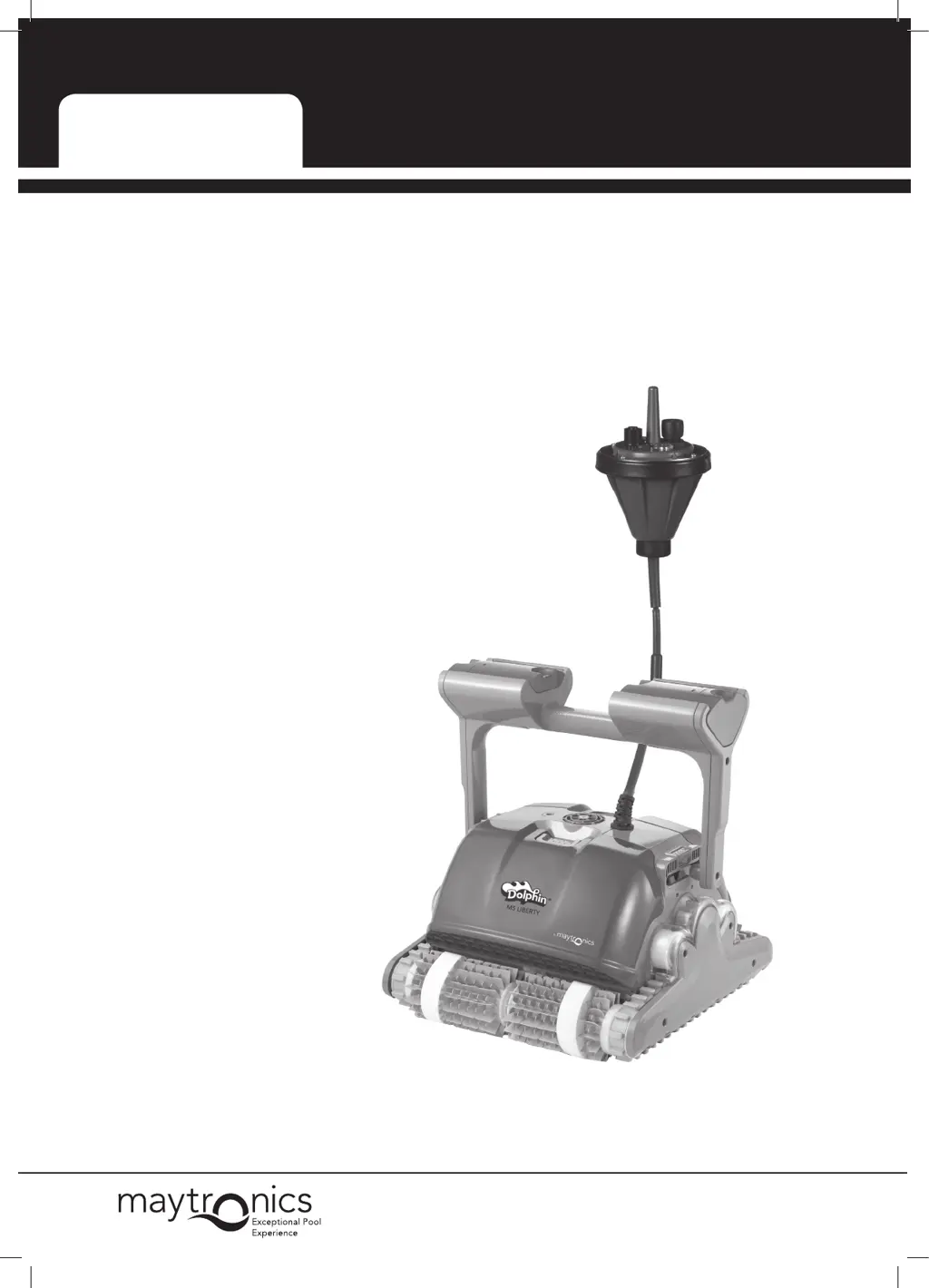
Maytronics Dolphin Liberty - User Manual

Maytronics Dolphin Liberty
24 pages
Print Icon
To Next Page IconTo Next Page
Loading...
by
8151190
User Instructions
Dolphin Liberty

Questions and Answers

  • B
    Brian DixonAug 21, 2025
    What to do if my Maytronics Swimming Pool Vacuum doesn't climb walls?
    • K
      Kevin SimsAug 21, 2025
      If your Maytronics Swimming Pool Vacuum isn't climbing walls, try these steps: 1. Clean the filter cartridges. 2. If it's the beginning of the season, use the spring cartridge. 3. Check the brushes for wear and replace them if needed. 4. Ensure the impeller area is clean. 5. Verify that the remote control is set for climbing.
  • C
    Christine AllenAug 25, 2025
    Why is my Maytronics Dolphin Liberty Swimming Pool Vacuum moving in circles?
    • J
      Jennifer AcostaAug 25, 2025
      If your Maytronics Swimming Pool Vacuum is moving in circles or not reaching all areas, here are a few things to check: 1. Make sure no foreign objects are blocking the moving parts. 2. Ensure the filter cartridge is clean, well-mounted, and that the filter doors are closed. 3. If it's the beginning of the season, brush any algae from the pool floor and walls before using the robot.
  • S
    sjohnsonAug 26, 2025
    What to do if my Maytronics Dolphin Liberty remote isn't working?
    • W
      waltersjasonAug 26, 2025
      If the remote control unit for your Maytronics Swimming Pool Vacuum isn't working, check if the batteries need to be replaced.
  • L
    Lauren BellAug 28, 2025
    What to do if Maytronics Dolphin Liberty won't sink?
    • C
      Caitlin WalkerAug 28, 2025
      If your Maytronics Swimming Pool Vacuum isn't sinking, and you're using Wonder brushes or combined brushes, make sure they are soaked in water.
  • A
    ayersdeborahAug 30, 2025
    What does it mean if the 'No connection' LEDs are lit when charging my Maytronics Dolphin Liberty Swimming Pool Vacuum?
    • D
      Dr. Joseph GreenAug 30, 2025
      If the 'No connection' LEDs are lit when charging your Maytronics Swimming Pool Vacuum, ensure the charging cable is properly connected and that the connectors are dry. Wait 10 seconds, and then try again.
  • D
    Daniel WilliamsSep 1, 2025
    How to fix Maytronics Dolphin Liberty Swimming Pool Vacuum not moving sideways on walls?
    • A
      alexis48Sep 1, 2025
      If your Maytronics Swimming Pool Vacuum is not moving sideways on walls, adjust the diagonal angle of the handle.
  • P
    pamelarobinsonSep 3, 2025
    Why does the green light stay on after my Maytronics Dolphin Liberty Swimming Pool Vacuum finishes cleaning?
    • P
      Paul CarterSep 3, 2025
      If the green light on the float remains on after your Maytronics Swimming Pool Vacuum has finished a cleaning cycle, it means the charging contacts on the float are wet. Dry the contacts before charging.
  • J
    Jason ThomasSep 5, 2025
    What to do if my Maytronics Swimming Pool Vacuum doesn't start and the red LED flashes?
    • M
      Michael NixonSep 5, 2025
      If your Maytronics Swimming Pool Vacuum doesn't start when you press the on button and the red LED flashes, the battery is likely empty. Recharge the battery.
  • T
    Timothy DavisSep 7, 2025
    What to do if my Maytronics Swimming Pool Vacuum stops before completing the cleaning cycle?
    • T
      Taylor StarkSep 8, 2025
      If your Maytronics Swimming Pool Vacuum stops working before finishing its cleaning cycle, there are a few things you can check: * See if the impeller is blocked. * Check if the drive system is blocked. * The battery may be empty, so try charging the robot.
  • G
    Gina WaltonSep 9, 2025
    Why is my Maytronics Swimming Pool Vacuum not climbing walls?
    • B
      bradley82Sep 9, 2025
      If your Maytronics Swimming Pool Vacuum is not climbing walls, consider the following possible solutions: 1. Clean the filter cartridges. 2. If it is the beginning of the season, use the spring cartridge. 3. Check if the brushes are worn; replace them if needed. 4. Ensure the impeller area is clean. 5. Verify that the remote control is set for climbing.

Summary

Introduction to Dolphin Liberty

Dolphin Liberty Safety Warnings and Cautions

Dolphin Liberty Specifications Overview

Robot Specifications

Details robot's technical specifications, including motor protection and pool water parameters.

Charger Specifications

Lists technical specifications for the digital switch-mode charger.

Battery Specifications

Provides detailed specifications for the robot's lithium-ion battery.

Dolphin Liberty Package Contents

Using the Dolphin Liberty Pool Cleaner

Preparing the Dolphin Liberty Robot for Use

Guides on caddy assembly, charger positioning, and handle angle adjustment.

The Dolphin Liberty Interactive Float

Explains the function and indicators of the interactive float.

Placing the Dolphin Liberty in the Water

Taking the Dolphin Liberty Out of the Water

Dolphin Liberty Routine Maintenance

Cleaning the Filter Cartridges

Step-by-step guide for cleaning the robot's filter cartridges.

Dismantling and Cleaning the Impeller

Instructions for disassembling and cleaning the robot's impeller.

Storing the Dolphin Liberty Robot

Guidelines for proper storage of the robot to maintain its condition.

Using the Dolphin Liberty Remote Control

Dolphin Liberty Remote Control Panel Overview

Overview and explanation of the remote control unit's buttons and indicators.

Manual Direction Control Mode Operation

Instructions for operating the robot using manual direction control.

Automatic Mode Settings Configuration

Explains how to configure various automatic cleaning modes and parameters.

Dolphin Liberty Troubleshooting Guide

Dolphin Liberty Caddy Assembly Instructions

Maytronics Dolphin Liberty Specifications

General IconGeneral
NavigationSmart Navigation
Remote ControlNo
Wi-Fi ConnectivityNo
Warranty2 years
TypeRobotic
Pool TypeIn-ground
FiltrationFine filtration

Related product manuals