Dolphin Liberty | User Instructions
7
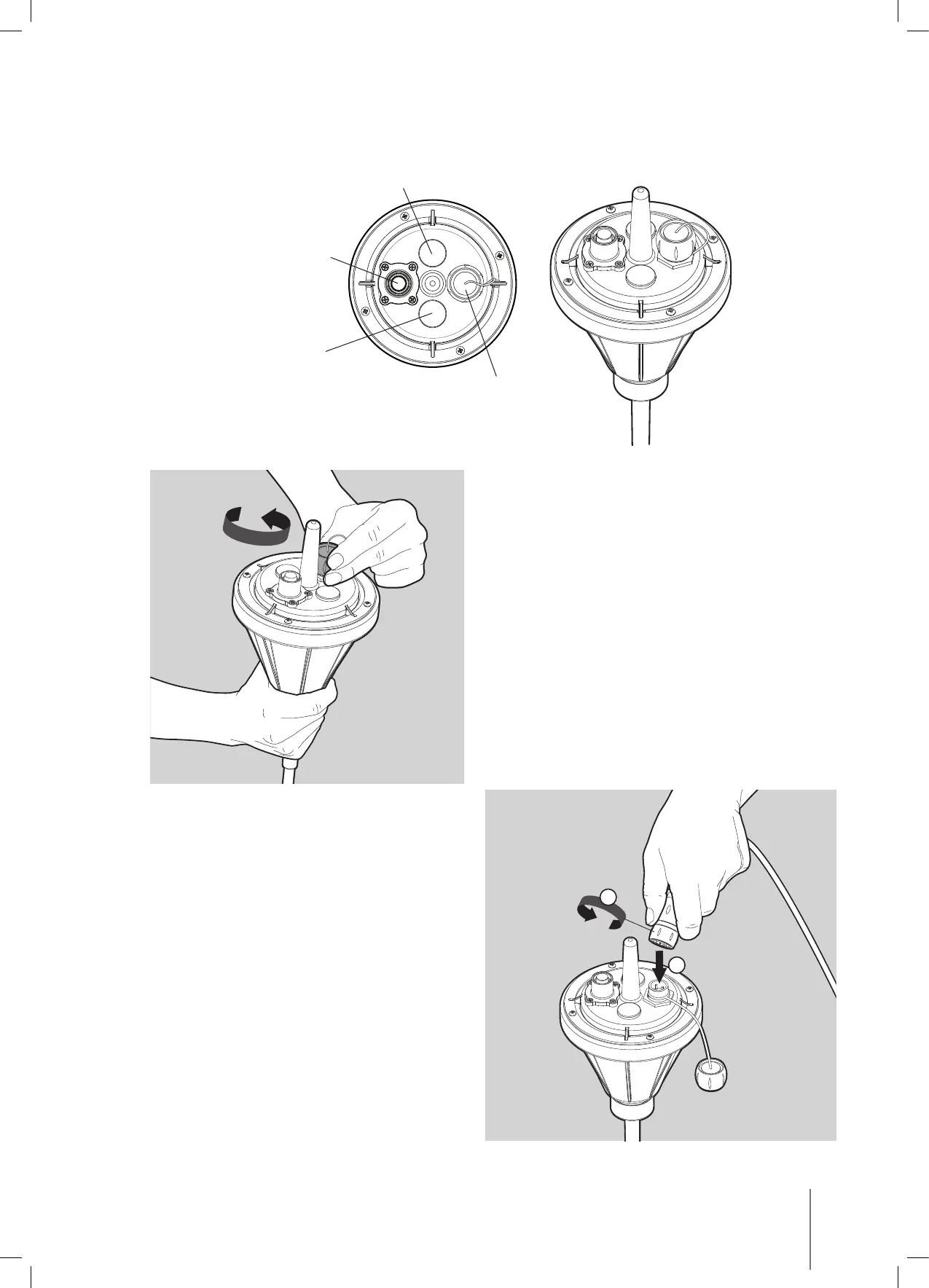
5.2. The interactive float
Green LED
Blink while working
ON/OFF switch
Red LED
Low battery indicator
Charging socket
and cover
Open the charging socket cover on the float.
Connect the charging connector to the
charging socket on the float (1) with a slight
rotation until in position, push down and turn
to secure in place (2).
2
1












 To Next Page