Dolphin Liberty | User Instructions
15
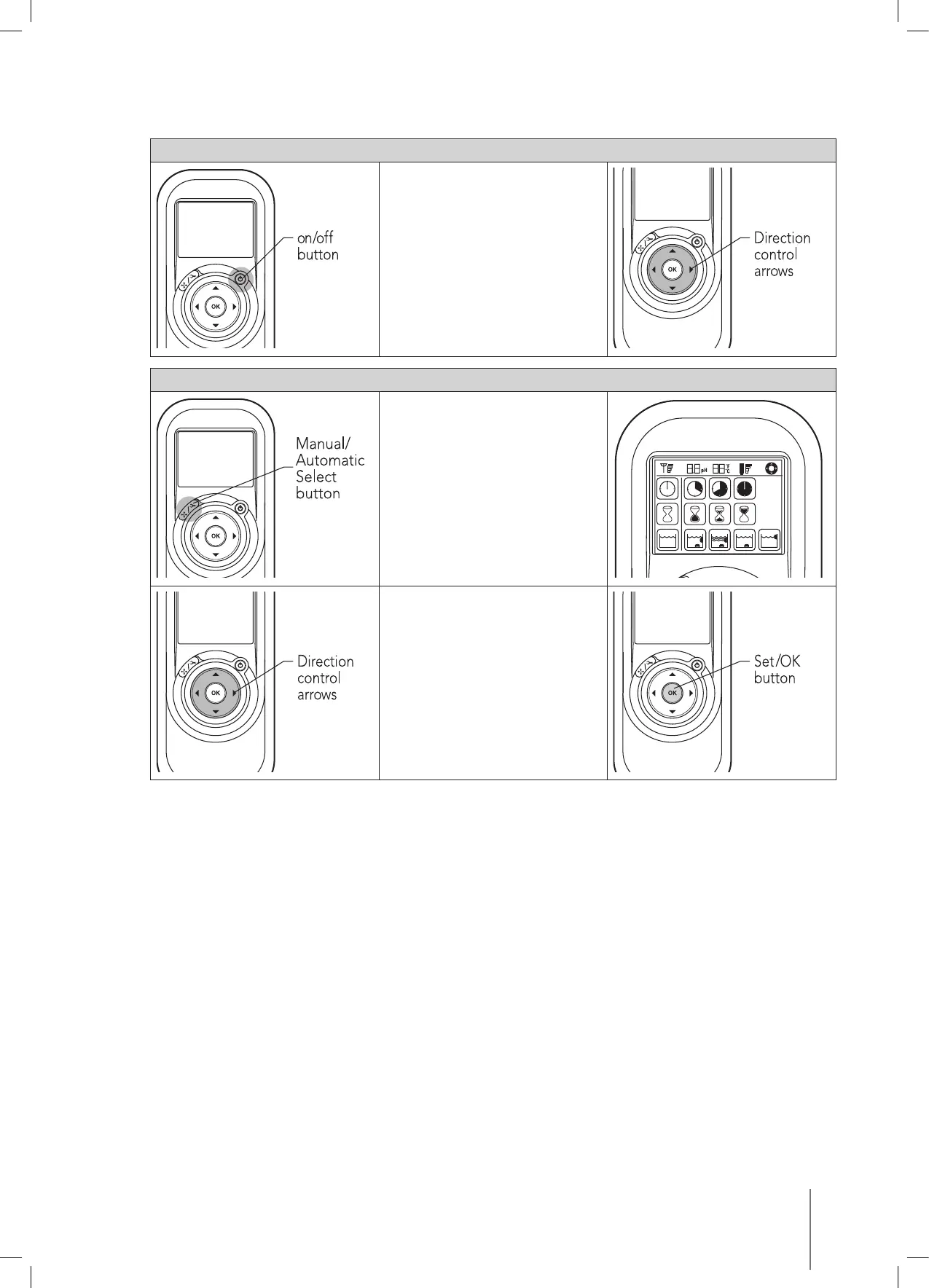
9.2. Manual direction control mode
Manual direction control mode
1. Press the on/off button once.
The remote control will start in
manual direction control mode.
2. Use the direction control
arrows (see right) to control the
movement of the robot around
the pool.
Exiting manual direction control mode
1. To exit the manual direction
control mode, press the
manual/automatic select button
once only.
2. The digital screen will light up
and three rows of function icons
will be displayed in default
mode.
1. To change the parameters press
the up or down arrows. To select
the parameter settings use the
right or left arrows.
2. When you reach the required
function press the Set/OK
button.









 To Next Page