14
Dolphin Liberty | User Instructions
9. USING THE REMOTE CONTROL
The remote control unit (RCU) offers two operation modes – automatic mode and manual direction
control mode.
In automatic mode, the cleaning parameters can be changed.
In manual direction mode, the robot’s motion can be controlled manually.
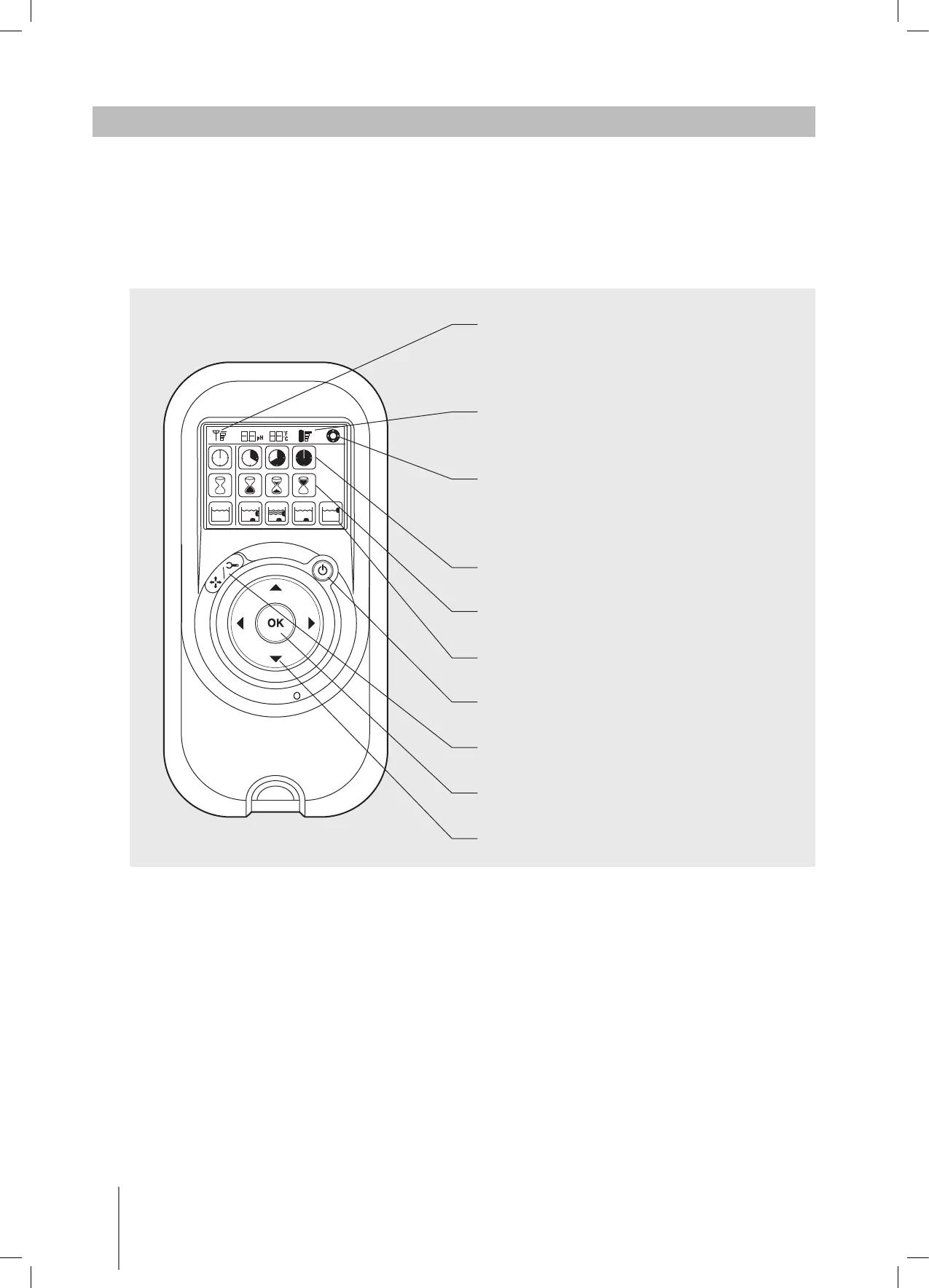
9.1. The control panel
Radio reception meter
When no black lines are showing, move
closer to the robot
Battery level meter
When flashing, change the batteries
Manual control indicator
When flashing, you are in manual direction
control mode
Cleaning cycle icons
Delay timer icons
Cleaning mode icons
ON/OFF button
Manual/automatic select button
Set/OK button
Direction control arrows









 To Next Page