16
Dolphin Liberty | User Instructions
9.3. Automatic mode settings
To change the automatic mode settings, press the manual/automatic select button and then choose
the desired parameters according to the following table:
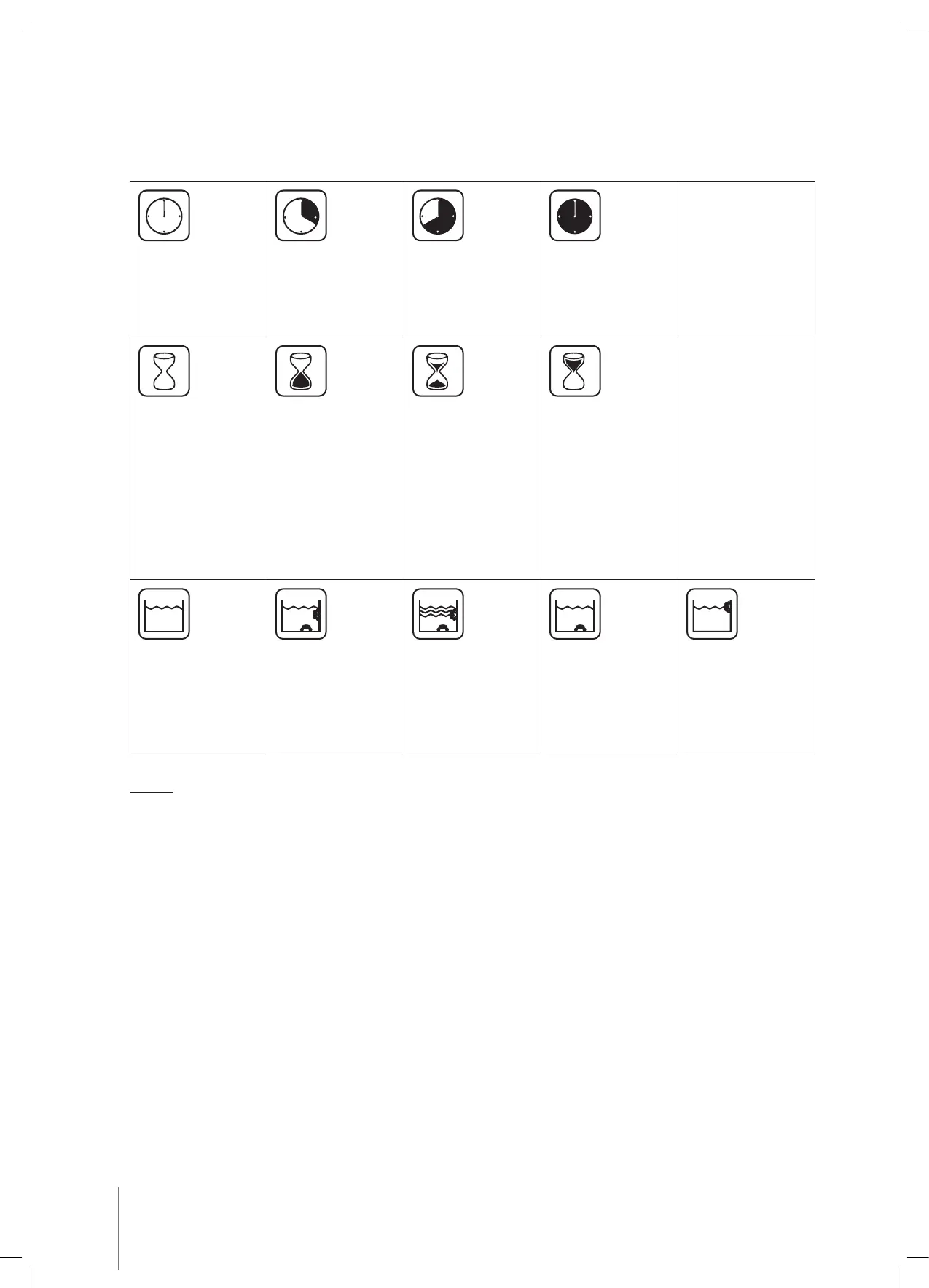
Cleaning cycle
indicator
This determines
the length of the
cleaning cycle.
Fast
1 hour cycle
Efficient
1.25 hour cycle
for everyday use.
(default setting)
Heavy duty
1.5 hour cycle
Delay time
indicator
This determines
when the pool
cleaner starts to
work. Delaying
allows the dirt
to settle to the
bottom of the
pool.
Immediate start
(default setting)
One-hour delay Two-hour delay
When activated,
the green LED will
flash every five
seconds.
Cleaning action
indicator
Standard
Floor and wall
cleaning
(default setting)
Ultra-clean
Stronger suction
and slower
movement when
cleaning floor and
walls.
Floor only
Cleans only the
floor and the area
where the floor and
walls meet.
Walls Only
Cleans walls and
waterline only.
Note:
• If no button is pressed after two minutes, the remote control automatically turns off.
The robot will continue to work according to the last settings chosen.
• After “Ultra-clean” and “Walls only” cleaning cycles, the robot returns to default settings.
• In “Floor only” mode, the cleaning cycle will stay as it is until deliberately changed.









 To Next Page