EasyManua.ls Logo

Maytronics Dolphin Skimmi - User Manual

Maytronics Dolphin Skimmi
15 pages
Print Icon
To Next Page IconTo Next Page
Loading...
1
Skimmi Robotic Pool Skimmer | User Instructions
User Instructions
EN
User Manual
Skimmi Robotic Pool Skimmer
You will enjoy the time and money you’ll now save cleaning your pool with your new Skimmi
autonomous, solar powered robotic pool skimmer. It cleans the entire water surface, including
debris on the walls.
Using Skimmi is super easy and ecient. Just turn it ON, place Skimmi in the water, and start it with
the app or turn ON Auto-Start. Cable-free and no need to charge the battery. As autonomous as
can be, Skimmi avoids hoses, obstacles, and traps, charges intelligently with the sun, and it saves
enough energy to work at night for your morning swim. Skimmi saves you tons of time with the
net, energy on the pump, and it only requires occasional quick rinsing of the filter tray and solar
panel.
Question and Answer IconNeed help?

Do you have a question about the Maytronics Dolphin Skimmi and is the answer not in the manual?

Overview

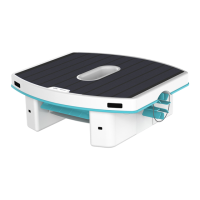
The Dolphin Skimmi Robotic Pool Skimmer is an autonomous, solar-powered device designed to clean the surface of swimming pools, including debris on the walls. It operates cable-free and does not require battery charging, as it intelligently charges with solar energy. The Skimmi is designed to work day and night, saving energy and reducing the need for manual skimming.

Function Description:

The Skimmi operates by moving across the water surface, collecting debris into a filter tray. It uses sensors to detect and avoid obstacles, hoses, and traps. The robot is equipped with "Smart Detect" capabilities, allowing it to navigate effectively and adjust its cleaning patterns based on water clarity and pool type. It features "Water Edge Cleaning," which creates a micro-current to pull debris from the pool edge into the filter tray. The Skimmi can be controlled via the MyDolphin™ Skimmi app, offering features like "Manual Drive" for remote control and "Clean Wall" to generate water flow for debris removal near walls. An "Auto Start" feature allows the robot to begin cleaning automatically 15 seconds after the filter tray is fully inserted, without needing the app. For infinity pools, the Skimmi can sense and respond to the 'invisible' edge. It also includes a "Night Light" feature, providing blue accent lighting when working at night.

Important Technical Specifications:

  • Radio Transmitter: Bluetooth®
  • Frequency Range: 2402-2480 MHz
  • Transmitted Power: 0.008W
  • Water Resistance: IP-X7 (able to handle being submerged for up to 1m for short periods, but not recommended for high-powered water streams or prolonged submersion beyond its design limits to prevent corrosion).
  • Battery: Li-Ion battery pack. The battery is designed for longevity and is covered under warranty for the lifetime of the robot. If it becomes too weak, it can be replaced by a qualified Maytronics technician.
  • Recommended Storage Temperature: 5°C - 40°C / 40°F - 104°F.

Usage Features:

  • App Control: The MyDolphin™ Skimmi app allows users to download the app, agree to terms, enable Bluetooth, name their robot, and pair it by rotating the front wheel.
  • Start Options: Users can initiate cleaning via the "Start Clean" button in the app, which runs a default program optimized for energy saving and battery care. Alternatively, the "Auto Start" feature, when enabled in "Device Settings," allows the robot to start 15 seconds after the filter tray is inserted.
  • Customizable Settings: The app's "Settings" menu offers various adjustments:
    • Auto Start: Toggle on/off for automatic activation.
    • Speed: Choose between "Auto," "Slow," or "Fast." "Auto" slows the Skimmi at night for quieter operation.
    • Water Edge Cleaning: Set to "Eco" (default) for cleaning every 3rd wall, reducing battery consumption.
    • Water Clarity: Adjust for "Cloudy" or "Murky" water conditions to improve sensor accuracy and prevent erratic movement.
    • Night Light: Options include "Constant," "Flashing" (when detecting an object/wall), or "OFF."
    • Debris Washing: Toggle on/off for splashing water on walls during Water Edge Cleaning.
    • Smart Detect: Choose between "Avoid Hose and cable" or "Leaves search."
    • Distance to Edge: Set the robot's response distance to the pool edge.
    • Pool Type: Default is "regular, clear pools." "Natural" mode protects plants and elements on pond edges and disables water edge cleaning.
  • Cleaning Schedule: The robot alternates between work and rest/recharge periods. Settings can be adjusted for low-light conditions to optimize battery life and work duration:
    • Day Cleaning: Duration of cleaning cycle during the day.
    • Day Pause: Skimmi pauses to charge in direct sunlight.
    • Night Cleaning: Duration of cleaning cycle at night (short due to no recharge).
    • Night Pause: Breaks between night cleaning cycles to prevent battery drain.
    • Start Delay: Delays the start of cleaning after dawn and dusk to allow for battery charging and to ensure enough power for morning cleaning.
  • Robot Status and Indications: The app displays battery level, Bluetooth® connection strength, solar charging wattage, water temperature, and a status line describing the robot's current activity or errors. LED indicators on the robot provide visual cues:
    • Green Pause Indicator: Solid when ON standby, OFF during cleaning, single-blink every 10 seconds, double-blink for low battery (hibernating).
    • Charging Status Indicator: Solid blue for fast charging (solar power > 0.3W), blinking for slow charging (solar power < 0.3W), OFF in the evening or when fully charged.
    • Alert Indicator: Flashes and beeps for various issues like extreme ambient/battery temperatures or stuck wheels.

Maintenance Features:

  • Filter Tray: The filter tray should be rinsed regularly with a low-pressure hose to remove debris and prevent it from drying out and sticking.
  • Solar Panel: Periodically clean dust, pollen, sunscreen, or limescale from the solar panel surface using a soft towel or sponge with soap and water (vinegar for limescale). Abrasive scrubbing should be avoided to prevent scratches.
  • Battery Preservation: The Skimmi is equipped with an algorithm to prolong battery life by bypassing the battery when full and powering motors directly, minimizing wear and tear.
  • Smart Solar Recharge: This feature, ON by default, causes the robot to actively search for sunny spots to charge during pauses, improving battery charging efficiency.
  • Off-Season Storage: Before storing, charge the battery to 50%-75%. Store in a cool, dry place (5°C - 40°C / 40°F - 104°F). Clean the filter tray. To prevent battery drain during storage, use clips or other means to ensure the filter tray is not fully closed, keeping the robot OFF. After storage, clean the solar panel, turn the robot ON, and place it in a sunny pool.
  • Troubleshooting: The manual provides a comprehensive troubleshooting guide for common issues, including robot not switching ON, erratic movement, failure to collect debris, jammed paddle wheels, and app connectivity problems, with possible reasons and corrective actions. For unresolved issues, Maytronics Customer Care contact information is provided.

Maytronics Dolphin Skimmi Specifications

General IconGeneral
BrandMaytronics
ModelDolphin Skimmi
CategorySwimming Pool Vacuum
LanguageEnglish

Related product manuals