10
Skimmi Robotic Pool Skimmer | User Instructions
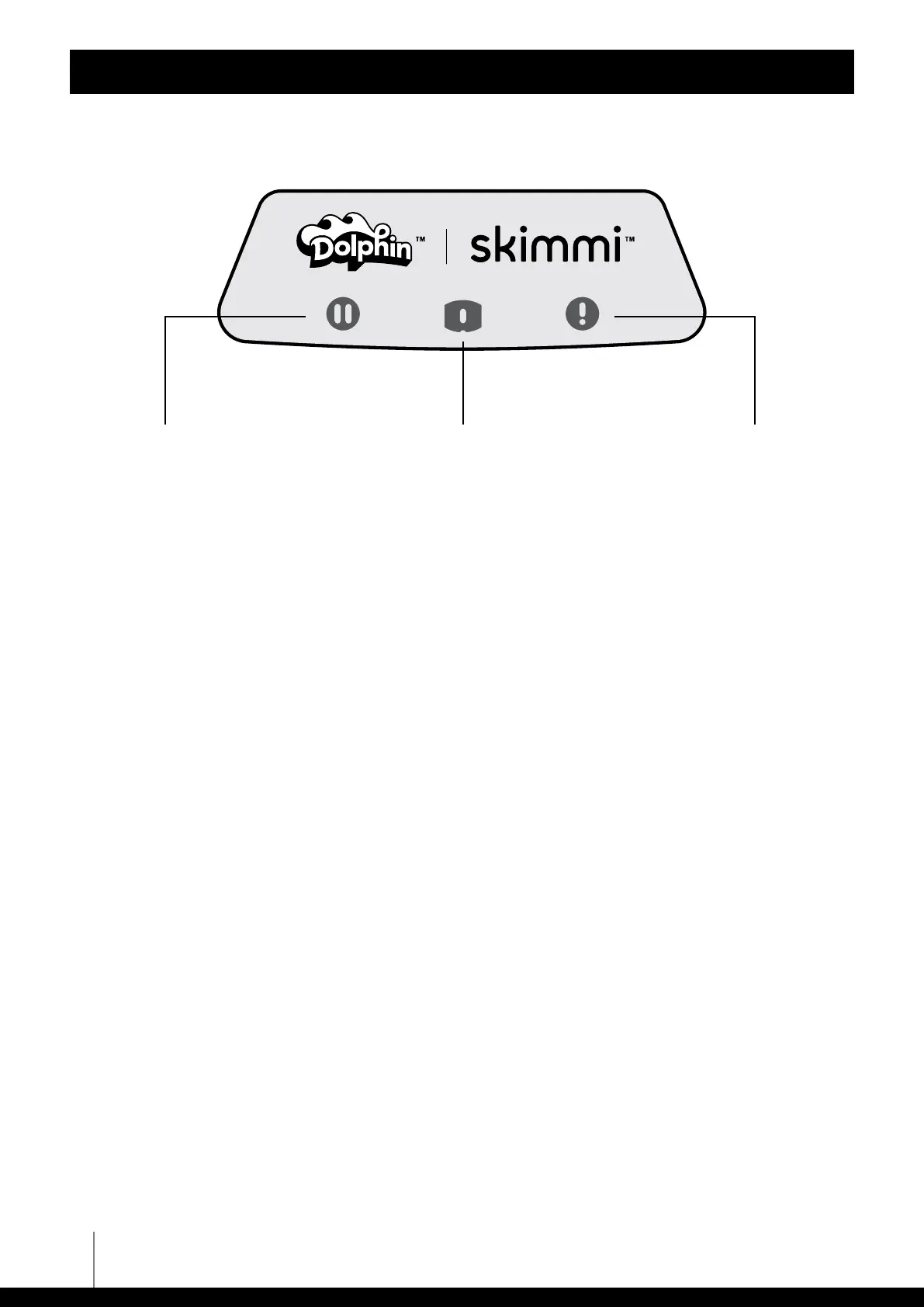
LED INDICATORS
Dolphin Skimmi User Manual
Green Pause Indicator
Shows that robot is ON
standby.
Charging Status Indicator
If solid blue, it is charging
quickly. If flashing, it is
charging slowly.
Alert Indicator
Check app for details. May
be too hot and needs to be
in a cooler place or needs
you to remove objects or
hair from paddle wheels.
The status line in the app consistently clarifies the current condition of the robot.
Green Pause Indicator
Lights continuously when the robot is switched ON (filter tray is inserted) and no cleaning program
is selected
Turns OFF during cleaning
Single-blink every 10 seconds
Double-blink - battery low - Skimmi is hibernating until the sun charges it enough
Charging Status Indicator
Lights continuously when charging quickly (when solar power is higher than 0.3W)
Blinks when charging slowly (if the solar power is less than 0.3W)
Turns OFF in the evening (solar power is zero) or when the battery is fully charged
Alert Indicator
Flashes once every 2sec = ambient temperature below 4°C (risk of freezing) or above 55°C (the robot is
probably lying on hot pavement, charging has been disconnected)
BEEP: once short beep every 2sec
Flashes twice every 2sec =
battery temperature below 4
°
C (risk of damage) or above 55
°
C (risk of battery
damage, charging disconnected)
BEEP: two short beeps every 2sec
Flashes 3 times every 2sec =
the robot failed to remove the stuck object or hair from one of the wheels
BEEP: three short beeps every 2sec









 To Next Page