6
Skimmi Robotic Pool Skimmer | User Instructions
BATTERY RECOMMENDATIONS
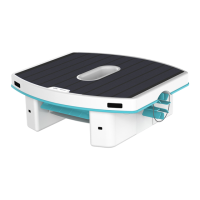
• Set and forget: In most situations, you don't need to do anything to charge Dolphin Skimmi.
Just leave it in the water and the robot charges itself whenever the sun is out. If left to its
default work/rest schedule, the charge is usually sufficient for daytime and nighttime work.
• If there is no direct sunlight in the pool you can remove the robot and place it in a sunny
location for it to charge. Note that placing it on hot pavement can damage the battery – place
Skimmi on the lawn or yard furniture. To prevent debris from hardening and clogging the
filter, be sure to rinse the filter tray before placing it in a dry, sunny area outside of the pool.
Don’t insert the filter tray all the way so that the robot won’t run while charging.
• If there are low-sunlight conditions like cloudy or high latitudes, and the battery frequently
runs low, you can increase the “Start Delay” option in the “Cleaning Schedule” settings. This will
save battery for night work before the morning swim and will give it more time to charge in the
morning before it starts to work. Also, you can increase the “Day Pause” and “Night Pause” to
adjust its work schedule to low-sun conditions.
• Preserving the battery: Be sure that the robot is not left in a very hot location (such as a car or
hot pavement) as this will likely damage the battery and void the warranty. The default settings
are programmed for maximal battery life.
• Cleaning the solar panel: Periodically clean dust and pollen off the solar panel surface gently
to maximize charging efficiency. Use a soft towel or sponge with soap for any accumulated
sunscreen. If limescale develops, you can clean it with vinegar and a soft towel.
• Battery preservation: Skimmi is equipped with an algorithm to automatically prolong battery
life. The solar panel bypasses the battery whenever it is full and powers the motors directly.
This feature minimizes wear and tear on the battery and protects it from overcharging.
• Smart Solar Recharge is ON by default and causes the robot to actively search for a sunny place
to charge when the robot pauses. We recommend leaving it ON, especially if you have shady
spots, as it improves battery charging.
• Battery life: The battery is under warranty for the lifetime of the robot. If the robot battery
becomes too weak, you can take it to a qualified Maytronics technician to replace the battery,
which will significantly extend the life of your robot.
Dolphin Skimmi User Manual












 To Next Page