5
–
24
Interior Features
Audio System
Basic Operation Method
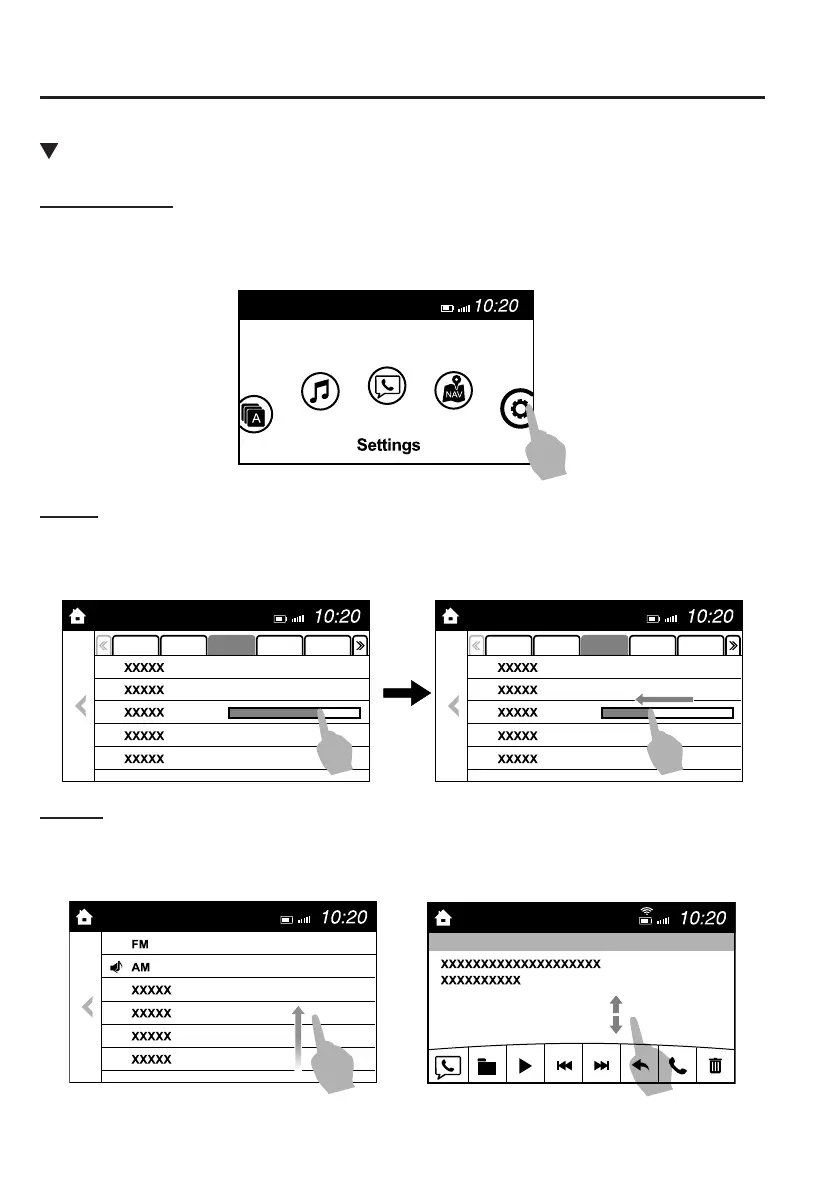
TOUCH & TAP
1. Touch or tap on the item indicated on the screen.
2. The operation is launched and the next item is displayed.
SLIDE
1. Touch the setting item displaying a slider bar.
2. Touch the slider with your nger and move to the desired level.
SWIPE
1. Touch the screen with your nger and move up or down.
2. Items which were not displayed can be displayed.
Mazda6_8FH2-EA-16F_Edition1.indb 24 2016/05/10 19:23:57



 To Next Page