5
–
41
Interior Features
Audio System
Applications
NOTE
Depending on the grade and specication,
the screen display may differ.
Select the
icon on the home screen to
display the Applications screen. The
following information can be veried.
Top screen Item Function
HD Radio
™
Trafc
Map
— —
Fuel Economy
Monitor
Fuel
Consumption
Control
Status
(Vehicles
with
i-ELOOP)
Settings
Refer to Fuel
Economy
Monitor on
page 4-83.
Vehicle
Status
Monitor
Maintenance
Scheduled
Maintenance
Tire Rotation
Oil Change
Refer to
Maintenance
Monitor on
page 6-18.
Warning
Guidance
Warnings
currently
active can be
veried.
Refer to If
a Warning
Light Turns
On or
Flashes on
page 7-22.
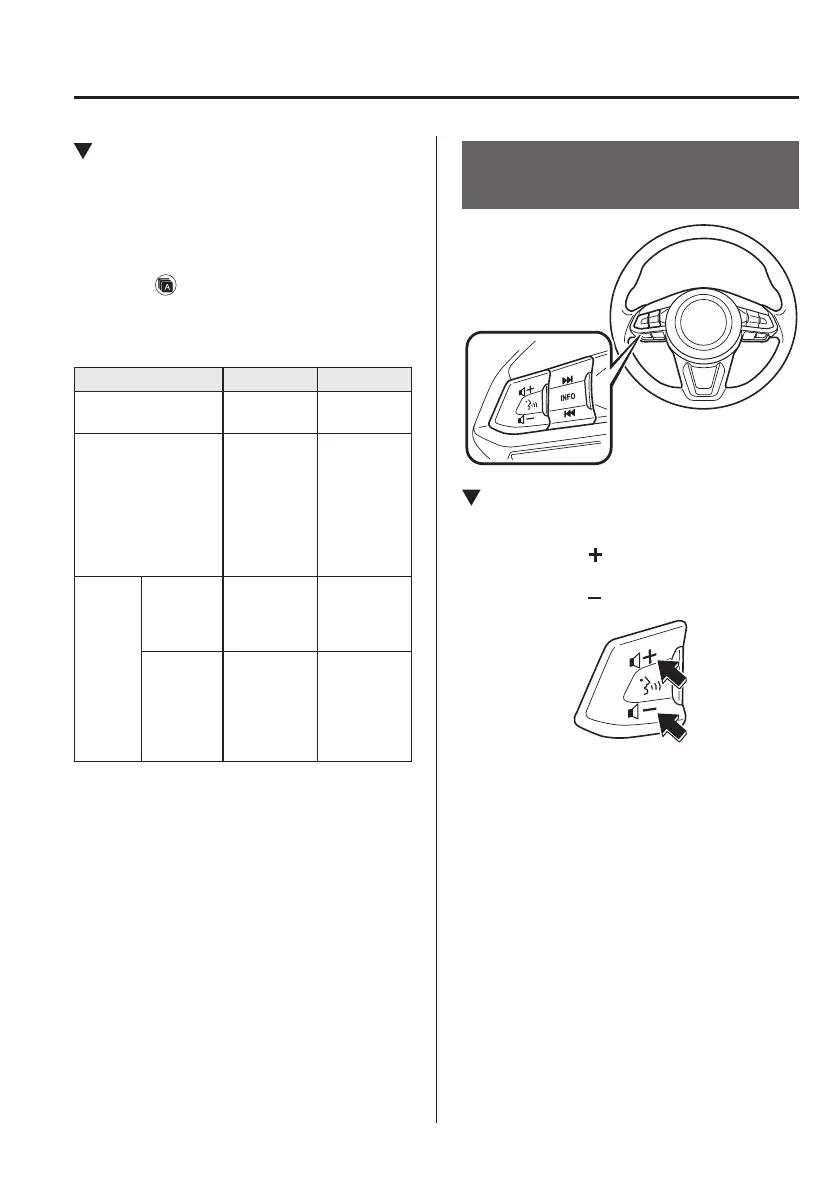
Audio Control Switch
Operation
Adjusting the Volume
To increase the volume, press up the
volume switch (
).
To decrease the volume, press down the
volume switch (
).
Mazda6_8FH2-EA-16F_Edition1.indb 41 2016/05/10 19:24:07



 To Next Page