5
–
79
Interior Features
Bluetooth
®
How to Use Stitcher
™
Radio
What is Stitcher
™
Radio?
Stitcher
™*1
radio is an application which can be used to listen to Internet radio or stream
podcasts.
Recommended content is automatically selected by registering content which you put into
your favorites, or by pressing the Like or Dislike button.
For details on Stitcher
™
Radio, refer to “http://stitcher.com/”.
*1 Stitcher
™
, the Stitcher
™
logo, and the Stitcher
™
trade dress are trademarks or registered
trademarks of Stitcher, Inc., used with permission.
NOTE
To operate Stitcher
™
Radio from your Bluetooth
®
device, perform the following in advance:
Install the Stitcher
™
Radio application to your device.
Create a Stitcher
™
Radio account for your device.
Log onto Stitcher
™
Radio using your device.
Playback
Select the
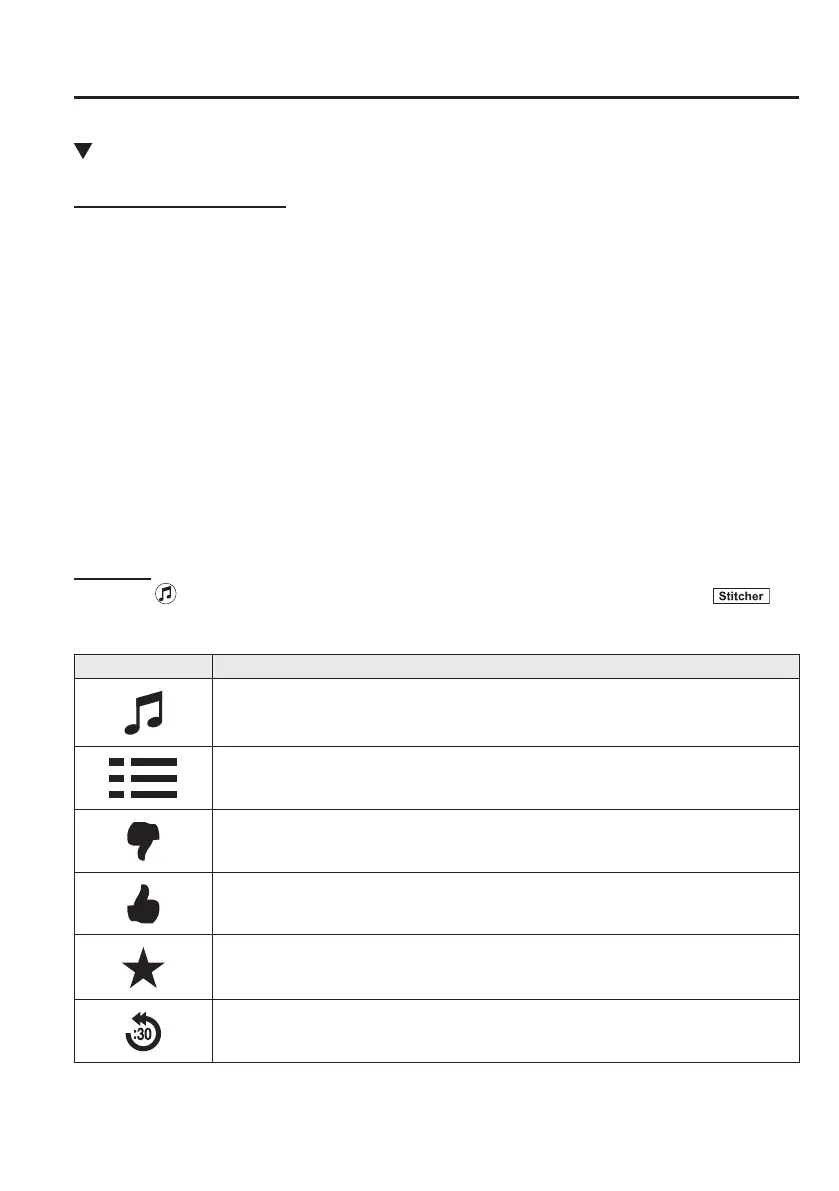
icon on the home screen to display the Entertainment screen. When is
selected, the following icons are indicated in the bottom part of the center display.
Icon Function
Displays the Entertainment menu. Use to switch to a different audio source.
Displays the station list.
Use to switch to other stations.
Dislike
Evaluates the current program as “Dislike”.
Like
Evaluates the current program as “Like”.
Adds the current station to your favorites or deletes the current station from your favorites.
Reverses for 30 seconds.
Mazda6_8FH2-EA-16F_Edition1.indb 79 2016/05/10 19:24:25



 To Next Page