▼
Switching to the Rear View Monitor Display
Shift the shift lever (manual transmission) or the selector lever (automatic
transmission) to reverse (R) position with the ignition switched ON to switch the
display to the rear view monitor display.
NOTE
When the shift lever (manual transmission) or the selector lever (automatic
transmission) is shifted from reverse (R) position to another shift lever (manual
transmission) or the selector lever (automatic transmission) position, the screen
returns to the previous display.
▼
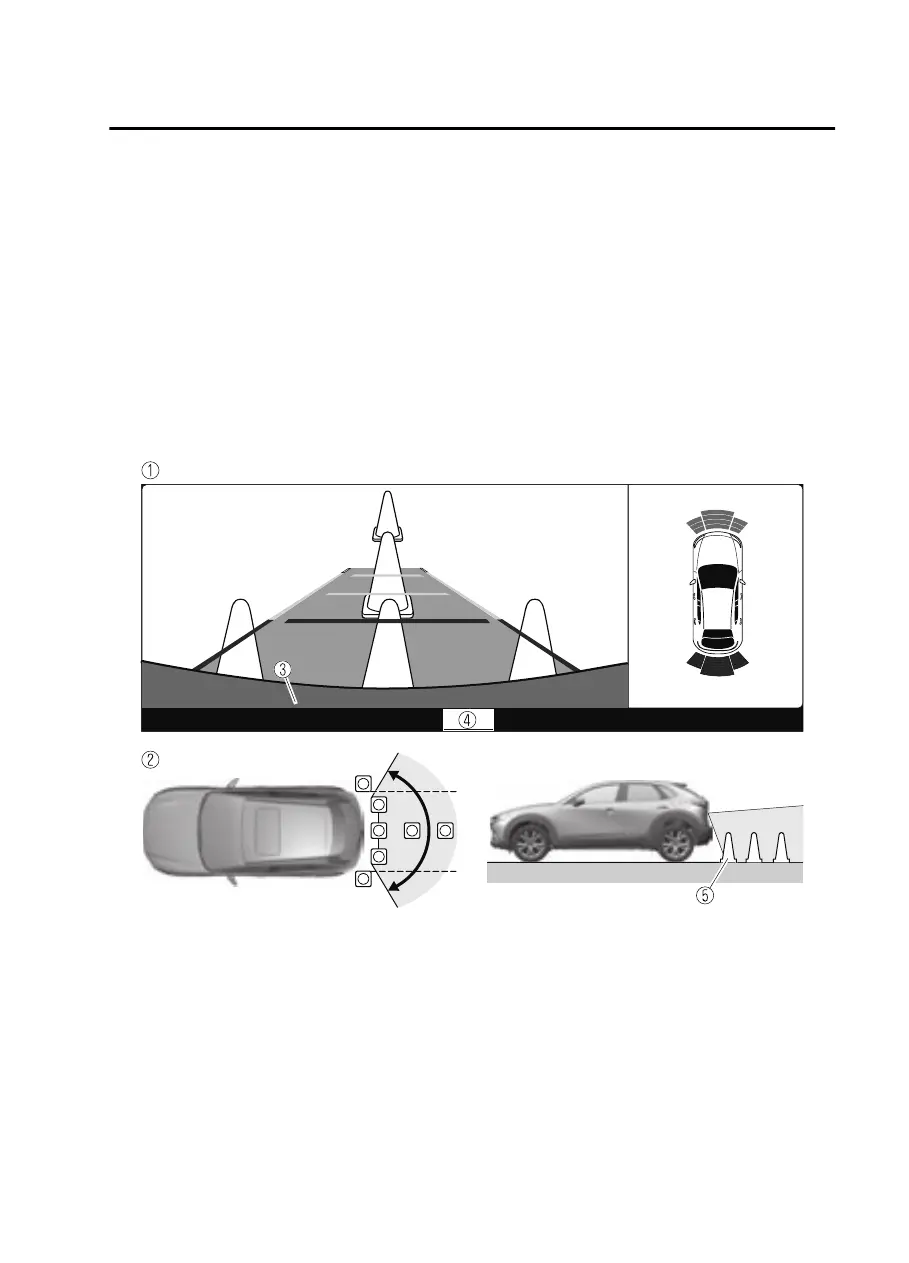
Displayable Range on the Screen
The images on the screen may be dierent from the actual conditions.
1. (Screen display)
2. (Actual view)
3. Bumper
4. “Check surroundings for safety.” message is displayed
5. Object
When Driving
Rear View Monitor
4-219
CX30_8JP5-EA20K_Edition1_new 2020-7-22 15:50:09


 To Next Page
 Loading...












