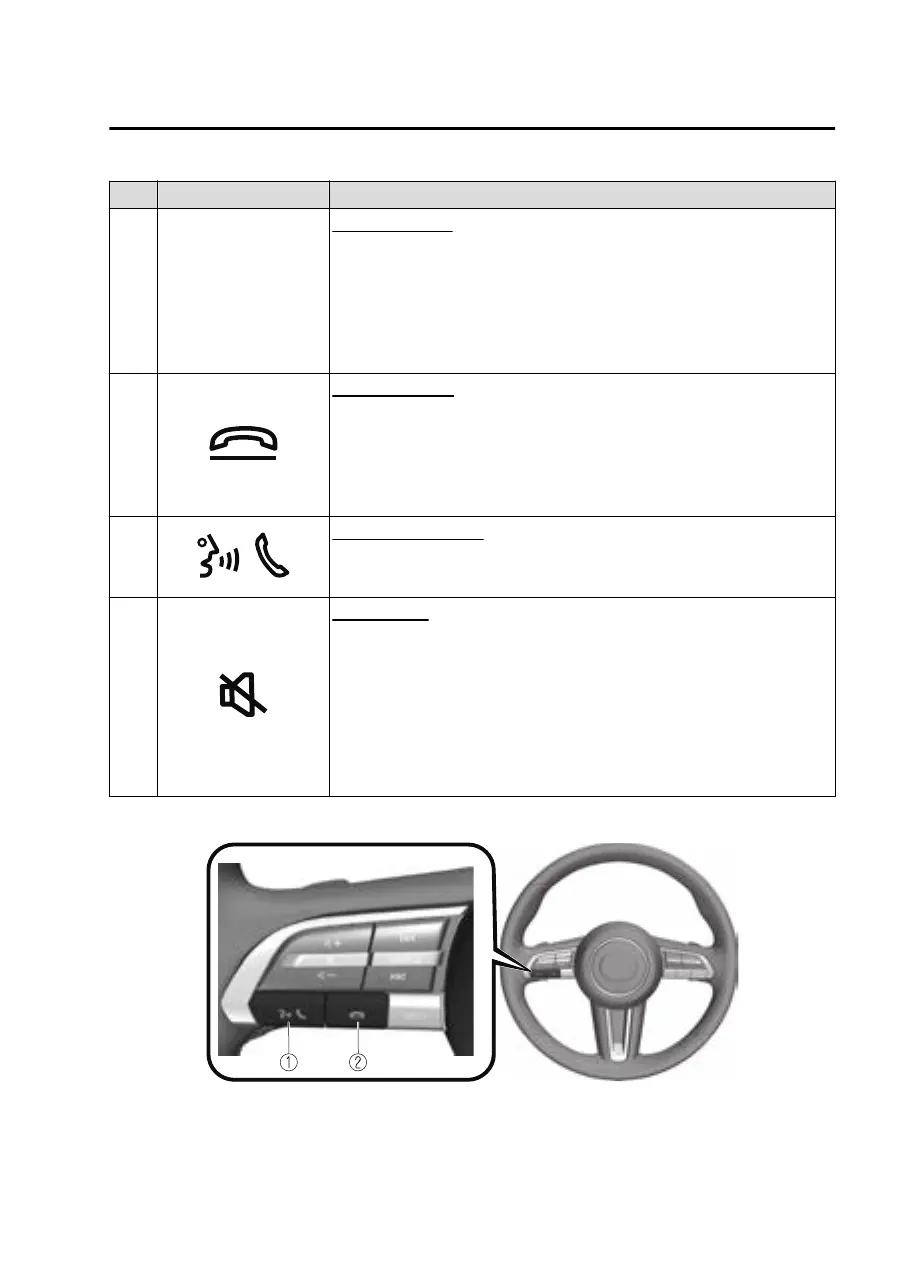
No. Item Explanation
3 SOURCE
SOURCE button:
The audio source can be switched each time the button is pressed.
In addition, when the button is pressed and held, the current au-
dio source is muted and the audio source selection screen is displayed.
(During Apple CarPlay™ or Android Auto™ playback)
Press and hold the SOURCE button to mute the current audio source.
4
Hang-up button:
(During a call)
Press the button to end the call.
(While receiving a call)
Press the button to refuse a call.
5
Talk/Pick-up button:
(While receiving a call)
Press the button to answer the call.
6
Mute button:
Press the button to mute.
Press it again to cancel the mute.
NOTE
If you press the mute button to mute an audio source which can be
paused, such as Apple CarPlay™, USB audio, or Bluetooth
®
audio,
while it is playing, the song playback pauses. Press the mute button
again to cancel the mute and the pause at the same time.
▼
Operation Using Voice Recognition Function
The shape of the switches may dier depending on the specifications.
Interior Features
Mazda Connect
5-23
CX30_8JP5-EA20K_Edition1_new 2020-7-22 15:50:09



 To Next Page