11
Getting Started
Activation
The following operation procedure is for activating the navigation system.
Note
While on the Map screen, Press the Enter switch up or down to change the map scale.
Activating the Navigation System
1
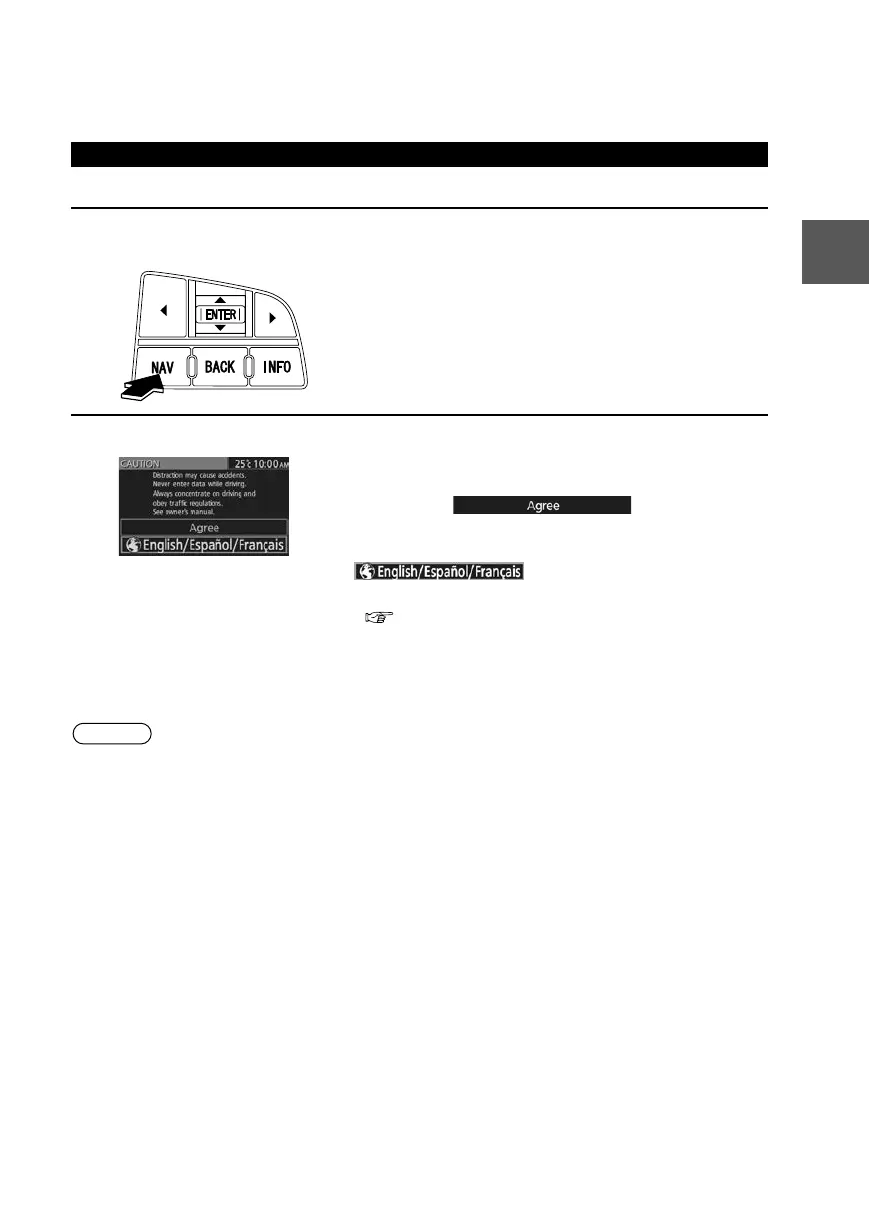
With the ignition switched to ACC or ON, press the Navi switch on the steering
switch.
2
After a moment, the CAUTION screen is displayed.
*1 :Press the Enter switch up or down.
*2 :Press the Enter switch.
●If you are in agreement with the CAUTION
statement, Press the Enter switch up or down to set
the cursor to
*1
. Press the
Enter switch to switch to the Map screen
*2
.
●To change the language, set the cursor to
*1
. Press the Enter switch to
switch the screen to LANGUAGE SELECTION
*2
.
( page 12)
0#8687''DQQMࡍࠫ㧞㧜㧝㧝ᐕ㧥㧝㧤ᣣޓᣣᦐᣣޓඦ೨㧥ᤨ㧞㧝ಽ











 To Next Page