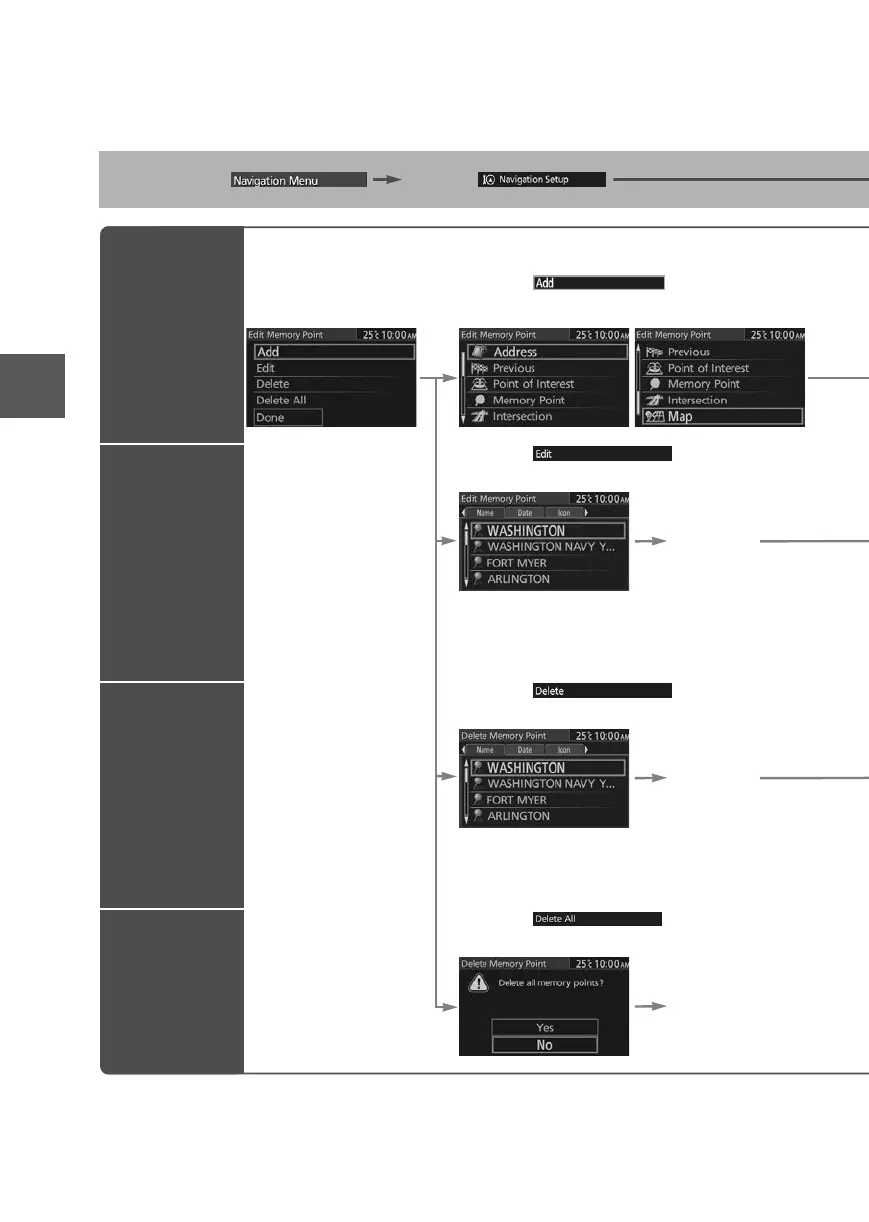
Open the
[Memory Point]
Menu
Select
The memory point can be added.
Select
The memory point can be edited.
Select the
point from
the list.
Name:Displays the list in alphabetical order.
Date: Displays the list in registration/edit date order.
Icon:
Displays the list of the registered location icons.
Select
The memory point can be deleted.
Select the
point from
the list.
Name:Displays the list in alphabetical order.
Date: Displays the list in registration/edit date order.
Icon:
Displays the list of the registered location icons.
Select
The memory point can be deleted completely.
Yes











 To Next Page