17
Getting Started
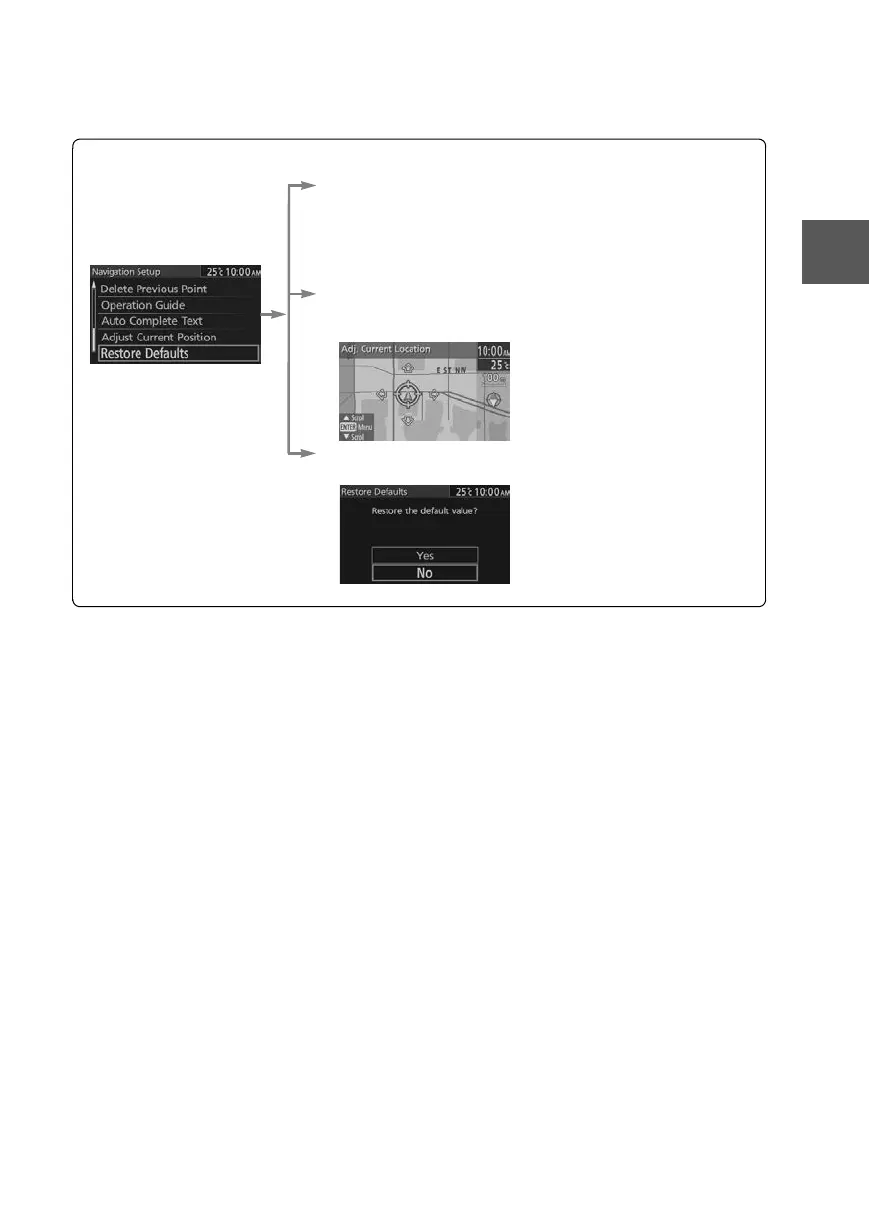
Navigation Set Up
Open the
[Navigation
Setup]
■ Auto Complete Text
When entering text, the system displays possible candidates of
words which may match the one you are trying to input. If the
system narrows down the candidate to one, the word is
automatically displayed.
Used to switch the auto complete text.
■ Adjust Current Position
Used to adjust the vehicle position if it deviates from the Map
screen.
■ Restore Defaults
Restores the default settings.
0#8687''DQQMࡍࠫ㧞㧜㧝㧝ᐕ㧥㧝㧤ᣣޓᣣᦐᣣޓඦ೨㧥ᤨ㧞㧝ಽ











 To Next Page