9- 9 -
OPERATING FUNCTIONS
3.
THE PRESENT MANUAL IS PROPERTY OF THE MANUFACTURER. ANY REPRODUCTION, EVEN PARTIAL, IS PROHIBITED.
3.3 Description of the stop modes
The description of the various stop modes are described as follows:
In the event of imminent danger, close all of the locking devices
connected to the appliance (Electrical - Water - Gas).
1. Emergency shutdown
In situations or circumstances that could be dangerous, shut off the electricity
upstream of the oven.
Restarting:
To restart the production cycle, contact the authorised service centre.
2. Shutdown during a work phase.
To stop the operation of the production cycle, proceed as follows:
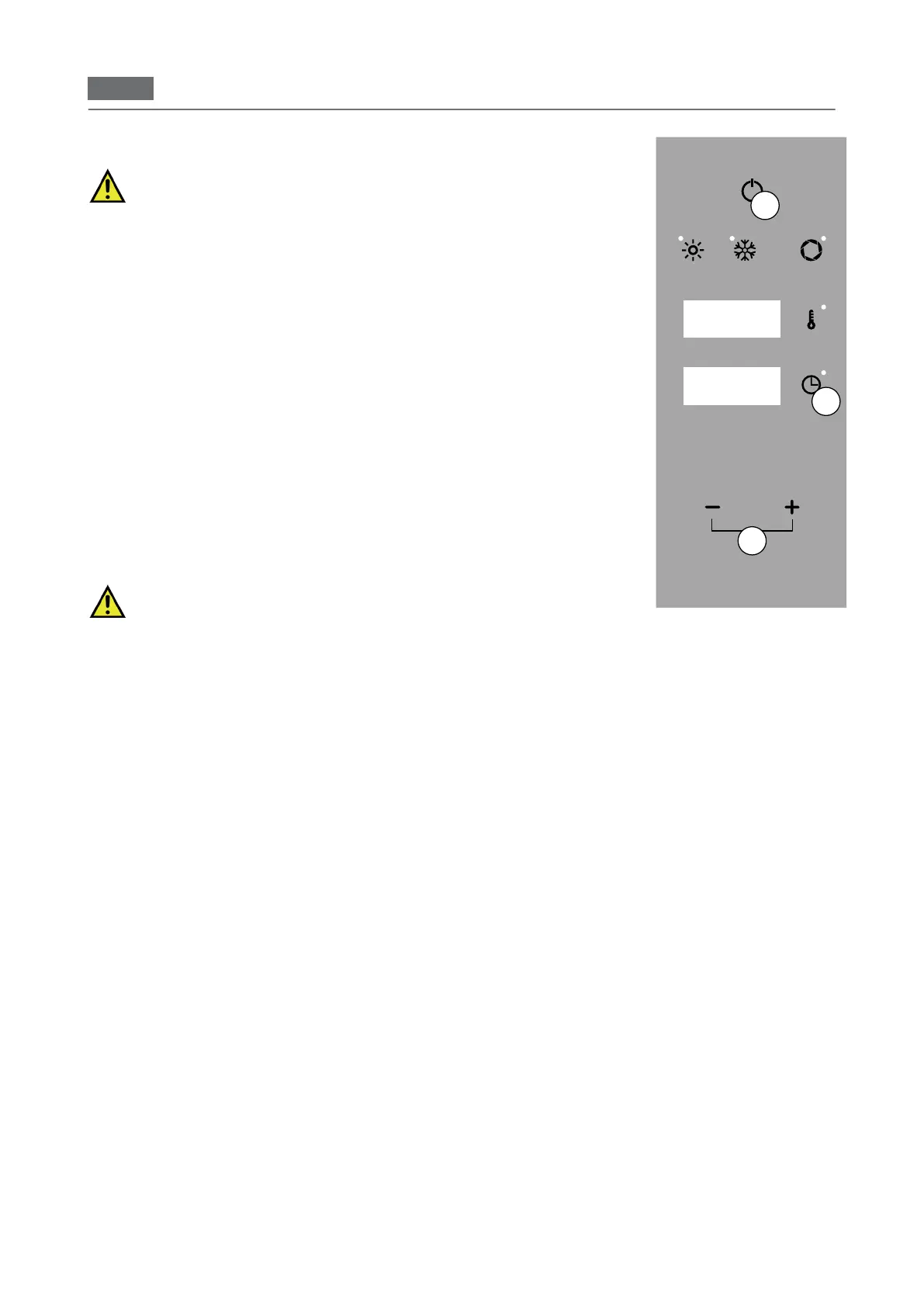
Press "ON/OFF" (Fig. 2/A) to stop the operations,
Restarting:
To restart the production cycle after a shutdown, follow the procedure given in:
"Daily commissioning".
3. Stop due to opening the door during operation
The appliance can be immediately stopped by opening the door.
Restarting:
After having resolved the issue that made it necessary to open the door, an au
-
thorised operator can restart the appliance by closing the door.
The appliance has hot surfaces: door, glass and front. When the
oven is hot, open the door carefully, standing to the side of the
appliance to avoid direct heat: the steam can burn.
C
Display 3
Fig.2
Display 1
Display 2
A
B


 To Next Page