7 Gas purifier operation
Navigation overview
MB-20-G/MB-200G-W_MB-LABmaster_MB-200 MOD_TP700
Operating Manual - V5.0 - 04/2018 - STD
Page
7 - 7
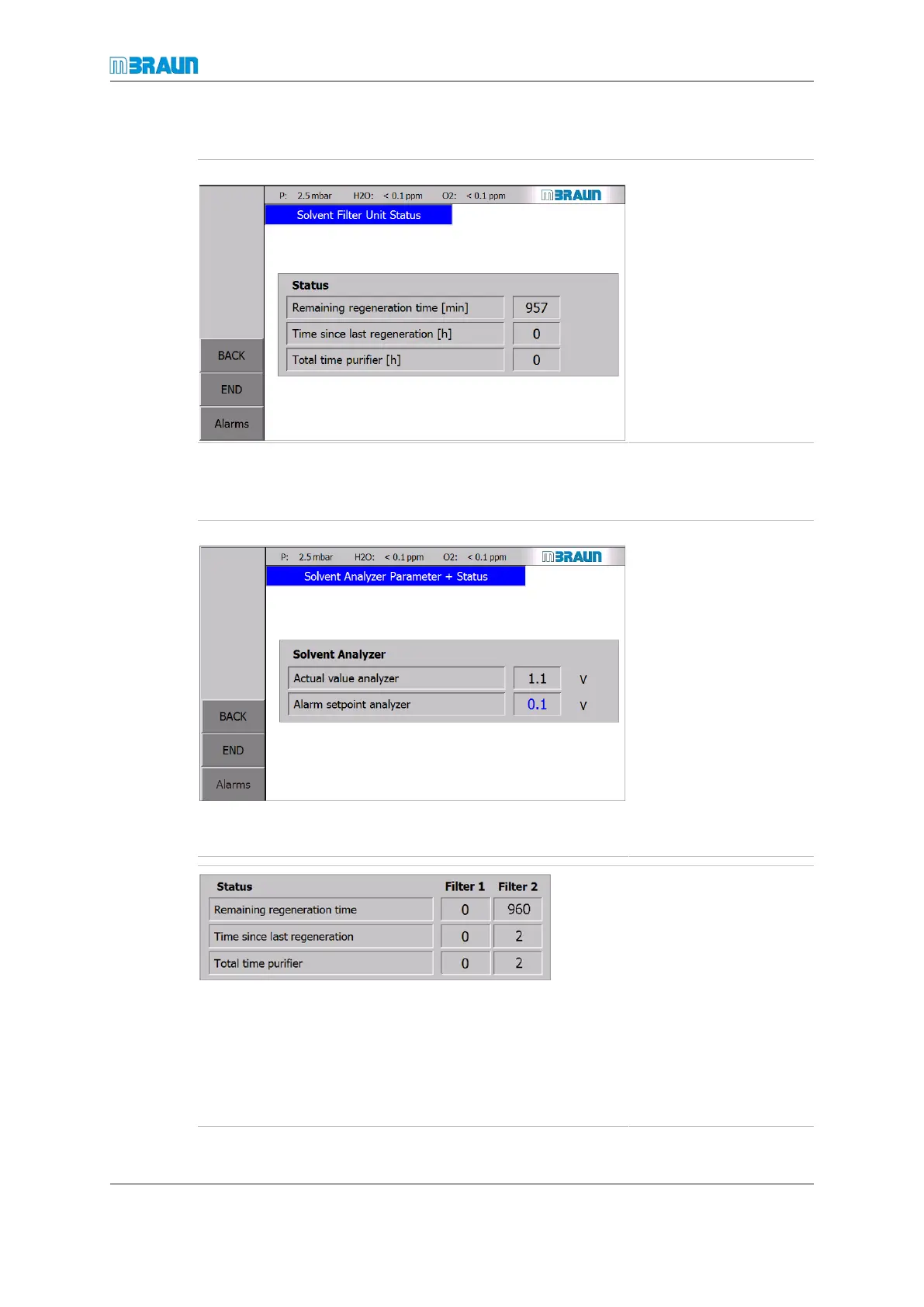
Solvent Filter Unit Status
Start Screen ⇨ LMF icon ⇨ Status
Display and input
The solvent filter analyser is an optional component.
Start Screen ⇨ LMF icon ⇨ Analyzer
Values are solvent-inde-
pendent and therefore
displayed in Volts.
The following values are
displayed:
¡ Reading of LMF ana-
lyser (if not available,
the text “Option not
available” is dis-
played)
¡ Set point of LMF ana-
lyser (if not available,
the text “Option not
available” is dis-
played)
The following values are
displayed:
¡ Remaining regenera-
tion time
¡ Time since last regen-
eration (reset by the
system after each
successful regenera-
tion cycle)
¡ Total operating hours
of the LMF since ini-
tial commission



 To Next Page