Redundant power supply
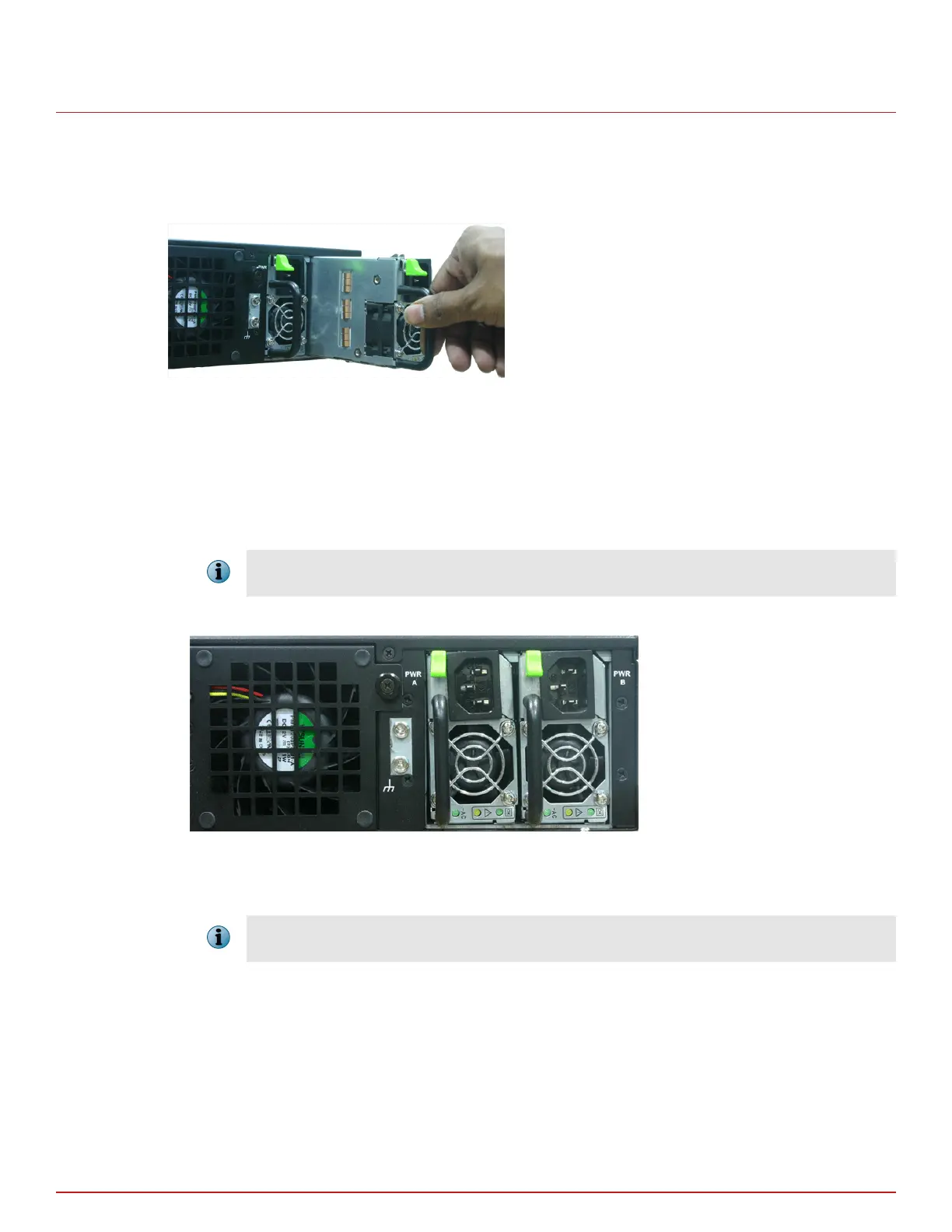
A basic conguration of the Sensor includes one hot swappable supply. You may install a second hot-swappable
power supply (purchased separately from McAfee) for redundancy. Each of these modules has one handle for
insertion or extraction from the unit as well as a release latch.
Figure 3-2 Inserting the power supply for the Sensor
Install the power supply
Task
1
Unpack the power supply from its shipping carton.
2
Remove the faceplate panel covering the power supply slot.
The faceplate panel should remain in place unless a power supply is in the power supply slot. Do not operate
the Sensor without the faceplate panel in place.
3
Place the power supply in the slot with the cable outlet facing front and on the left side of the faceplate.
Figure 3-3 Power supply units of the Sensor
4
Slide in the power supply until it makes contact with the backplane, then push rmly to mate the connectors
solidly with the backplane.
For true redundant operation with the optional redundant power supply, McAfee recommends that you plug
each supply into a dierent power circuit. For optimal protection, use uninterruptable power sources.
Remove the power supply
Note that the power supplies are hot-swappable. To avoid data interruption, do not power
o both power
supplies on an in-line Sensor, else the Sensor shuts down and all data trac stops. Power o only the power
supply you are replacing.
Setting up the Sensor
Redundant power supply
3
McAfee
®
Network Security Platform M-2850/M-2950 Sensor Product Guide
19



 To Next Page