Connect the cables for SPAN or hub mode
For the Sensor, monitoring in SPAN or hub mode occurs in in-line fail-open mode. When you monitor in SPAN or
hub mode, you use only single ports.
To connect an Sensor to a SPAN port or hub, plug an LC ber-optic or 45 cable into one of the modules and
connect the other end of the cable to the SPAN port or the hub.
Cable the fail-over interconnection
Before you begin
To enable fail-over communication between two M-2850/M-2950 Sensors, you will require ber or
copper SFPs and an LC-LC or RJ45-RJ45 cable as a fail-over cable.
Fail-over requires connecting two identical M-2850/M-2950 Sensors (same model, same software) using an
interconnection cable or cables. Gigabit port 6A is the fail-over interconnection port on the M-2850/M-2950
Sensors.
Task
1
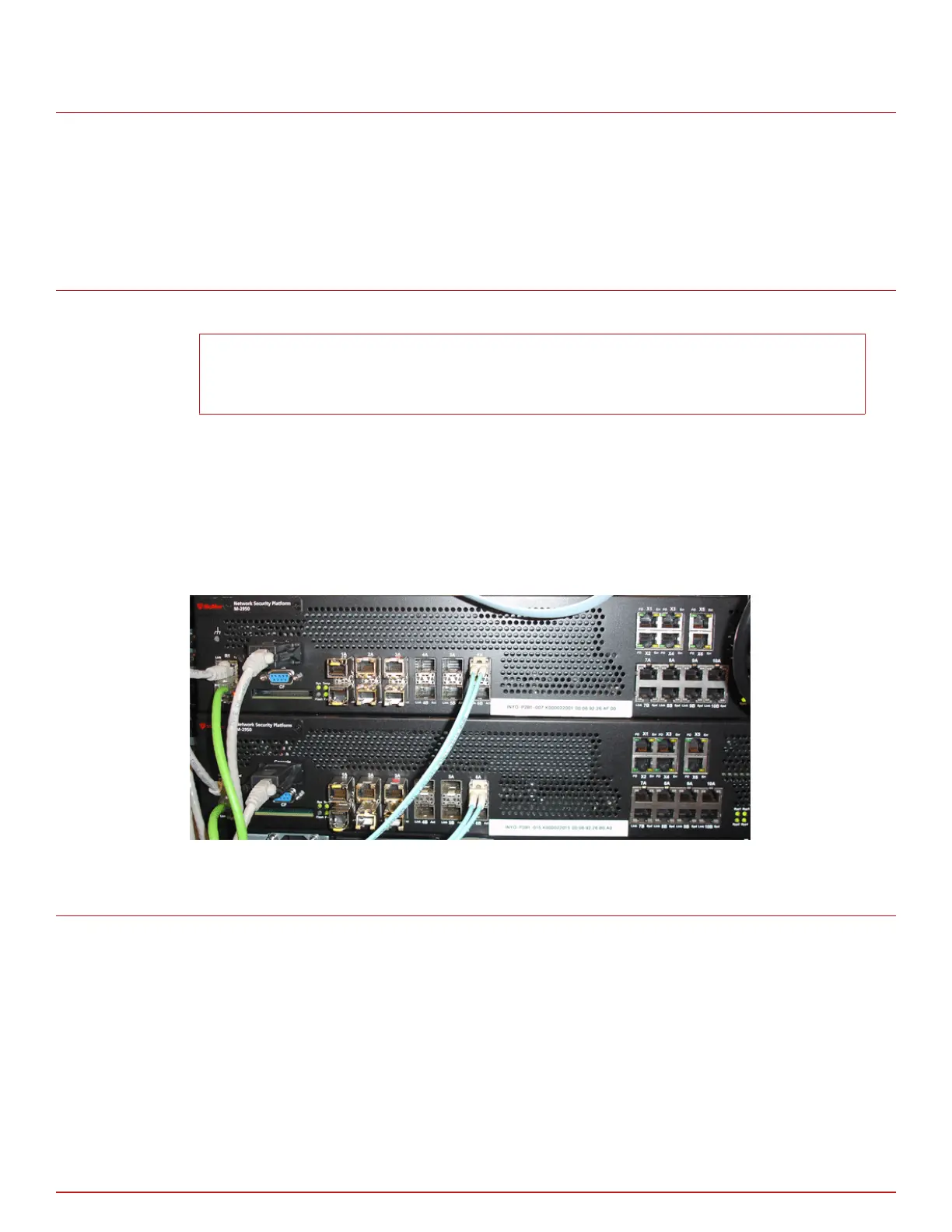
Plug the cable appropriate for use with your SFP module into port 6A of the M-2850/M-2950 of the active
Sensor.
2
Connect the other end of the cable to port 6A of the M-2850/M-2950 of the standby Sensor.
Figure 4-2 Sensors connected for fail-over
About the fail-open hardware
The standard Gigabit Fail-Open Kit (sold separately) minimizes the potential risks of in-line Sensor failure on
critical network links. Both copper and optical versions of the Kit are available for 1 Gigabit ports.
The Monitoring ports on M-2850/M-2950 fail-close; thus, if the Sensor is deployed in-line, a hardware failure
results in network downtime. Fail-open operation for the Monitoring ports requires the use of the optional
external Bypass Switch provided in the Kit.
Attaching cables to the Sensor
Connect the cables for SPAN or hub mode
4
McAfee
®
Network Security Platform M-2850/M-2950 Sensor Product Guide
27



 To Next Page