• In-line mode (fail-closed) • SPAN or Hub mode
• In-line mode (fail-open) • Failover
• External tap mode
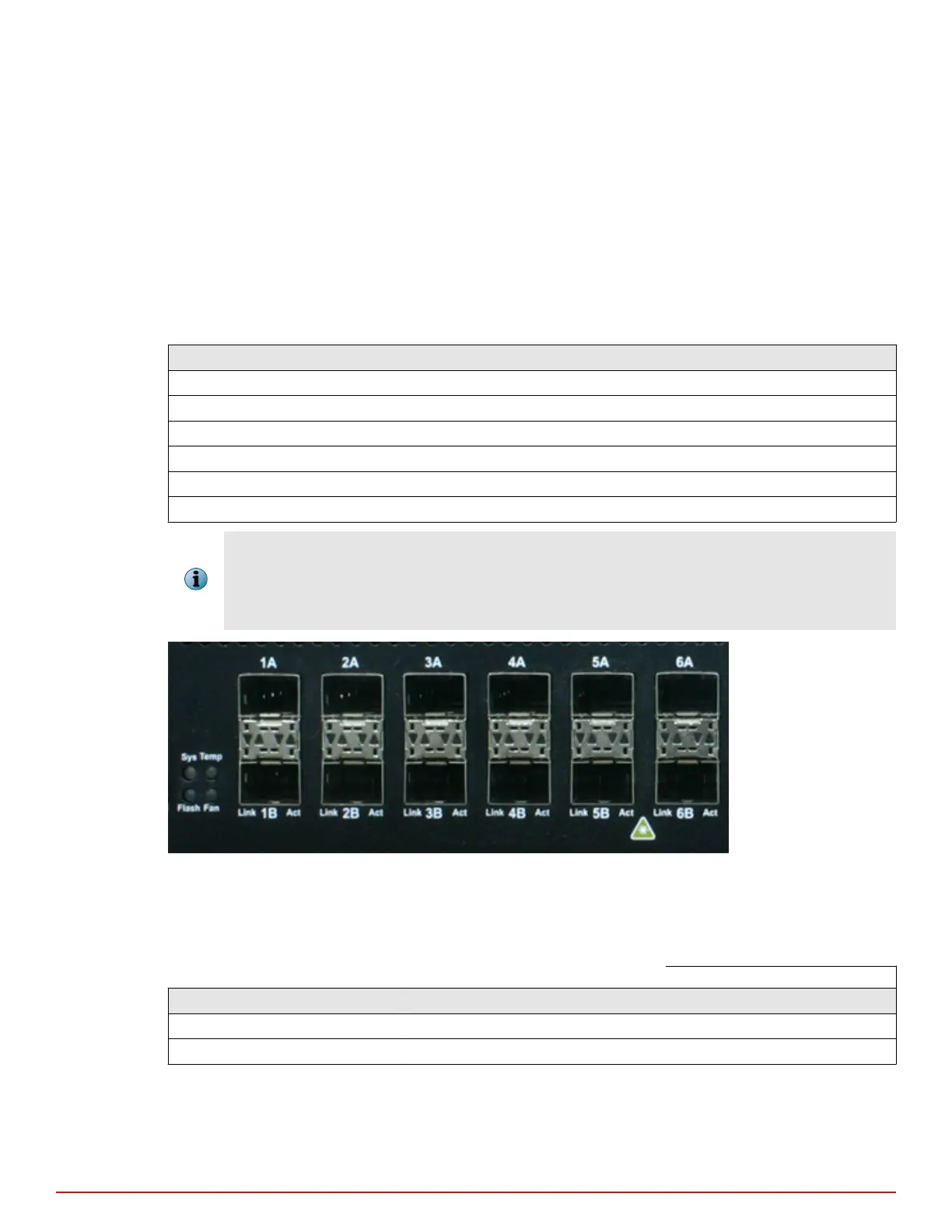
How to use peer ports
All full-duplex Sensor deployment modes require the use of two peer monitoring ports on the Sensor. On the
Sensors, the numbered ports are wired in pairs to accommodate the trac.
The following SFP Gigabit Ethernet ports are coupled and must be used together:
Port Pairs Transceiver Type
1A and 1B SFP
2A and 2B SFP
3A and 3B SFP
4A and 4B SFP
5A and 5B SFP
6A and 6B SFP
• You cannot congure, for example, 1A and 2A to work together as a pair.
• Since monitoring ports are internally wired, when you disable one of the ports in a pair, the
corresponding port is also disabled.
Figure 4-1 Using peer ports
Default Monitoring port speed settings
Be sure that the switch/router ports connected to the Sensor Monitoring ports match the Sensor
conguration.
Table 4-1 Default Monitoring port speed settings
Monitoring Ports Operating Mode Speed/Duplex Setting
SFP ports for copper In-line fail-close (port pair) Auto-negotiation is on.
SFP ports for ber-optic In-line fail-close (port pair) Auto-negotiation is on.
Cable types for routers, switches, hubs, and PCs
This section describes the types of cables that you require to connect the Sensor to other network devices:
Attaching cables to the Sensor
Cable the Monitoring ports
4
McAfee
®
Network Security Platform M-2850/M-2950 Sensor Product Guide
25



 To Next Page