6
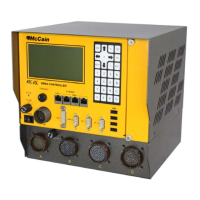
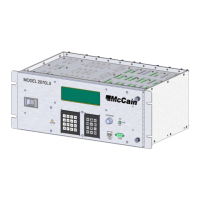
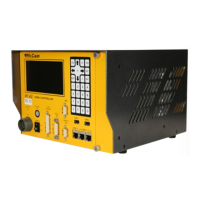
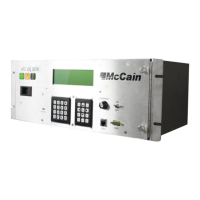
The following will describe each interface from front panel and back panel.
2.4.3 LCD with Backlight
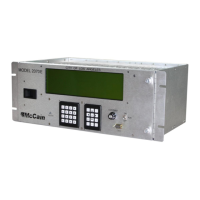
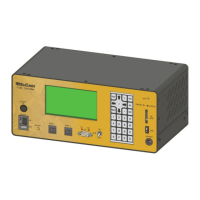
The controller unit has a 16 lines X 40 Columns LCD display with LED backlight. This is the visual
interface of the user with the controller unit; through the different menus of the traffic application, it
displays current status, entered values and functions of the traffic application and other useful information
for the operation of the controller unit.
The LCD backlight is turned on when any key from keypad is depressed and it extinguishes after 60
seconds, this time can be programmed to be from 0 to 630 seconds.
The LCD operating range is from –20°C to +70°C.
2.4.4 Auto Contrast
The auto CONTRAST adjusts the LCD display contrast for user’s optimum viewing.
2.4.5 Keypad
The controller unit includes a 28 keys keypad to allow user for navigating and entering values to the
contents of the LCD menus.
The keys are identified as: ESC (escape), NEXT, ENT (enter), YES, NO, ARROW DOWN, ARROW UP,
ARROW RIGHT, ARROW LEFT; numbers 1, 2, 3, 4, 5, 6, 7, 8, 9, 0; and letters A, B, C, D, E and F.
These keys allow the user to navigate thru the content of the LCD menus, confirm status, modify timing
parameters, setting date and time, configuring serial ports and all other interaction with the traffic
application.
2.4.6 Ethernet Ports
There are five Ethernet ports available: two ports on the front panel, two ports on the back panel and one
port inside the controller.
ETH1 is a 10/100 Base-T Ethernet switch with two RJ-45 jack connectors, one connector is located on
the front panel which is used for accessing to the controller’s operating system and the other connector is
located on the back panel and can be used to handle traffic applications needs, such as configuration,
databases, etc. They are labeled as “ENET 1”.
ETH2 is a 10/100 Base-T Ethernet port with three RJ-45 jack connectors; the first connector is located on
the front panel, the second connector is located on the back panel and the third connector is inside the
controller which is mounted on the hostboard assembly. These Ethernet ports are used to handle traffic
applications needs. They are labeled as “ENET 2”.
Each jack has two LED indicators to show the LINK ACT and 10-100 TX status.
2.4.7 USB Port
Two hot-swappable USB connectors are installed on the FleX controller, one in the front panel and
another USB connector in the back panel in order to allow the controller support the use of USB memory


 To Next Page