11
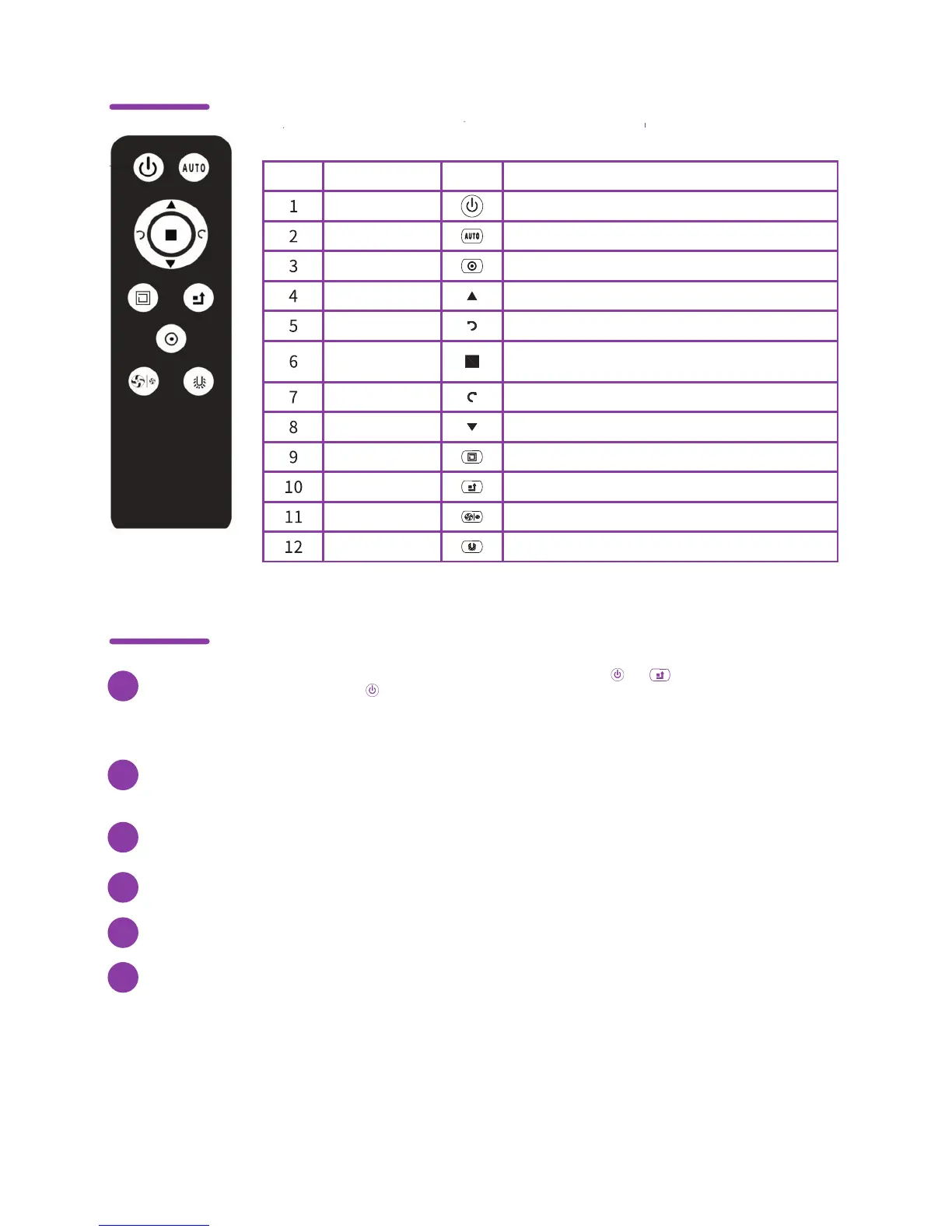
Functions available from the remote control
How to use remote control
Control panel on remote control
#
Name Symbol Description
Turns the appliance on/offSwitching on
Activates 'auto' modeAUTO
Activates 'spot' modeSpot
Drives Maya forwardForward
Drives Maya to the leftLeft
Pauses Maya while cleaning; 24-hour programPause
Drives Maya to the rightRight
Drives Maya backwardsBack
Activate Wall-F modeWall-F
Returns to original settingsRestart
Selects suction level
Intake
Power
Activates auto charge mode
Automatic
charging
Recognition: Turn on the Maya and put the batteries in the remote control. Press and buttons simultaneously for
about 2 seconds. The LED light on the button will flash. Afterwards, press the AUTO or 20M button (located on
Maya's display) to turn it off, press AUTO or 20M button again, this time to turn it on. If the LED light on the remote
control is off, recognition was successful, otherwise the recognition process failed.
1
After 30 minutes of inactivity, Maya switches to economy mode. In this case, press the AUTO or 20M (located on Maya’s
display) before using the remote control again. If you use the remote control first, Maya’s activation will fail.
2
Use the remote control from a distance of up to 10 meters. It is possible that the operation of the remote control is
influenced by Maya’s surrounding objects as well as by the condition of its battery.
3
You can use the remote control to change the
current cleaning mode.
4
When using the remote control, check that its LED light is flashing.
If it is inactive, check the battery and replace it.
5
When using the remote control, the LED light will be active. If it is not,
it is necessary to start the recognition process again.
6



 To Next Page