In case the battery is about to be exhausted, Maya will automatically start looking for the charging station.
When fully charged, the battery’s light indicator will stop flashing.
Note:
-The power pins should be kept clean and uncovered.
-First three times, use Maya to fully discharge the battery for optimal functioning of the appliance.
-Typically, Maya's full charge takes 5-10 hours.
-Maya is recommended to be turned on while charging.
-After being fully charged, Maya will work for 90-150 minutes depending on the flooring and battery capacity.
-In case the access to the charging station is obstructed (2.5 meters ahead of it and / or 0.5 meters on both sides), Maya will not
be able to find it.
8
Assembly and maintenance
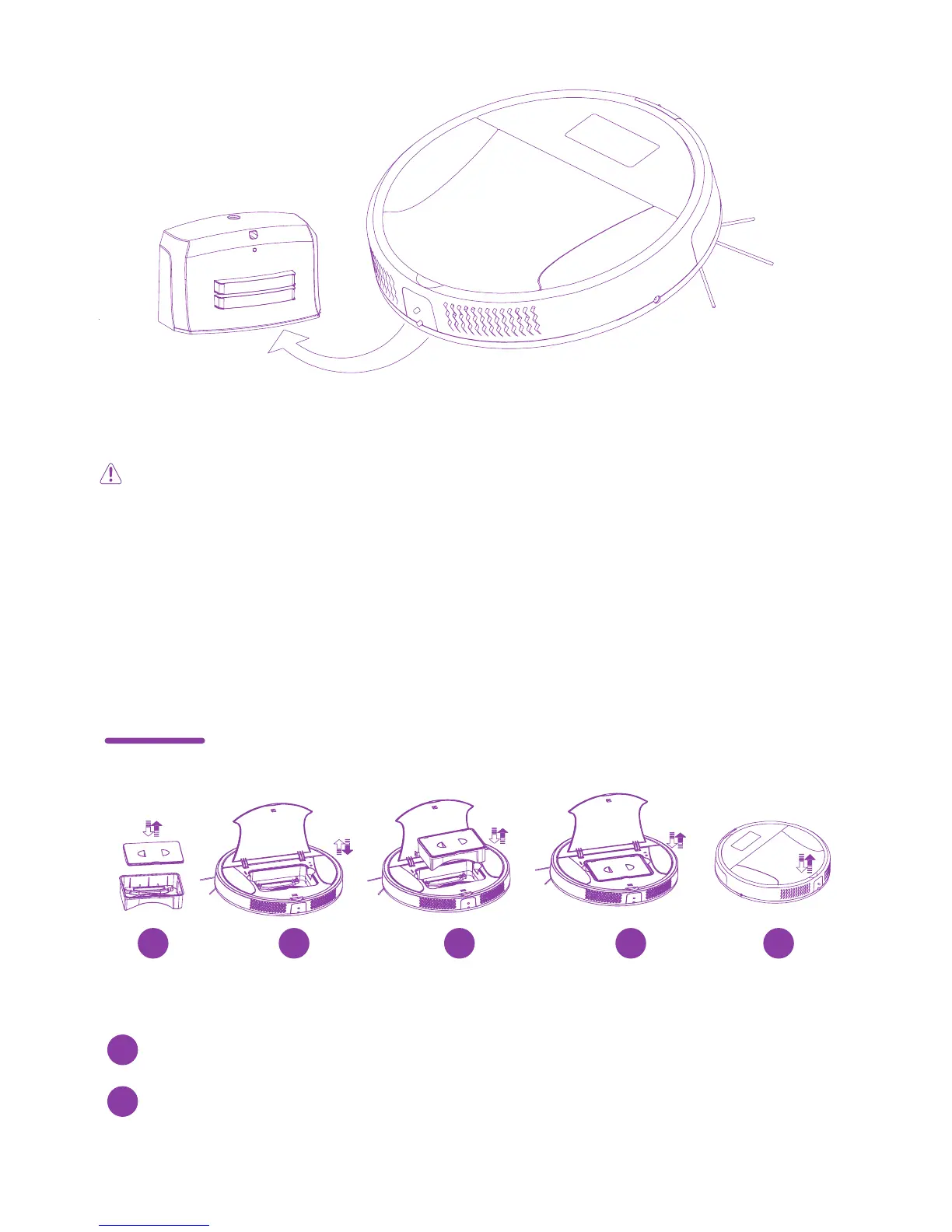
Place the waste container as shown in the diagram,
steps 1 to 5.
1
To remove the container follow the steps shown in the diagram
but in reverse order from 5 to 1.
2
Assembly and maintenance of a waste container
Follow these steps:
1 2 3 4 5



 To Next Page