Active button for 20-minute mode
Turn on the appliance. Press for about 3 seconds to activate Maya, then press again. Now Maya will clean up
within 20 minutes.
If you press any button within the 20 minutes, Maya will be paused.
А) After the 20 minutes, Maya will be paused, then shut down.
B) Press or and Maya will turn on.
Active button for automatic cleaning mode
Turn on the appliance. Press for about 3 seconds to activate Maya, then press again. Now Maya will clean up in
automatic mode.
If you press another button while the appliance is cleaning on automatic mode it will be paused.
A) In automatic mode, Maya will run until the battery is short of power and then will change to auto charging mode to find
the charging station. If, for any reason, Maya fails to reach the charging station, it will automatically shut down.
4
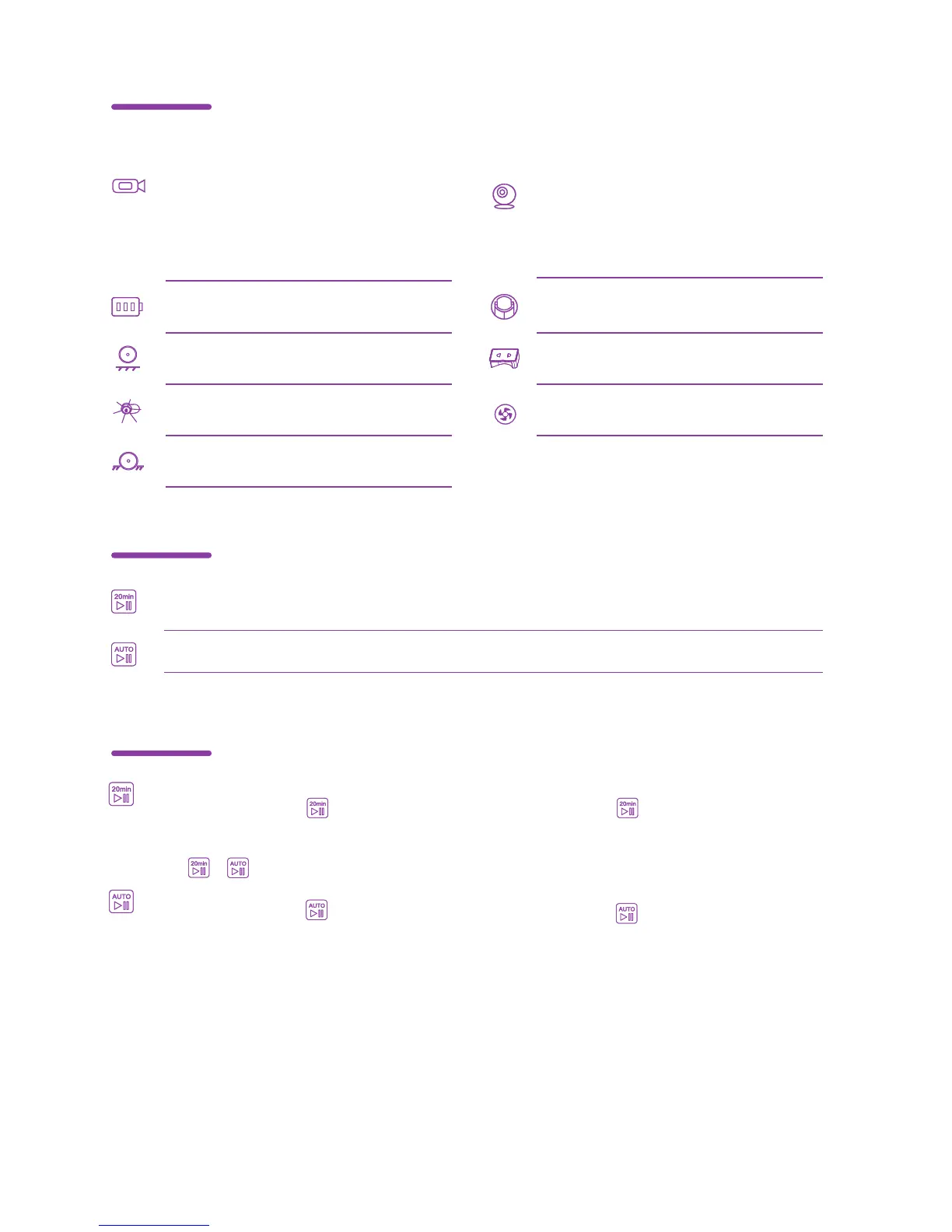
Display
Active buttons
STA light is on, which means the
Wi-Fi network is active and the
device can be controlled by the
network.
Shows the status of the battery.
Problem with Ground Sensor.
Active button for 20-minute mode. After 20 minutes of operation,
Maya will be paused.
Active button for automatic cleaning mode.
Problem with brushes.
Problem with one of the wheels.
AP light is on, which means that
the device's Wi-Fi network is
active and can be found via the
mobile application.
Central wheel problem.
Problem with waste container.
Fan problem.
Use of active buttons



 To Next Page