EasyManua.ls Logo

McQuay MAC 100 C - User Manual

McQuay MAC 100 C
68 pages
Print Icon
To Next Page IconTo Next Page
Loading...
MAC-C-2004
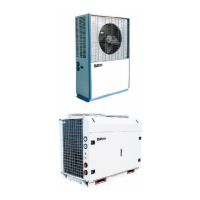
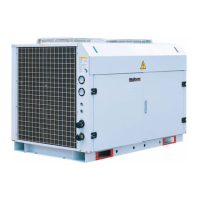
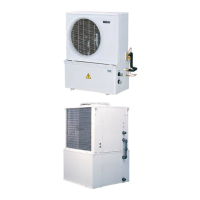
Air-Cooled Mini Chiller
Models: MAC 080 C/CR
MAC 100 C/CR
MAC 120 C/CR
MAC 150 C/CR
M4AC 080 C/CR
M4AC 100 C/CR
M4AC 120 C/CR
M4AC 150 C/CR

Other manuals for McQuay MAC 100 C

Questions and Answers

  • K
    Kathryn SkinnerAug 17, 2025
    What to do if McQuay Chiller compressor does not start?
    • J
      James MendezAug 17, 2025
      If the McQuay Chiller compressor doesn't start, several factors could be at play. First, check the power supply to ensure it's active. Also, inspect the fuses and circuit breakers; replace any blown fuses and reset breakers after fixing the underlying fault. A tripped safety mechanism could also halt the unit; identify the type of safety shutdown, correct the issue, and then restart. Loose wiring is another potential cause; check wire connections and tighten any loose terminal screws. If none of these resolves the issue, the compressor itself may be faulty, and you should contact your local dealer.
  • M
    Michael VasquezAug 20, 2025
    Why is my McQuay MAC 100 C not cooling enough?
    • C
      Cameron DrakeAug 20, 2025
      If your McQuay Chiller isn't providing sufficient cooling, several factors could be responsible. Begin by checking the thermostat setting and reset it to a cooler temperature if it's set too high. Other potential causes, such as a dirty condenser coil, insufficient refrigerant, improper water flow rate, or contaminated water in the system, require contacting your local dealer. Also, make sure that there is no obstacle blocking air inlet or outlet of the unit, and remove it if there is any.
  • J
    jliAug 22, 2025
    What to do if the compressor does not start in McQuay MAC 100 C Chiller?
    • J
      joseph62Aug 23, 2025
      If the compressor on your McQuay Chiller isn't starting, begin by checking the power supply to ensure it's properly connected. Also, inspect the fuses and circuit breakers; replace any blown fuses and reset breakers after fixing the underlying fault. Other potential issues include defective contactors or coils, which may need repair or replacement, tripped safety devices (determine the cause and correct it before restarting), or loose wiring (check and tighten all connections). If none of these steps resolve the issue, the compressor itself may be faulty, and you should contact a local dealer.
  • B
    Beth HallAug 26, 2025
    How to fix a fan that does not work on McQuay MAC 100 C Chiller?
    • A
      Amanda MillerAug 26, 2025
      If the fan on your McQuay Chiller isn't working, start by checking the power supply to ensure it's properly connected. If the power supply is fine, the fan motor may be faulty, in which case you should contact a local dealer.
  • R
    Raymond GrayAug 28, 2025
    What to do if McQuay MAC 100 C shows reverse phase?
    • D
      Damon CrossAug 28, 2025
      If the McQuay Chiller displays a reverse phase error, switch off the unit immediately and check the 3-phase wiring to ensure it's correctly configured.
  • A
    Andrew WashingtonAug 31, 2025
    What to do if R phase is missing in McQuay Chiller?
    • M
      Mark WoodAug 31, 2025
      If the McQuay Chiller indicates a missing R phase, switch off the unit and inspect the 3-phase wiring to ensure everything is properly connected.
  • D
    Denise HawkinsSep 2, 2025
    What to do if S phase is missing in McQuay MAC 100 C Chiller?
    • J
      James MorganSep 3, 2025
      If the McQuay Chiller indicates a missing S phase, switch off the unit and inspect the 3-phase wiring to ensure everything is properly connected.
  • J
    Jesse KingSep 5, 2025
    What to do if T phase is missing in McQuay MAC 100 C Chiller?
    • L
      Lauren MillerSep 5, 2025
      If the McQuay Chiller indicates a missing T phase, switch off the unit and inspect the 3-phase wiring to ensure everything is properly connected.
  • J
    Joshua HernandezSep 8, 2025
    What to do if S & T phases are missing in McQuay Chiller?
    • R
      Rick LarsenSep 8, 2025
      If the McQuay Chiller indicates missing S & T phases, switch off the unit and inspect the 3-phase wiring to ensure everything is properly connected.
  • K
    Kenneth MccormickSep 12, 2025
    Why McQuay MAC 100 C Chiller shows Overload+?
    • D
      Denise HicksSep 12, 2025
      If the McQuay Chiller is showing an overload error, it may be due to a high discharge temperature. In this case, you should check the refrigerant system.

Summary

General Features and Specifications

Refrigerant Circuit

Details dual refrigerant circuits, part-loading, and expansion valve for efficiency.

Safety Protection Features

Lists safety protections like pressure switches, overload protectors, and anti-freeze sensors.

Chiller Panel Controller

Safety & Installation Considerations

Stresses qualified personnel, location, and environmental conditions for the controller.

Installation

Software Description

Operation User Manual

Problems and Troubleshooting

Common Malfunctions & Solutions

Lists common symptoms, causes, and troubleshooting steps for unit malfunctions.

Phase Protector Functionality

Explains the phase protector's role and LED indicators for fault conditions.

Wiring Diagrams

Special Precautions for R407 C

R407 C Refrigerant Properties

Explains R407C's properties, ozone depletion, and lubricant requirements.

R407 C Handling & Installation

Provides critical guidelines for installing R407C systems, including filter-dryers.

Installation Procedures

Pre-Installation Safety Measures

Lists essential safety measures to follow before commencing unit installation.

Servicing and Maintenance

Troubleshooting Guide

Unit Malfunctions & Solutions

Addresses common issues like compressor failure and insufficient cooling with solutions.

Schematic Diagram

McQuay MAC 100 C Specifications

General IconGeneral
BrandMcQuay
ModelMAC 100 C
CategoryChiller
LanguageEnglish

Related product manuals