EasyManua.ls Logo

McQuay MAC 120 CR - User Manual

McQuay MAC 120 CR
68 pages
Print Icon
To Next Page IconTo Next Page
Loading...
MAC-C-2004
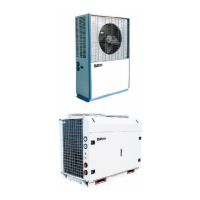
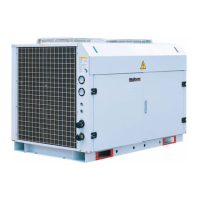
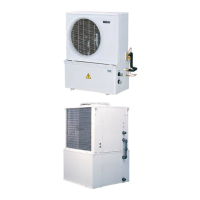
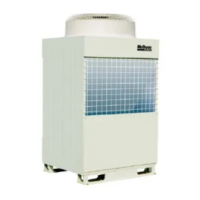
Air-Cooled Mini Chiller
Models: MAC 080 C/CR
MAC 100 C/CR
MAC 120 C/CR
MAC 150 C/CR
M4AC 080 C/CR
M4AC 100 C/CR
M4AC 120 C/CR
M4AC 150 C/CR

Questions and Answers

  • P
    Paul SmithAug 15, 2025
    What to do if the compressor does not start in McQuay MAC 120 CR?
    • A
      Amber FieldsAug 16, 2025
      If the compressor on your McQuay Chiller isn't starting, begin by checking the power supply to ensure it's properly connected. Also, inspect the fuses and circuit breakers; replace any blown fuses and reset breakers after fixing the underlying fault. Other potential issues include defective contactors or coils, which may need repair or replacement, tripped safety devices (determine the cause and correct it before restarting), or loose wiring (check and tighten all connections). If none of these steps resolve the issue, the compressor itself may be faulty, and you should contact a local dealer.
  • T
    tiffany97Aug 19, 2025
    Why is my McQuay MAC 120 CR not cooling enough?
    • B
      bridgesjohnathanAug 19, 2025
      If your McQuay Chiller isn't cooling sufficiently, first ensure the thermostat is set correctly. If that's not the issue, there might be an obstacle blocking the unit's air inlet or outlet; remove any obstructions. For other potential causes like a dirty condenser coil, insufficient refrigerant, improper water flow rate, or contaminated water, it's best to contact a local dealer.
  • A
    amyschmidtAug 21, 2025
    How to fix a fan that does not work on McQuay MAC 120 CR?
    • J
      Jeremy VazquezAug 22, 2025
      If the fan on your McQuay Chiller isn't working, start by checking the power supply to ensure it's properly connected. If the power supply is fine, the fan motor may be faulty, in which case you should contact a local dealer.
  • L
    Lauren CunninghamAug 25, 2025
    What to do if McQuay Chiller shows reverse phase?
    • D
      David FitzgeraldAug 26, 2025
      If the McQuay Chiller displays a reverse phase error, switch off the unit immediately and check the 3-phase wiring to ensure it's correctly configured.
  • M
    Michelle ClarkAug 27, 2025
    What to do if R phase is missing in McQuay MAC 120 CR Chiller?
    • X
      xburkeAug 28, 2025
      If the McQuay Chiller indicates a missing R phase, switch off the unit and inspect the 3-phase wiring to ensure everything is properly connected.
  • Y
    Yolanda ReynoldsAug 30, 2025
    What to do if S phase is missing in McQuay MAC 120 CR?
    • C
      cindyfreemanAug 31, 2025
      If the McQuay Chiller indicates a missing S phase, switch off the unit and inspect the 3-phase wiring to ensure everything is properly connected.
  • R
    rachel08Sep 2, 2025
    What to do if T phase is missing in McQuay MAC 120 CR Chiller?
    • D
      daisyhicksSep 2, 2025
      If the McQuay Chiller indicates a missing T phase, switch off the unit and inspect the 3-phase wiring to ensure everything is properly connected.
  • D
    David PerezSep 6, 2025
    What to do if S & T phases are missing in McQuay Chiller?
    • H
      Hannah CainSep 6, 2025
      If the McQuay Chiller indicates missing S & T phases, switch off the unit and inspect the 3-phase wiring to ensure everything is properly connected.
  • O
    ocameronSep 8, 2025
    Why McQuay MAC 120 CR shows Overload+?
    • B
      Brian LewisSep 9, 2025
      If the McQuay Chiller is showing an overload error, it may be due to a high discharge temperature. In this case, you should check the refrigerant system.
  • T
    Timothy DrakeSep 12, 2025
    What to do if McQuay MAC 120 CR Chiller indicates sensor is missing?
    • M
      Mark BrownSep 12, 2025
      If the McQuay Chiller indicates a sensor is missing, switch off the unit and plug in the sensor.

Summary

General Features and Specifications

Safety Protection

Lists safety features like pressure switches, overload protectors, and anti-freeze sensors.

Chiller Panel Controller

Safety Consideration

States only qualified personnel can install and service.

Installation

Chiller Bus

Explains the 5-way wire communication bus for networking chillers.

Software Description

Main Menu Operations

Covers the primary functions accessible through the Main Menu.

Advanced Settings and Configuration

Details parameter adjustments, password, panel options, and IDs.

Operation User Manual

Basic Operations

Covers switching the unit ON/OFF and changing operating modes.

Temperature and Defrost Control

Details how to adjust set temperatures and initiate manual defrost cycles.

Advanced Parameter Configuration

Guides on modifying advanced parameters, security, and system settings.

Monitoring and Alarm Handling

Covers viewing sensor data, compressor status, and alarm records.

Control Operation Guide

Special Precautions for R407 C

Handling and installation guidelines

Provides precautions for R407C system handling, including filter-dryers and avoiding moisture.

Servicing and Maintenance

Servicing

Emphasizes that servicing must be done by trained, experienced personnel.

Maintenance

Advises on regular checks, cleaning, and filter replacement for optimal performance.

Troubleshooting

Phase Protector (Optional)

Explains the function of the phase protector and its LED indicators.

McQuay MAC 120 CR Specifications

General IconGeneral
ModelMAC 120 CR
CategoryChiller
Cooling Capacity120 tons
Compressor TypeScrew
Power Supply460V/3Ph/60Hz

Related product manuals