MDS
16
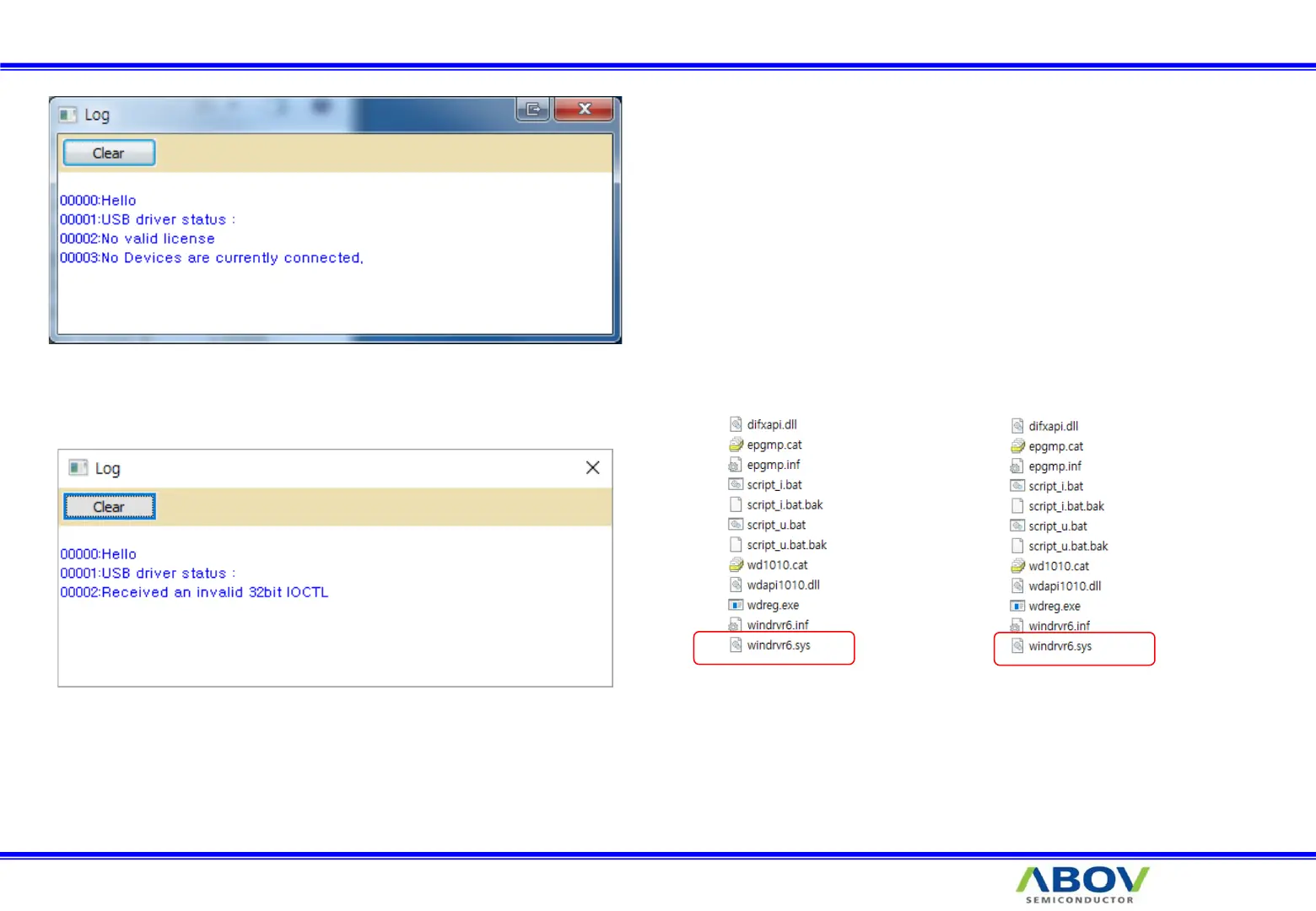
7-3. Trouble shooting : USB driver
Or
x32 x64
1. Close E-PGM+ S/W
2. Disconnect USB line
3. Run USB_driver_unistall.exe (Version 1.7)
4. Delete C:\Windows\System32\drivers\windrvr6.sys
5. Copy windrvr6.sys which is in the driver install files
64 bit : Copy x64\windrvr6.sys to C:\Windows\System32\drivers\
32 bit : Copy x32\windrvr6.sys to C:\Windows\System32\drivers\
6. Run USB_driver_install.exe(Version 1.7)
7. Connect USB line


 To Next Page