page 13
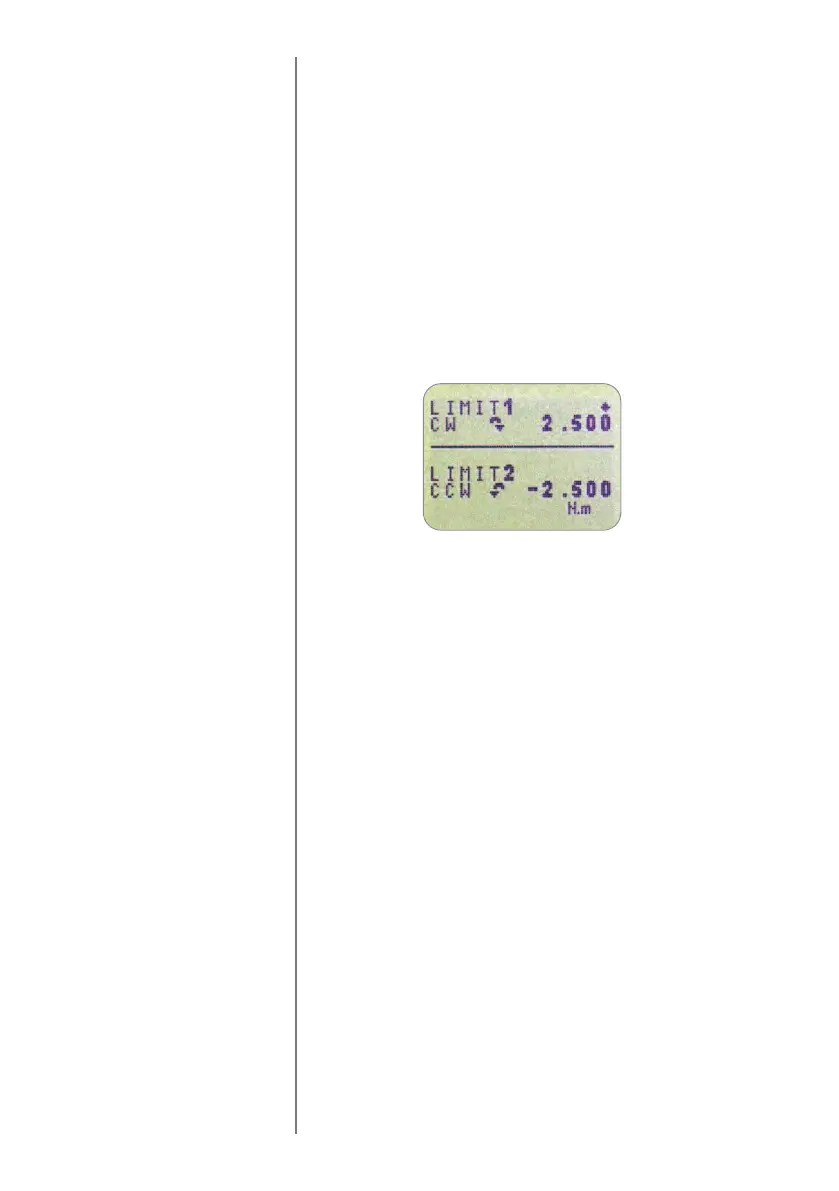
The display will now show the two limits - LIMIT 1 (lower
limit) and LIMIT 2 (upper limit) - plus the value they are set to
and whether they are in a clockwise (CW) or
counter-clockwise (CCW) direction. A diamond cursor
indicates which value is selected. Use the UP and DOWN
keys to change the value, press and hold to scroll values.
When the correct value is reached, press the ENTER key to set
LIMIT 1. Repeat procedure for LIMIT 2 (see Fig. 8).
Note: The alarm limits are not active below 1% of the
capacity of the tester.
The display shows AUDIBLE, LED and BOTH with the arrow
cursor indicating which feature is selected. This menu selects
how the PASS/FAIL status of a value will be indicated.
AUDIBLE Only the audible alarm will be activated when
the value is a pass/fail.
LED The PASS LED will illuminate green to indicate
a pass status, the FAIL LED will illuminate
orange or red to indicate low or high failures
respectively.
BOTH Both the LED and the audible alarm will be
activated.
Use the UP and DOWN keys to move the cursor and press
the ENTER key to select the desired feature.
ALARM sub-menu 3
(ALARM LIMITS)
ALARM sub-menu 4
(ALARM INDICATOR)
Fig. 8



 To Next Page