39
UK
38
UK
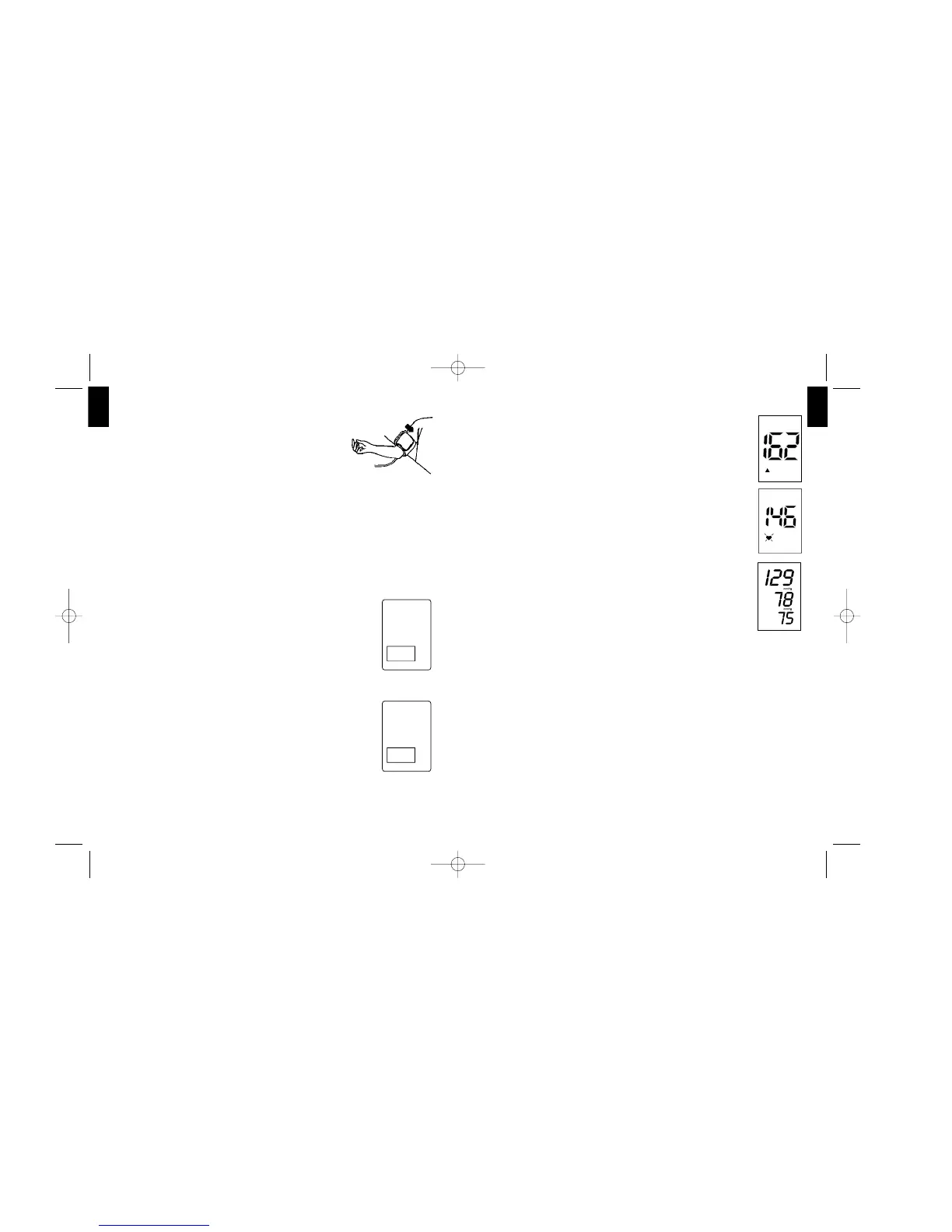
a) Open the flip and press the O/I button. The
device begins to inflate the cuff. The rising pres-
sure in the cuff is shown in the display.
b) After the suitable inflation pressure has been
reached, the device stops and the pressure gra-
dually falls. The cuff pressures are displayed.
c) When the device detects a pulse, the heart
symbol in the display starts to flash and a beep
is heard for every heart beat.
d) A longer beep is sounded when the measure-
ment has been completed. The systolic, diastolic
blood pressures and pulse rate now appear in
the display.
e) When the unit is set to Average Mode - CHECK3
setting generally 3 separate measurements will
take place in succession and calculates your
detected blood pressure value. There will be 15
seconds resting time in-between each measure-
ment. A count down indicates the remaining
time and a beep will sound 5 seconds before the
2nd and 3rd readings will begin.
In case that the single data of each cycle differ
too much from each other, a fourth measure-
ment is performed before the result will be dis-
played. In rare cases the blood pressure is such
unstable that even after four measurements the
data vary too much. In this case “ERR 6“ is
shown and no result can be given.
f) The results of the measurement remain on the
display until you switch off the device. If no but-
Comment:
If it is not possible to fit the cuff to the left arm,
it can also be placed on the right one. However
all measurements should be made using the
same arm.
5.4. Measurement mode selection
Clinical studies demonstrate taking multiple blood
pressure readings and calculating an “average” is
more likely to determine your true blood pressure.
MEDEL CHECK allows you to switch the unit to a spe-
cial Average Mode - CHECK3 setting that automati-
cally takes multiple readings!
Average Mode - CHECK 3:
a) If you would like to take an Average Mode -
CHECK3 measurement, please press the button
for 3 seconds till “ON” appears on display.
b) Average Mode - CHECK3 takes generally 3
measurements in succession and calculates the
result.
c) An “3“ symbol in the display indicates that the
unit is set to the Average Mode - CHECK3.
Single mode:
a) If you would like to take single measurement,
press the button for 3 seconds till “OFF” appears
on display.
b) Single mode only has 1 measurement.
5.5. Measuring procedure
After the cuff has been appropriately positio-
ned, the measurement can begin:
ON
3
OFF
3


 To Next Page