MediaTek LinkIt™ Smart 7688 User Manual
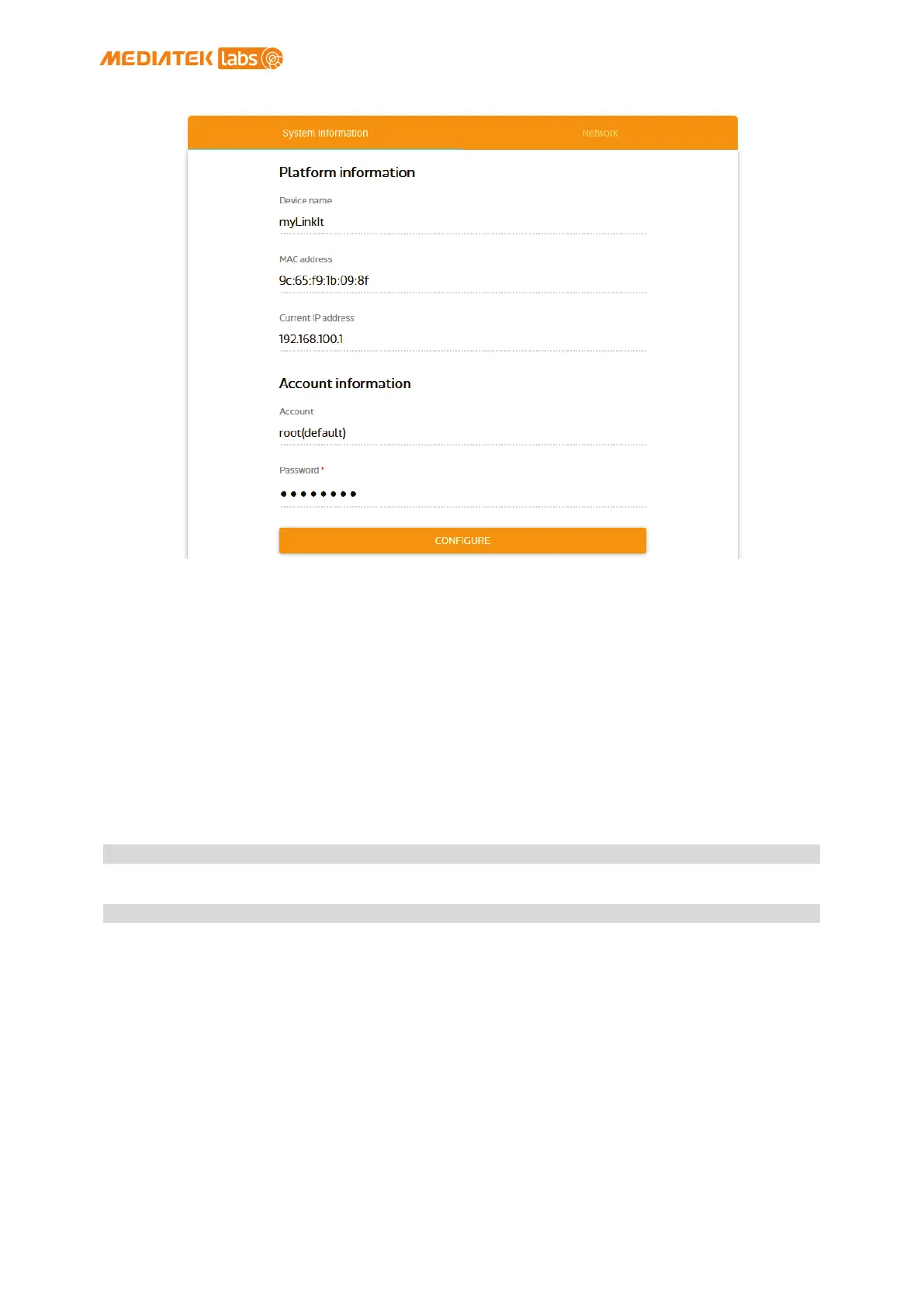
Figure 22 System Information in LinkIt Smart 7688 Web UI
2.5. Accessing the USB drive and the SD card
When a USB drive or SD card is inserted into LinkIt Smart 7688, they can be
accessed under /Media/SD* or /Media/USB* (The device name displayed varies
depending on the number of drives you use and the number of partitions
available on the USB drive or SD card).
You can use the following commands to check the contents of the USB drive
and SD card:
• In this example, a USB drive named USB-A1 is used:
• In this example, a SD card named SD-P1 is used:
© 2015, 2016 MediaTek Inc.
Page 35 of 38
This document contains information that is proprietary to MediaTek Inc.
Unauthorized reproduction or disclosure of this information in whole or in part is strictly prohibited.


 To Next Page