MediaTek LinkIt™ Smart 7688 User Manual
Scenario
Consumption
to a SD Card via
Wi-Fi
file to a USB
Drive via Wi-Fi
file to flash
via Wi-Fi
Table 4 Peripherals Power Consumption
1.3.7. Accessories
LinkIt Smart 7688’s standard package comes with the development board only.
You will need additional accessories for different purposes as described
below.
1) USB Power Cable (Required): You’ll need a USB type A to
Micro-B plug cable to power the LinkIt Smart 7688
development board from a PC or other USB powered source.
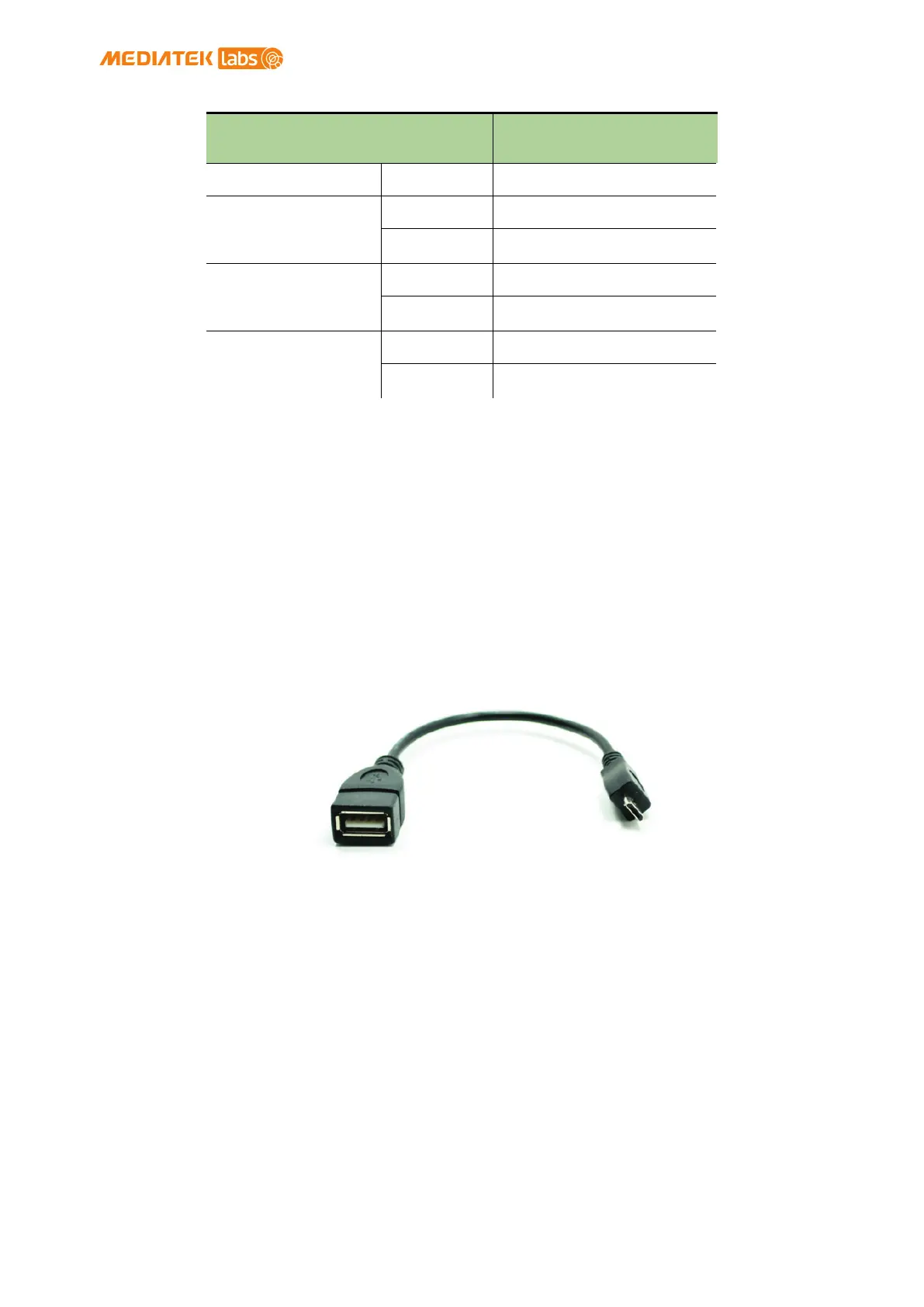
2) Micro USB OTG (On-The-Go) or Host Cable (Optional): Use this
OTG cable to access Type A USB devices such as USB drive or
USB camera and more as shown in Figure 3.
Figure 3 USB OTG cable
3) USB-UART Cable (Optional): Use this cable to communicate to
Linux console.
4) Micro SD Card (Optional): Use Micro SD card for extra
storage space for applications and data.
5) USB Drive (Optional): For extra storage. You can also use it
to store bootloader and firmware to upgrade LinkIt Smart
7688.
© 2015, 2016 MediaTek Inc.
Page 7 of 38
This document contains information that is proprietary to MediaTek Inc.
Unauthorized reproduction or disclosure of this information in whole or in part is strictly prohibited.


 To Next Page