5352
3.10.3. Navigation path
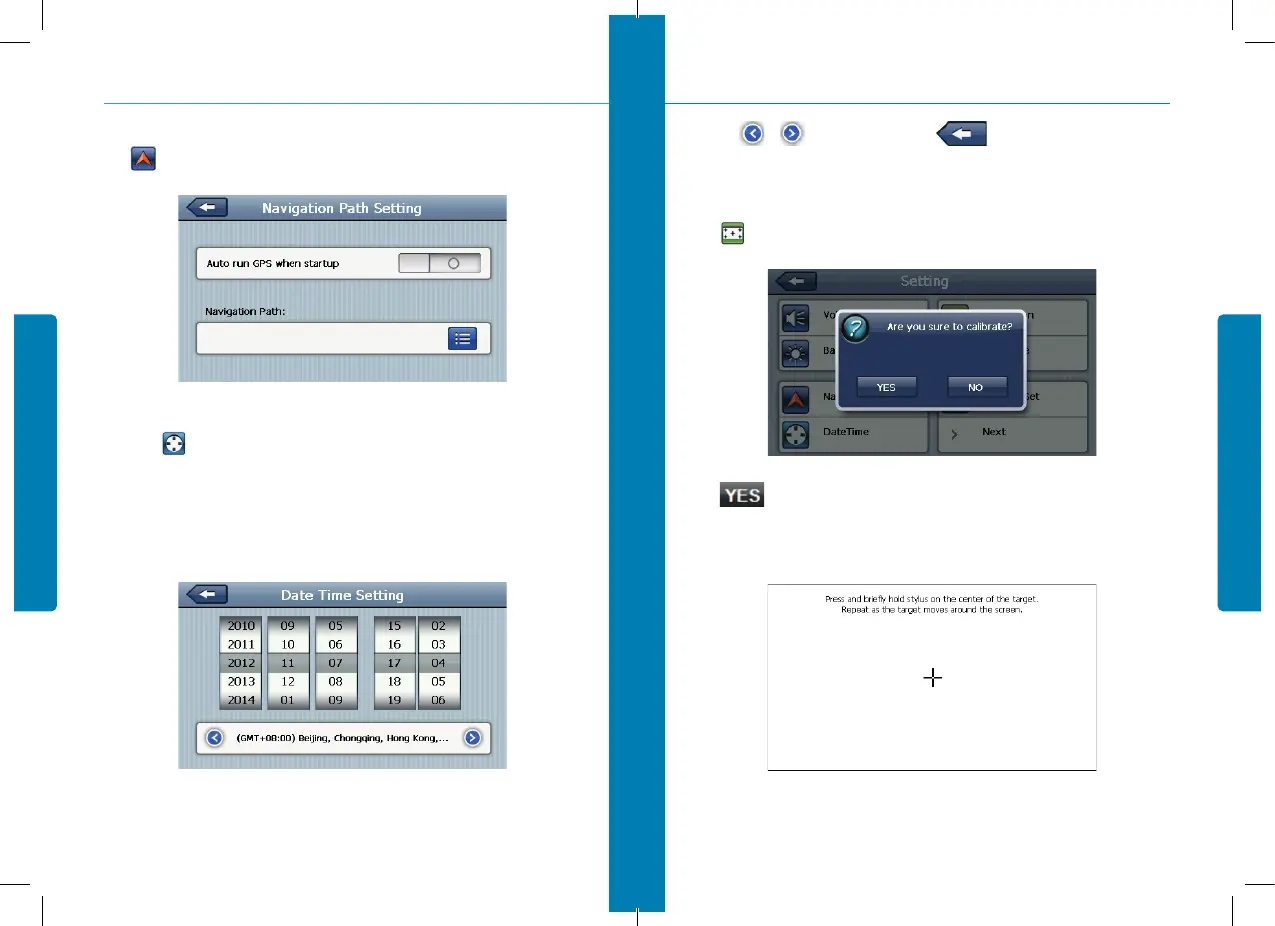
Click set the interface into navigation path, set the default navigation paths as shown in 3-19:
3.10.4. Date and time setting
Single click into the date time interface as shown 3-20.
Date and time include:
1. System time set;
2. System date set;
3. System time zone set.
1. Single click number button to set time and date.
figure 3-19
figure 3-20
3. System
2. Single or to choose time area. Click to exit current interface after setting.
3.10.5. Screen calibration
Click to enter the screen calibration as 3-21:
Click . it will move from in the sequence of the center as 10-7, left up, left down, right down
and right up till the calibration succeed, then click any where on the screen to save the calibration
and exit to the main interface automatically. If not save the information, please wait 30 seconds and
it will exit from current interface automatically.
figure 3-21
figura 3-22
3. System


 To Next Page