5554
3.10.6. Language setting
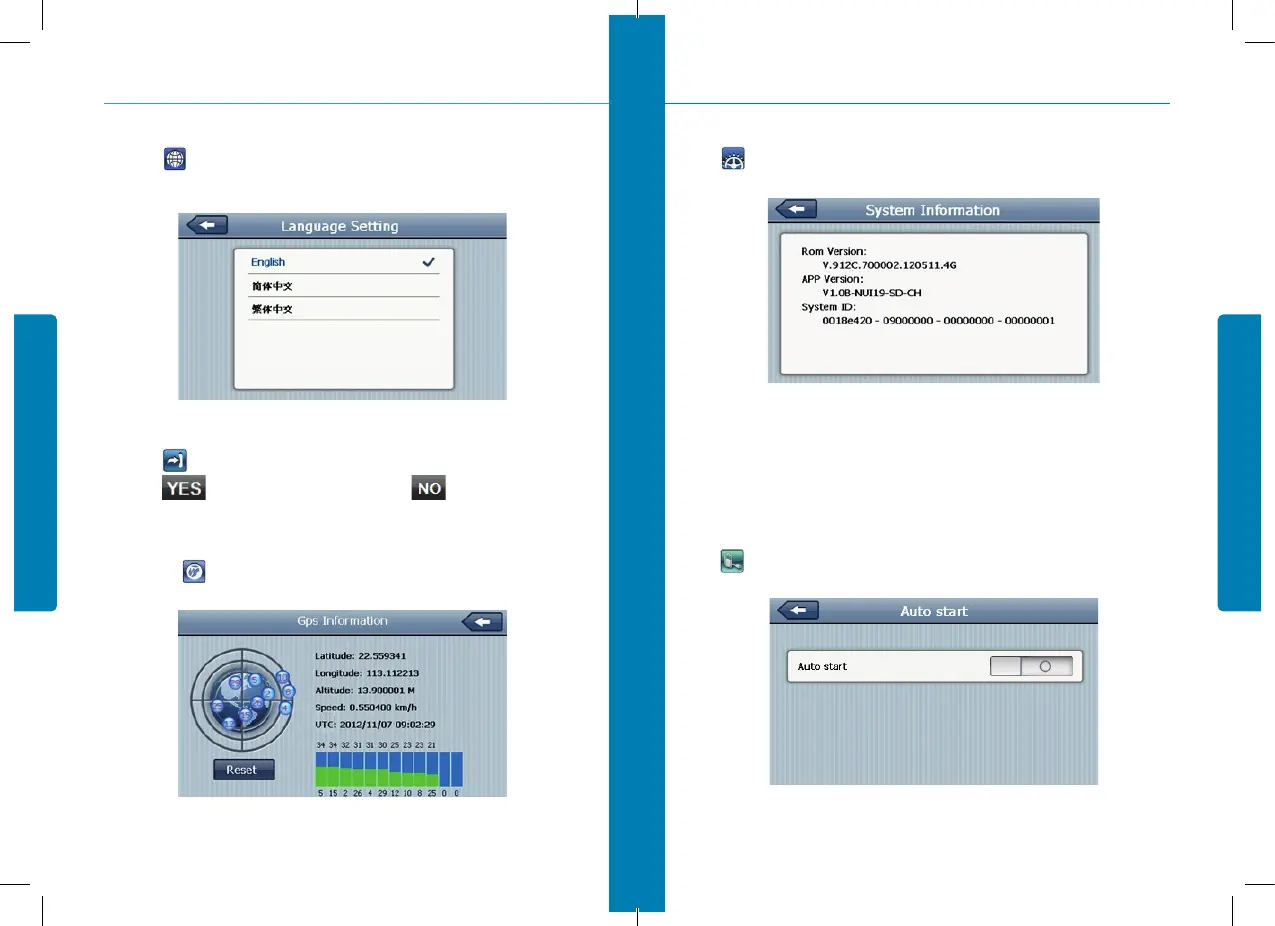
Single click into the language settings interface as shown 3-23, Language setting including:
System prompt language selection;
3.10.7. Restore set
Single click to enter the default setting:
Single click to restore the default settings, single click to exit the default settings.
3.10.8. GPS information
Click the button and enter GPS information interface as 3-24;
figure 3-23
figure 3-24
3. System
3.10.9. System information
Click to enter the System information.
System information includes:
1. Firmware version;
2. APP version;
3. System ID.
3.10.10. Auto start
Click to enter the Auto start as 3-26:
figure 3-25
figure 3-26
3. System


 To Next Page