Making a Symptom Recording
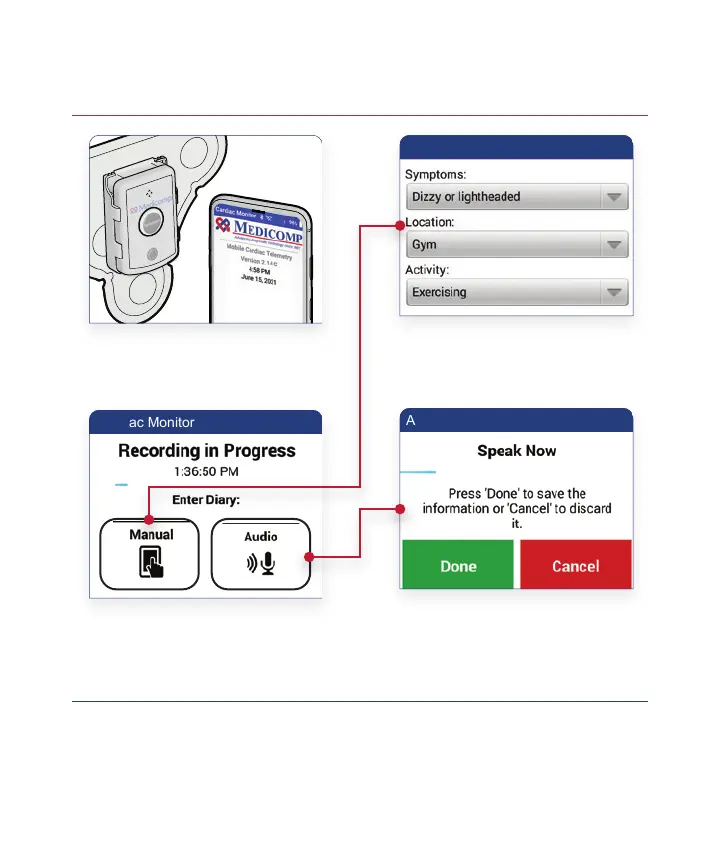
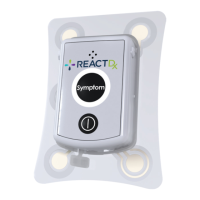
Remember: Whenever you experience a symptom, press the
Symptom button on the Pendant or the Handset, and record what
you were feeling and doing.
!
When You Experience
a Symptom, Press the
Symptom Button on
Pendant or Handset
Tap Manual and From the Three
Drop-down Menus, Select Your
Symptoms, Location and Activity.
Tap Save When Finished.
Press Manual or Audio to
Record Symptom Details
Tap Audio and Speak Clearly
Into the Handset Microphone
and Describe Your Symptoms,
Location and Activity.
Tap Done When Finished.
1
2
15



 To Next Page