Troubleshooting
This process solves the most common issues. If by doing the
troubleshooting process you don’t solve your problem, please visit
https://medicompinc.com/troubleshooting
!
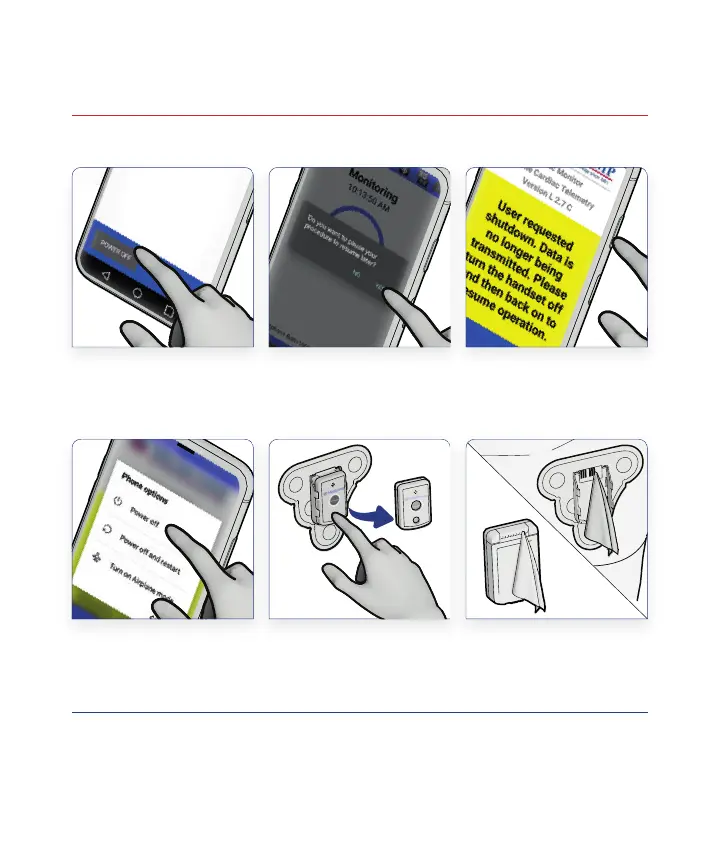
Tap Yes and
Wait Until the
User Requested
Shutdown Appears
Press and Hold
POWER OFF
on the Handset
Display
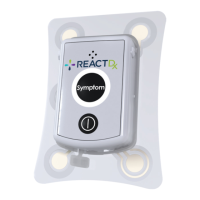
Turn Off and
Remove Pendant
Tap Power Off Wipe Inside of
Cradle Connections
and Pendant
Connection Pins
Press and Hold
the Power Button
on the Side of the
Handset
Text highlighted in YELLOW on the Handset are Action Messages and require
your attention. Please follow these simple instructions to return to full monitoring.
21
54
3
6
16



 To Next Page