Starting the Handset
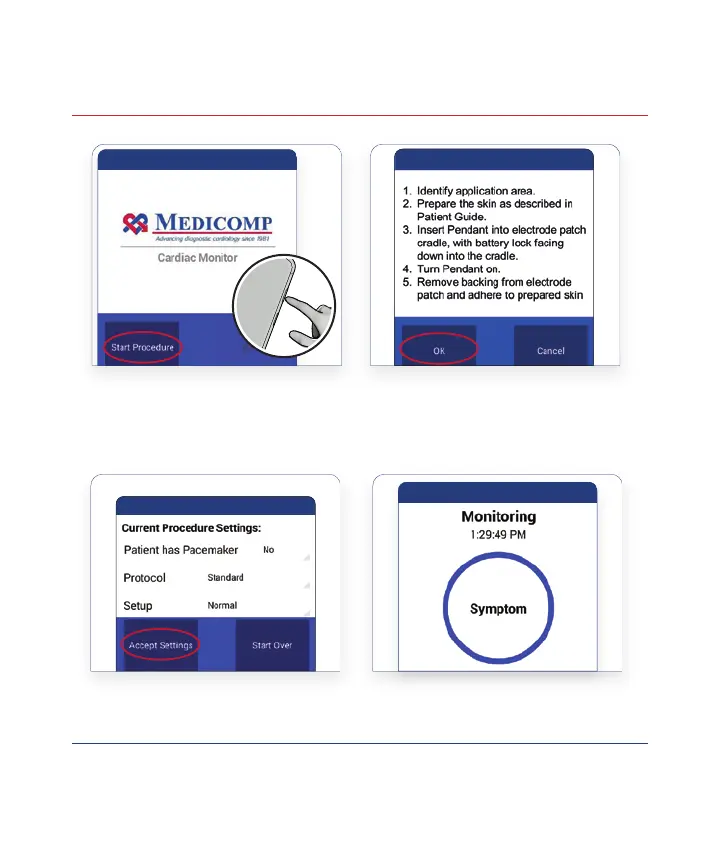
Tap Accept Settings on the
Procedure Setup Screen
When the Screen Displays
the Symptom Button Your
Procedure is Running
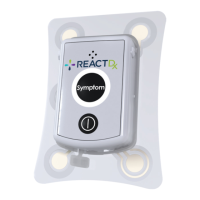
Once the Handset is powered on and has connected to the Pendant
the Pendant light will ash BLUE slowly indicating the Pendant is
monitoring and communicating to the Handset properly.
!
9
Turn On the Handset by
Pressing the Power Key.
When the Medicomp Screen
Appears, Tap Start Procedure
1
3 4
Follow All Patient Preparation
Steps Detailed on Pages 6, 7,
and 8, and Tap Ok
2



 To Next Page