17 of 78
Telephone: 1300 884 987
Internet: www.medion.com.au
After Sales Support
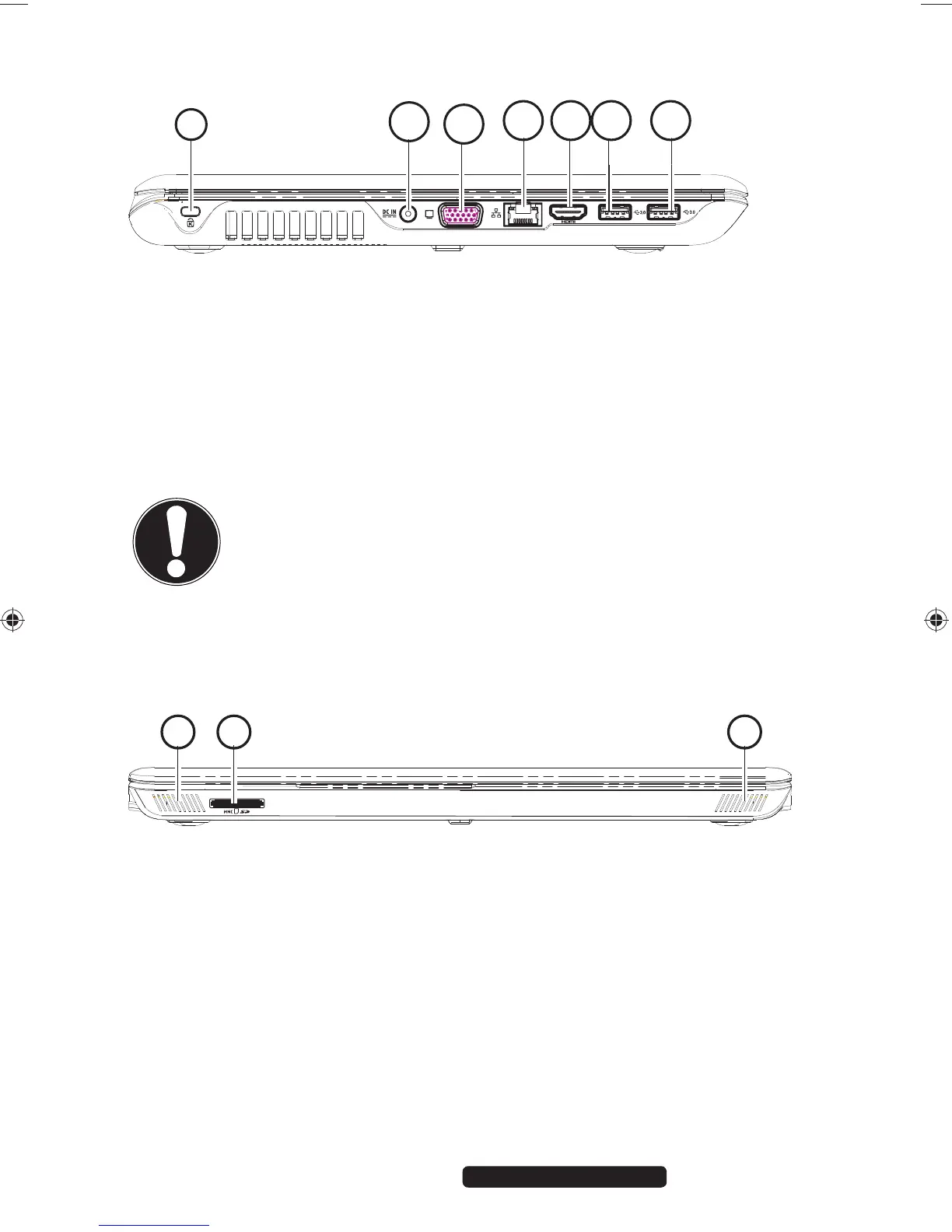
4.2. Left-Hand Side
9
10
11
12 13 14
14a
9) Kensington® Lock
10) Power Socket
11) External monitor port VGA
12) LAN Port (RJ-45)
13) HDMI Connector
14) USB 3.0 Port
14a) USB 3.0 Port with charging function for mobile phones
CAUTION!
The charging function (“Symbols and Key words used in
these Instructions“ is available in sleep mode and when the
Notebook is switched off providing it is activated beforehand
in the UEFI firmware configuration.
4.3. Front View Closed Position
15 16 17
15) Stereo Speaker
16) Multimedia Card Reader
17) Stereo Speaker
99222 E6232 Aldi AUS RC2 Content.indd 1799222 E6232 Aldi AUS RC2 Content.indd 17 29.01.2013 09:26:5629.01.2013 09:26:56














 To Next Page