19 of 78
Telephone: 1300 884 987
Internet: www.medion.com.au
After Sales Support
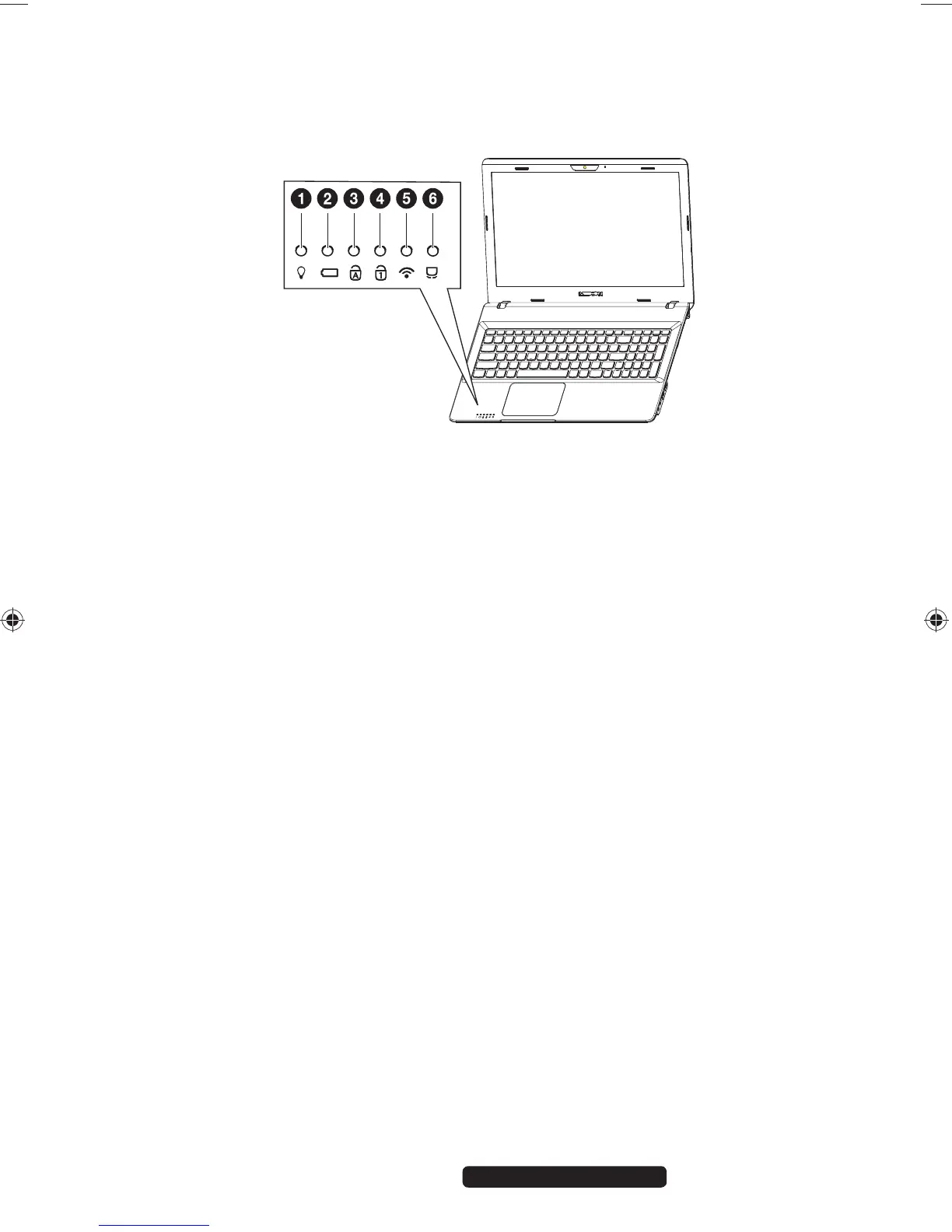
4.5. Operating and Status LEDs
The system displays power supply status and operating modes via LEDs. The
operating lights also light up during Notebook activity.
1) Operating Indicator
This LED will shine if the system is switched on.
2) Battery LED
This LED lights when the battery is charging
.
3) Capital Lock
This LED lights when CAPS-Lock has been activated. This sets the keyboard to
capital letters.
4) Number Lock
This LED lights when NUM-Lock has been activated.
5) WLAN / Bluetooth LED
This LED lights when the WLAN /Bluetooth function is activated.
6) Touchpad Lock
This LED lights when the touchpad lock is activated or the touchpad is
turned off.
99222 E6232 Aldi AUS RC2 Content.indd 1999222 E6232 Aldi AUS RC2 Content.indd 19 29.01.2013 09:26:5629.01.2013 09:26:56














 To Next Page