After Sales Support TEL: 1300 884 987 WEB Support: www.medion.com.au
21
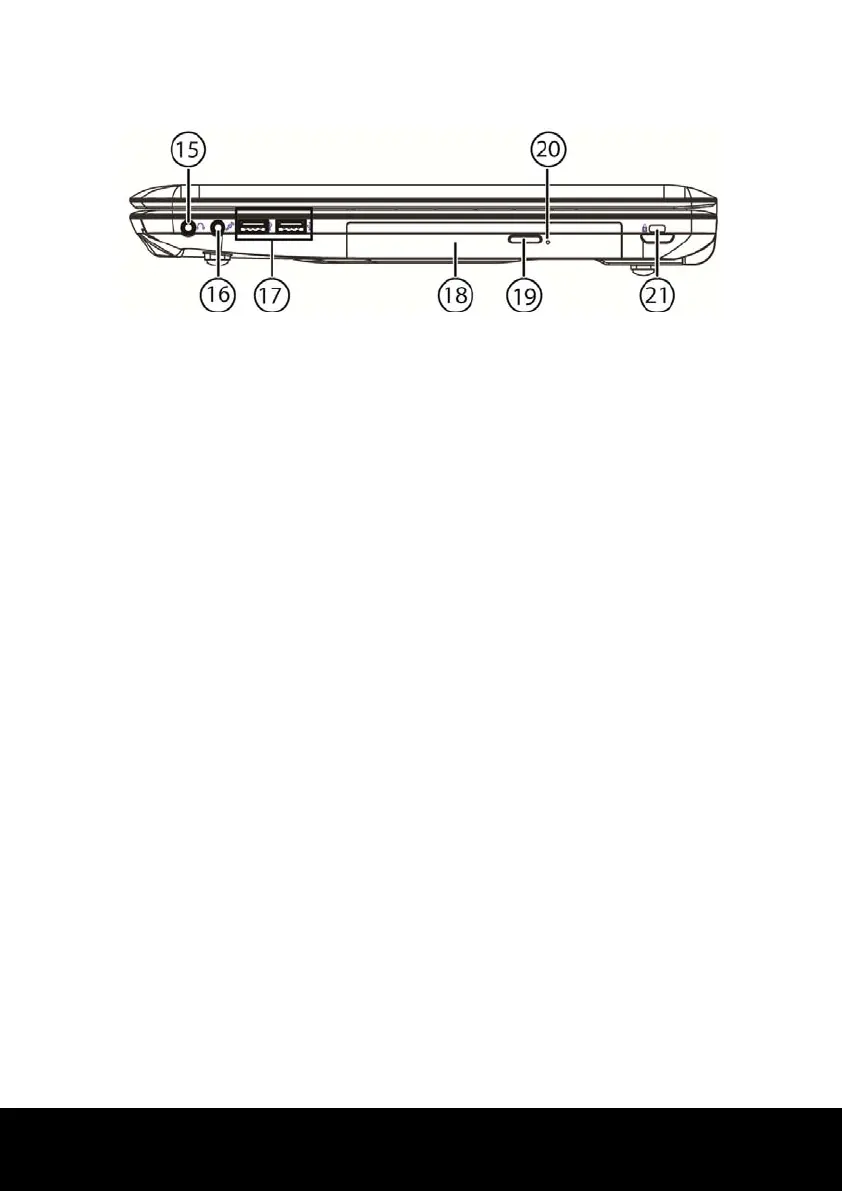
Right Side
15 - Audio Out* /
Digital Audio Out (S/P-DIF, optical) ....................................................... ( p. 50)
16 - Microphone* ........................................................................................ ( p. 50)
17 - USB 2.0 Port .......................................................................................... ( p. 57)
18 - Optical Drive ........................................................................................ ( p. 45)
19 - Disc Eject Button ................................................................................... ( p. 46)
20 - Emergency Ejection .............................................................................. ( p. 47)
21 - Kensington
®
Lock ................................................................................... ( p. 58)
* Ports with dual function. Configuration is set with the included software ( p. 50).














 To Next Page